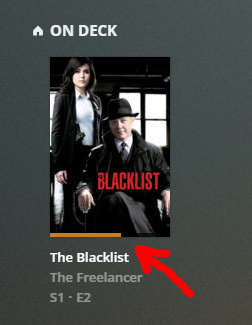
It had very useful “refresh page” feature - sometimes Plex player doesn’t update the status of the video (watched/not watched/partially watched). So it is impossible to watch the next video (or episode) without reloading.
For example, when I’ve already watched the SECOND episode, and I’d like to start watching THIRD episode. But Plex suggest to continue watching the SECOND.
Well, that’s not available in v1.0 on MacOS so I find it hard to believe it was available in v1.2 and then not again in v1.3.
Is that screenshot actually from v1.2 (1.1 or 1.0)?
As far as the refresh issue goes:
From the Home Screen / One Deck on the macOS app (v1.3), I hovered over the item, clicked on the three vertical dots on the lower right part of the poster, a pop-up menu appeared, I clicked on Mark as Played, the pop-menu goes away, and the Home Screen automatically refreshed.
If you don’t see three vertical dots when you hover over a poster item, then there may be an issue with your install.
Since you’re on the Show/Series screen, you want to hover over the episode down below and use Mark as Played from the vertical dot menu…
Desktop app looks like Qt shell with webviews for me. If it is not - fine, it’s not important. It still looks, feels and behaves like webapp, and, most important, it inherits all webapp bugs.
From the Home Screen / One Deck on the macOS app (v1.3), I hovered over the item, clicked on the three vertical dots on the lower right part of the poster , a pop-up menu appeared, I clicked on Mark as Played , the pop-menu goes away, and the Home Screen automatically refreshed
This is a solution for this particular problem, thanks. But that was only an example of such kind of issues. Sometimes app UI “stucks”, and the only options are either restart the app, or press some long combination of buttons.
Just pressing F5 or “refresh page” is much faster and more convenient IMO.
Well, that’s not available in v1.0 on MacOS so I find it hard to believe it was available in v1.2 and then not again in v1.3.
If you help me with getting older binaries, I’ll make screenshots.