Server Version#: 1.25.4.5487
Server Specs: Dell Inspiron 15R 7520 SE (laptop from 2012)
CPU: Intel Core i7-3612QM @2.10GHz
RAM: 2x 4GB DDR3 1600MHz
GPU: Intel HD Graphics 4000
Players: 1x Sonos Playbar, and 2x Sonos Amps
Player Version#: S2 14.0 (build 67125031, latest)
Network Hardware:
Telstra Smart Modem Gen 2 (Arcadyan LH1000)
Firmware: 0.15.16r
Note: I did some research into NAT Loopback/hairpinning for this router, this router has no support for NAT loopback. This could be a contributing factor. Also, all Telstra Crowd Support forums all refer to older firmware versions.
Issue: The Sonos profile (found in: C:\Program Files (x86)\Plex\Plex Media Server\Resources\Profiles) is telling PMS to transcode all FLAC files to 44.1kHz-16bit, even if the S2 clients are capable of 48kHz-24bit and S1 clients at 48kHz-16bit.
My troubleshooting attempts:
- Changed audio.bitDepth value from 16 to 24 using Windows Notepad.
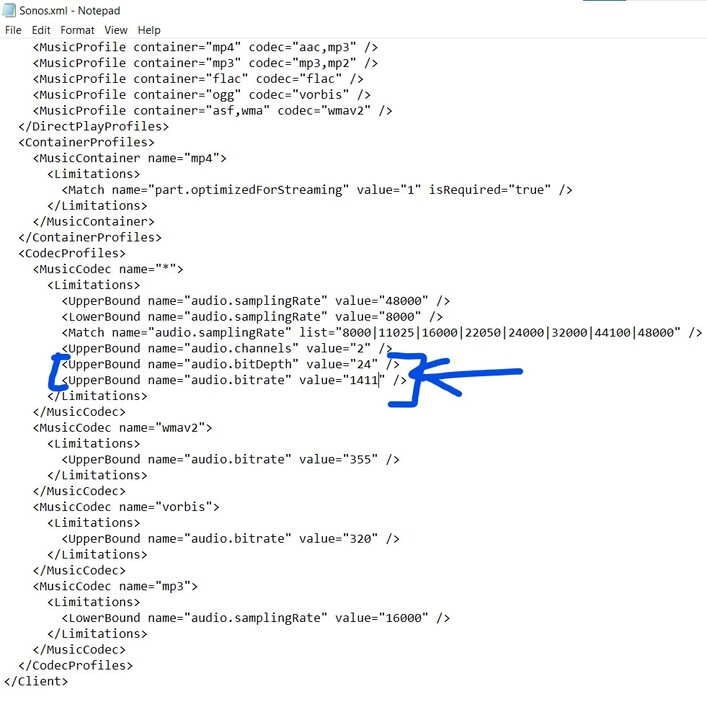
Result:
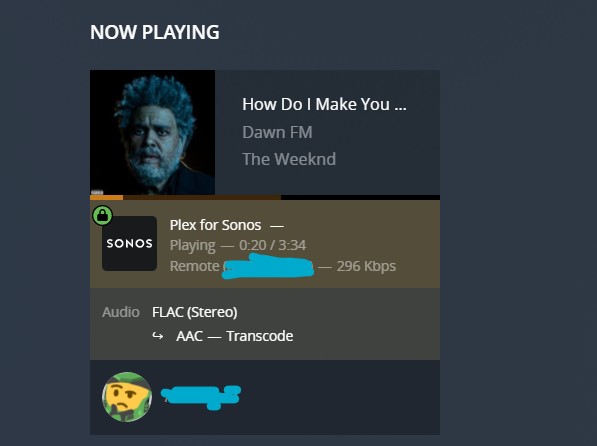
FLAC was being transcoded to AAC, despite this file being in the bounds of any Sonos S2 device (it was a 48kHz-24bit stereo FLAC file).
Also note that audio is being sent to a remote server, most likely one of the many Amazon Web Servers rented by Sonos in Ashburn Virginia.
Update: That is incorrect, according to the “Requirements for Sonos” Plex Support Article, this should be the Relay that is mentioned, as my router doesn’t support NAT Loopback.
- Reset bit depth value back to 16, but changed the bitrate maximum to 2304kbps.

Result:
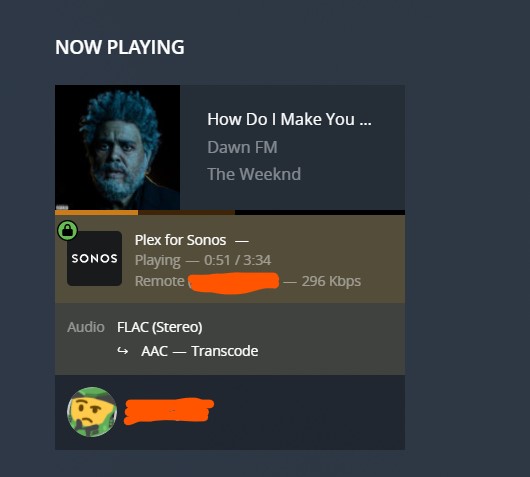
Again, FLAC was being transcoded to AAC.
- Final test, changed both the bitRate and bit Depth to 2304kbps and 24bit respectively.

Result:
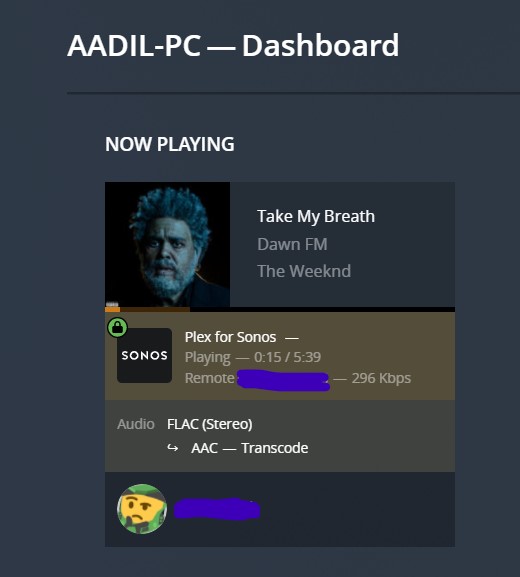
Again, FLAC was being transcoded to AAC.
My Suggestions: Please add 24-bit transcoding support for S2 products, give server owners the ability to choose the audio quality they’d like to play to for their Sonos products.
