I like that we can sort by date for music libraries. But I’ve noticed that it appears to just use the year for the sort date. Given the date field can accept months and days, would it be possible to take this into account when sorting? To get a true chronological order release for libraries that contain (eg) singles and albums released within a given year. Thanks!
It should do that already. In which format did you put the date in there?
You need to use yyyy-mm-dd
I use that format. It definitely isn’t sorting in order though beyond the year (within the year it appears to be alphabetical).
I can confirm that, but if you sort by release date everything is fine.
@OttoKerner you confirmed that bug already: Albums sorting alphabetically by year, rather than by release date
I’m a bit confused. Is this a known bug that’s being fixed, then? I can’t get the correct order on any of my devices - it’s all alphabetical within year.
Just sort by release date instead of year. This works for me on iOS and Plex Web just fine.
Perhaps we’re taking about different views. I’m talking about the library default sort setting - from oldest to newest. That seems to ignore the months and days of releases.
Yes, different views as it seems. You didn’t make it clear, that you were talking about the default library view, but there I can’t reproduce that problem. Either with “Library Default” as sorting or with “Newest first”, the other options work as expected as well.
The Problem only occurs if I actively sort by “year”.
There’s no “sort by year” option that I see. Here are some images of my settings - see that the artist default sort it Oldest First. Then look at the albums, and note that Sun Restructured comes before Sun Structures. Then look at the release dates for both. Surely they should be the other way around, no?
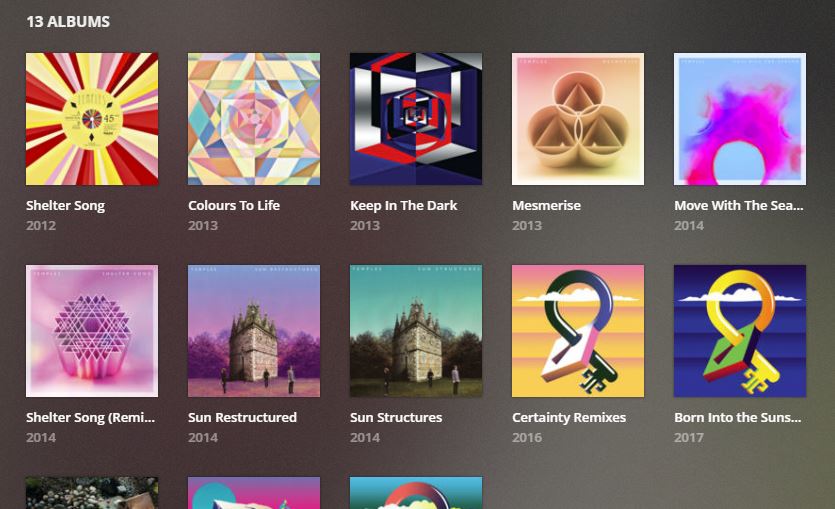
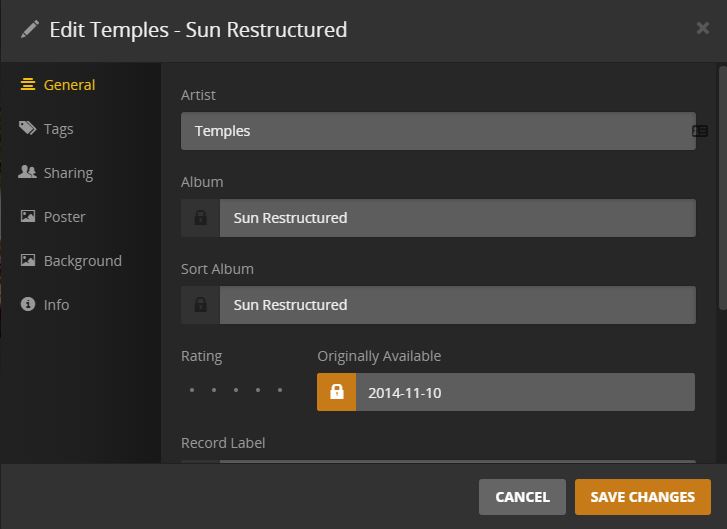
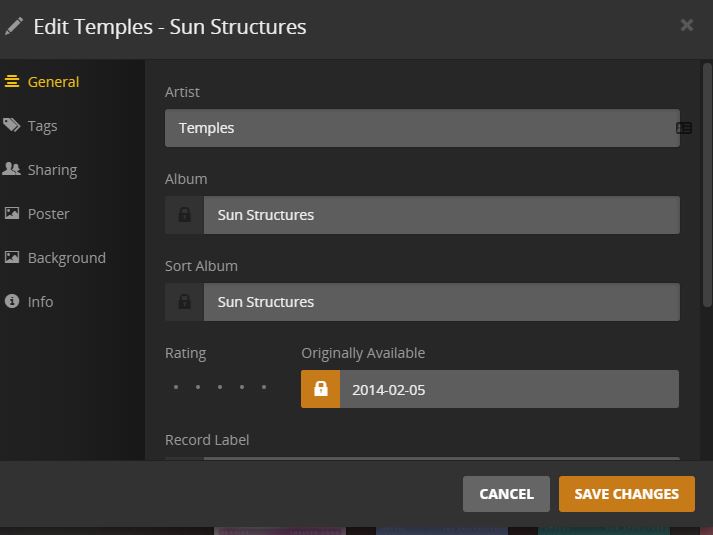
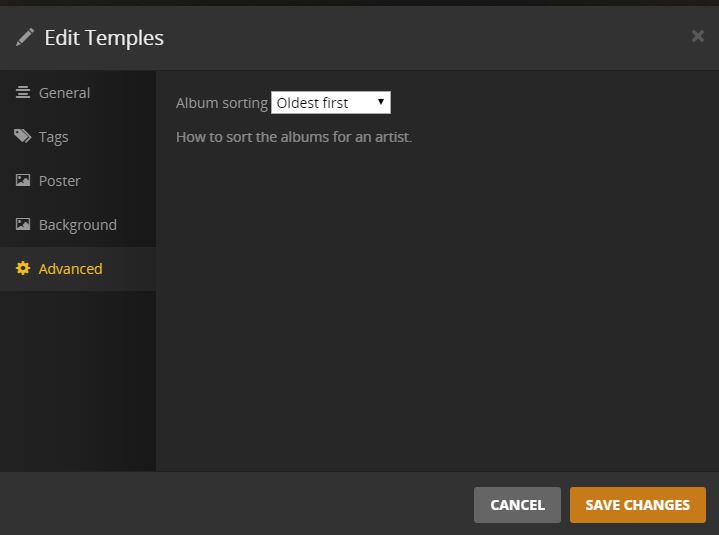
The screenshots helped a lot, I can reproduce this.
@OttoKerner any comments?
Early 2021 clean-up: implemented (albums can be sorted by release date [full date])
