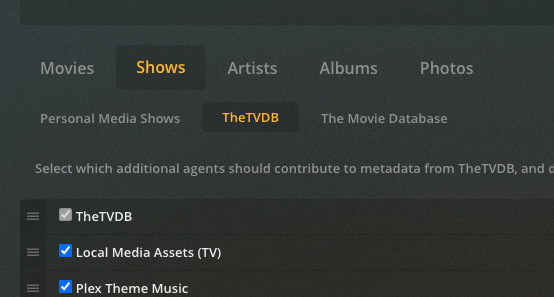
I am using the TVDb naming scheme, and I have both Plex and the file names in DVD order. However, no matter what I do, Plex always detects S1E1 “Spark of Rebellion” (which is a two parter) as S1E2 “Droids in Distress”. It detects the rest (even the correct “Droids in Distress”) fine.
I suppose you had that episode already matched before you changed to the DVD order and Plex still got that old information in its cache.
When you change the file naming / structure of a tv show already linked within Plex, make sure to perform the “Plex Dance”:
move the show folder (or individual files) outside the folder linked to Plex
Also if they are mp4’s make sure that they do not have incorrect embedded metadata that might be getting picked up. You can also lower local Media assets in agent settings if that is the case so online metadata from TVDB takes precedence
If it is just one episode that has an issue you can just manually edit that one episode and be done with it. ( make sure the lock on the fields that you edit stay orange when you hit save)