I suddenly lost all but nine of my titles within my music folder. The photo and video folders are perfectly okay. I deleted the folder and recreated a new music folder and only the same nine tiles were added to the new folder. I have a total music library of just under 300GB. I am running my Plex Media Server on a QNAP TS 251+ machine. It is updated to the latest firmware: QTS 5.2.4.3105. Logs attached.
Thanks so very much for your response. I did check the video, photo, and music file permissions on the NAS and they look identical. I am working remotely for the next two days and will double check. Unfortunately, although I can access my NAS remotely, I cannot open the PMS. I am back home in a couple of days and will be sure to reaffirm, so will get back to you. Thanks again!!
There is no need to give it permissions to the files/directories as is done on regular Linux or Synology,
On QNAP, there is no namei command
In the logs, I see a huge amount of metadata being updated.
Question: Is the media contained in a MultiMedia shared folder reference or is the media contained on an external USB drive ?
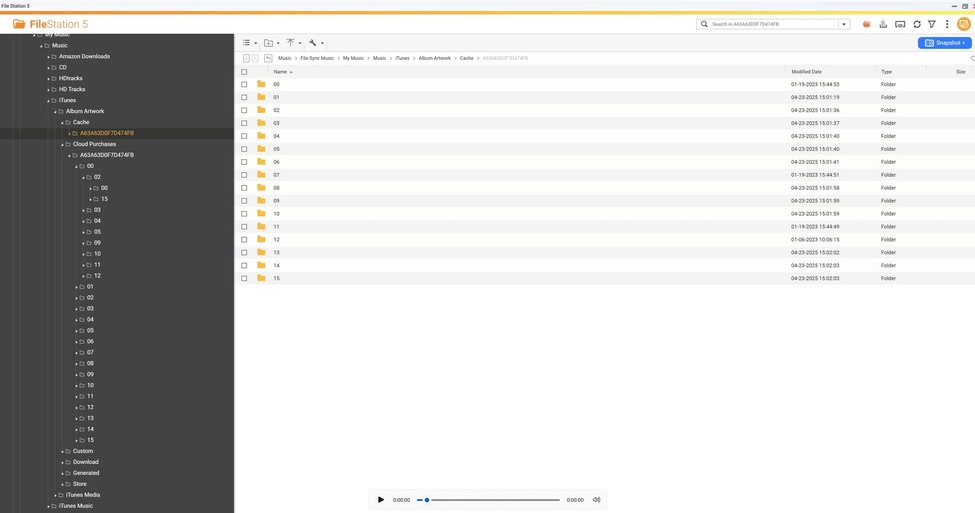
I see a huge amount of scanning through an iTunes named directory (Cache) which looks to be in a Photos (?) library ??
You might want to look here /share/CACHEDEV1_DATA/Music/File Sync Music/My Music/Music/iTunes/Album Artwork/Cloud Purchases only because of the ‘Sync’ aspect . Might a bad sync / rsync have removed the files ?
I very much appreciate your response. While I am not extremely computer savvy, I am finally home and doing a deeper dive. It looks like Microsoft moved all my folders to OneDrive, removing them from my hard drive. My current setup scans “original” files on said hard drive, which are then copied to the NAS via the AOMEI Backupper software. I am not sure why photos and videos were preserved on the PMS. These files are set up to be handled the same way, although I have added new music files to my library recently, but not photos or videos. Perhaps that’s the "bad resync?? I attached a screen shot from the NAS of the folder you queried. There are lots of numbered files with nothing in them at that location, and I am not sure how to interpret those files. Thanks again!!
I am not familiar with iTunes . ( I don’t have Windows machines )
Cache directories are usually used by software to make quick access for Most-Frequently-Used or Most-Recently-Used files
I don’t have any idea as to why the contents changed there (not familiar with the software) but it looks like you told PMS to monitor iTunes folder and not iTunes Music (which I presume are the actual music files ?)
When you look are your music files, are they still in iTunes Music ?
Is this where they should be?
Regarding Microsoft MOVING all your files, to make this work the way I think you want it, Microsoft should be COPYING your files (a normal sync). There should (?) be an option in their software to MOVE or COPY/SYNC files (I would hope)
I suspect you’ll want to
Look at the folder(s) you defined for music. Edit as appropriate
Confirm you still have your music files. Copy back if needed and update their software settings.
Yes, it absolutely was a Microsoft and its OneDrive that were the issue. It may have been something I did on my end during an update, but instead of simply copying the files to OneDrive they were, in fact, MOVED. The setting for maintaining the files on my main hard drive was incorrect. I copied the files back onto the hard drive as you suggested and am back in business. Files are now being seen by my PMS loaded on the NAS. I changed the settings so will be able to maintain copies of files on both the hard drive and OneDrive. You helped me realize it had nothing to do with the NAS. It was all a function of Microsoft/Windows 11. You are also correct the iTunes music files are located in the file called “iTunes Music” file so moved the “iTunes” file out of my “Music” folder. I should be good to go. Sadly, I deleted and reinstalled the PMS, so lost my Playlists. Will be “fun” to recreate, unless their is a way to find my old configuration.