I confirm that the Plex app have all the permissions for storage, and I tested internal and SD storage, still get the same error.
As for the public facing IP address, I tested in my local network but still the same error.
1 Like
Please provide me new logs with this setup.
Hi @anon18523487 … any other ideas? Thanks in advance…
Same issue here. Old sync works. All permissions granted. Tried on both storage types
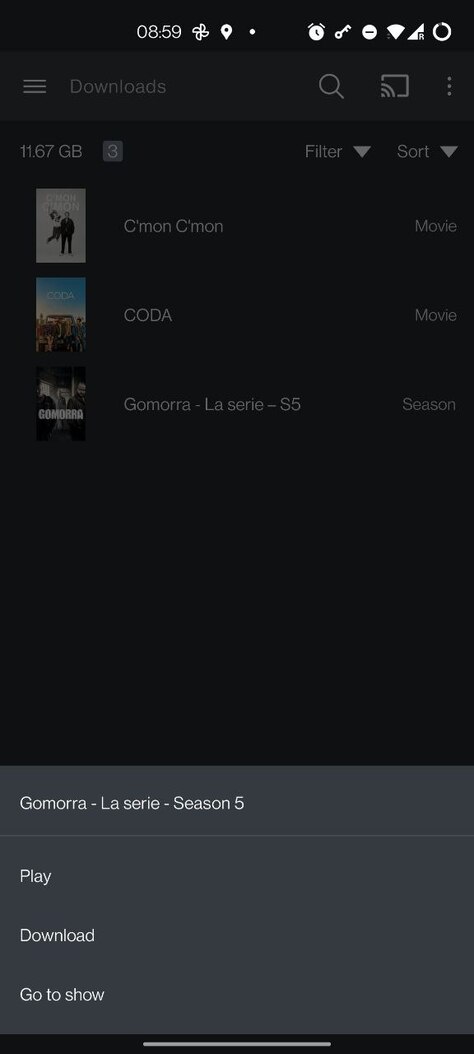
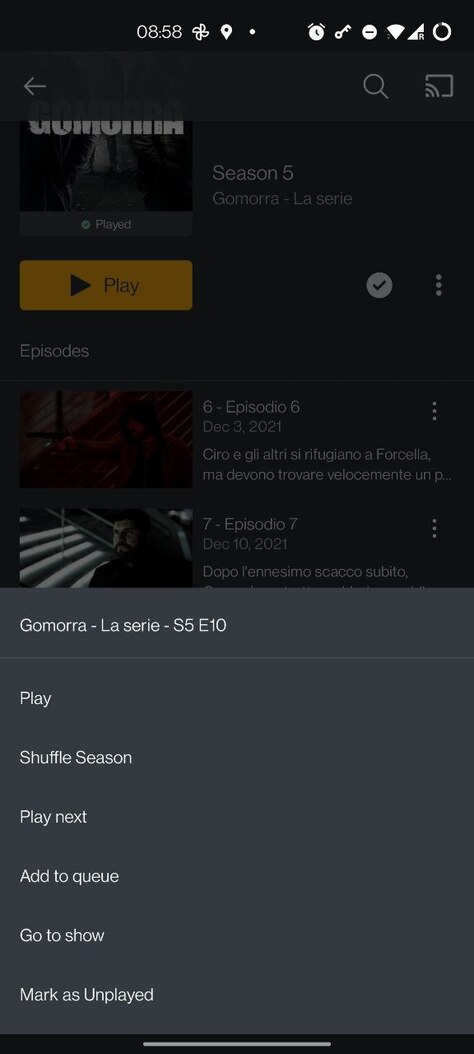
Why is not possible to remove individual episodes or an entire season from Downloads? If I’m forced to “delete all”, I will be removing other things that I still want to keep. Is there an explanation for this? Thanks.
I have a similar problem to the errors shown above. I have PMS running on Windows 10 Pro 21H2 and I have a Samsung Galaxy Note 9 running Android 10. I have the Plex Android app on the phone.
If I try to download a movie from PMS to my phone inside my home network via Wifi, I get the “There was an error downloading this file. Swipe to remove or tap to retry.” error. On the server there is no indication of it receiving the download instruction and nothing happens. If I switch off Wifi on my phone and go via mobile data, the movie download starts fine and downloads.
Even stranger, if I let the movie download start via phone data, then switch on Wifi and go into the Plex settings to disable “Download over mobile data”, the download appears on PMS as a new download, and then continues fine. It just won’t start a new download across Wifi.
There is something wrong with initiating a download from PMS within the home network.
Any ideas?
Downloads keeps track based on the Download type. i.e. You download a show, it tracks the show, not individual episodes. So you can’t just remove an episode or season since that’s not what is tracked. If you want to remove something, you can Download the other seasons you want to keep then delete the show. The other seasons will not actually Download, the app will know the files are already there, but it will then be able to track those seasons separately so when you delete the show, it would only lose track of the season you want to keep.
Please create the issue and provide the android logs.
I don’t have the other seasons…I only have season 5. So the answer is that there’s nothing to do?
This is hideous and extremely inconvenient. Hard to believe that this is how it actually works.
Thanks for the clarification though. Cheers.
1 Like
This is the way Sync worked too. We did not make any changes so that the behavior would be similar to the old feature.
If you only have 1 season, there are also options to only download unwatched episodes and to automatically remove episodes after being watched.
Is there any progress on using your Android device as the server to cast to other devices? On the most recent update on my phone I now see the banner that sync will be removed soon, but the primary use I have for my synced items is to cast to a TV while traveling. Many of the remote villages I travel to for work in Alaska do not have very great internet so streaming from my home server is not an option, but I normally do have access to a TV with HDMI so I can at least cast to the TV using my phone as the server. Removing sync before the ability to cast downloaded items is implemented would be quite frustrating.
They are removing sync in favor of downloads. I think it’s more than just a name change but the effect should be the same - stuff downloaded (in the past, synced) is locally available on your device thus I think you’ll still be able to cast from your phone. Of course, this would not be that hard to test either.
Wait what? If you are connecting via HDMI, that’s not casting. That should work depending on your device. It’s an Android feature and nothing to do with the Plex app. To “cast”, the target device needs access to at least a local network.
Casting is currently broken for Downloads. We are looking to fix that in a future release but are still busy getting this feature stable.
Read that again. Does not have access to TV with HDMI…
@kdiekevers are you using a cable from the phone to the TV? I doubt it, since you used the word “server”.
Or are you plugging a ChromeCast into the TV, and casting from Plex to that device?
They’re referring to the below. I believe the question has been addressed, I have been harping on this thing as well. Was disappointed when sync was unceremoniously discounted without warning rendering this unusable now.

But that isn’t directly related to HDMI, which was introduced to the conversation, and is what I’m confused and curious about.
No worries, I’m just curious to hear how things are connected. I think we’ve been reassured that Sync won’t be removed until there’s parity for playback.
Sorry, I guess I read something into their statement. @kdiekevers Do you mean you are using a Google Chromecast device connected via hdmi to the TV?
As I stated above, casting is current broken. We do hope to have it working on the future.
There’s been a warning in the app since September or October (maybe even earlier) of last year that Sync was going to go away.
You know that’s not what I meant @MovieFan  . Plex under the below thread had made implicit assurances that the December date wasn’t set in stone and that the change over would only occur when at least downloads was within the same orbit as sync or at least without warning. . Not one to cry over spilt milk. My issues remain: casting of downloaded content and download of collections…
1 Like
Sorry for the confusion, I use my phone as a server to cast to a device (I currently use a Raspberry Pi with RasPlex that I have in my go-bag for work trips) and know that it will see the synced items on my phone, but not Downloaded items.
I saw back in an earlier post in Jul '21 by Minxster that he had asked about it, and that it was not currently working but that it was hopeful to be working again in the not too distant future. I was just inquiring into the status of having casting working for Downloads, to which @anon18523487 I see you said it is being worked on and will be fixed in a future relase, so thank you for that update!
