No update yet. Please try to keep discussions for iOS in it’s thread. I don’t want to get things mixed up.
i accidentally posted in this in the iOS thread instead of the android thread.
@anon18523487, you noted there is a known SD card download slowness issue. the last message i see in this thread about that was from you on october 25 saying it was being investigated but no updates or indication of progress since.
do you need users to do some testing and to provide logs? i’m happy to help if it will help move this along.
i am preparing for a 6-month trip on the road to begin shortly and am concerned that the Sync feature will be removed while i am mid-travels using it. if this issue isn’t resolved soon will the deadline for removing the Sync feature be pushed back? i understand and am sympathetic to the issues of supporting both systems but am also in a situation where i’ll be unable to use my plex content if it isn’t resolved before i leave and the sync feature is removed.
thanks.
1 Like
Fingers crossed! Knowing utterly nothing about programming, but it “feels” like it should be a relatively simple fix, seeing as how sync works perfectly with sd cards and download, is meant to be more straight forward, doesn’t.
just wondering why all of my synced files are going to be deleted, rather than just automatically moving them to downloads.
this should just be a standard upgrade operation.
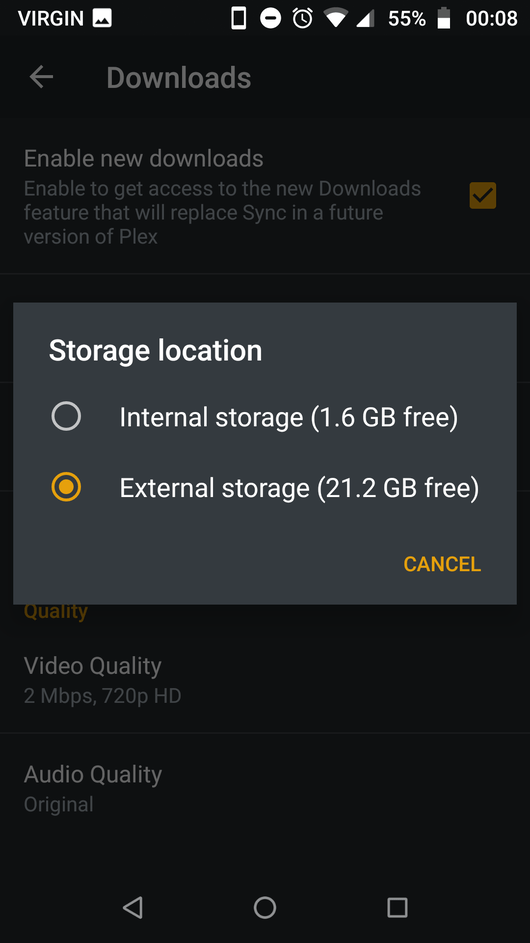
All was good for a while but suddenly I got an error that the external storage not found, even though some tracks were still downloading and I had my sd card set to internal storage. Then they all stopped. I uninstalled and reinstalled the app. It started to work and then stopped. In the settings the location of the storage kept vanishing. After reading another article I changed my sd card back to portable storage and started again. Storage began to disappear and some tracks are downloading and some show external storage not found.



So sorry! I thought I’m in the iOS thread (since I saw posts about iOS in this thread, such as #118 and #150. Sorry!
Quick question.
Is there a way to limit the number of concurrent downloads by the windows client. and/or download Transcodes at the server.
How does “Delete downloaded episodes” work? Never, 1 day, 1 week and next refresh. This is unclear. If I set to 1 day, will Plex attempt to re-download unwatched episodes every day? Will it delete the episode 1 day after being watched? I had it set to ‘Never’ and set the downloads feature to download the next 3 unplayed episodes… Found out that old, watched episodes were not being delete… Ever… This needs to be documented.
“Delete” is from the time when you finish watching the episode. If you set it to never, then it will never delete the episode. Since you have it set to next 3 unwatched episodes, it will keep adding more episodes as you watch but keep the watched ones around too. You literally told it not to delete anything. Were you expecting a different behavior?
I’ve put together a summary of the primary issues that we (Plex) are working on. Please let me know if you have any questions. Update on new Downloads feature
2 Likes
Download feature fails to start converting media(See attached screenshot on the mobile app). Have been using the downloads feature since it was released in beta which feels like its been at least a year and it has worked flawlessly until the last couple of weeks. Logs attached with the screenshot of the error. Thanks!
Manufacturer: samsung
Device: d2q
Model: SM-N975U1
Product: d2que
Version: 11
Server Version#: 1.25.3.5409
Player Version#: 8.28.0.30077 (241173d0)
Plex Media Server Logs_2022-01-17_04-36-00.zip (1.7 MB)
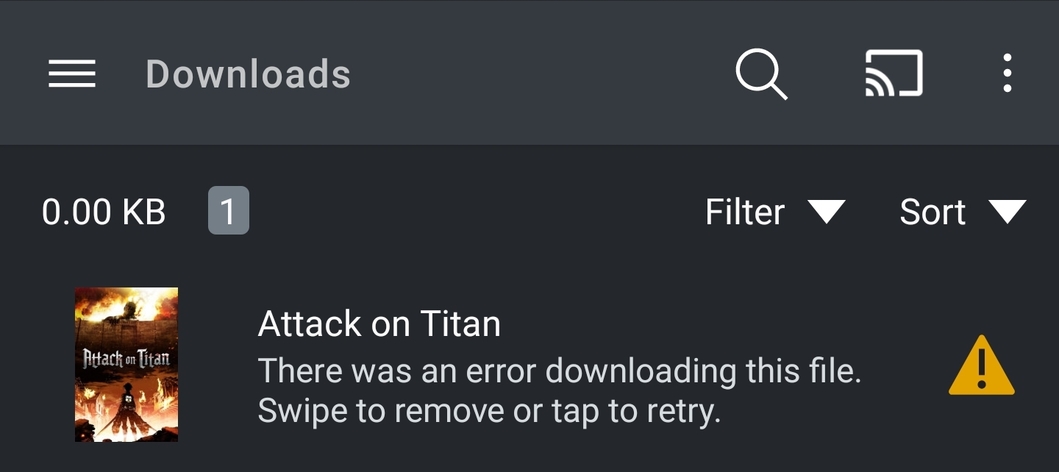
Can you also provide the log from the app?
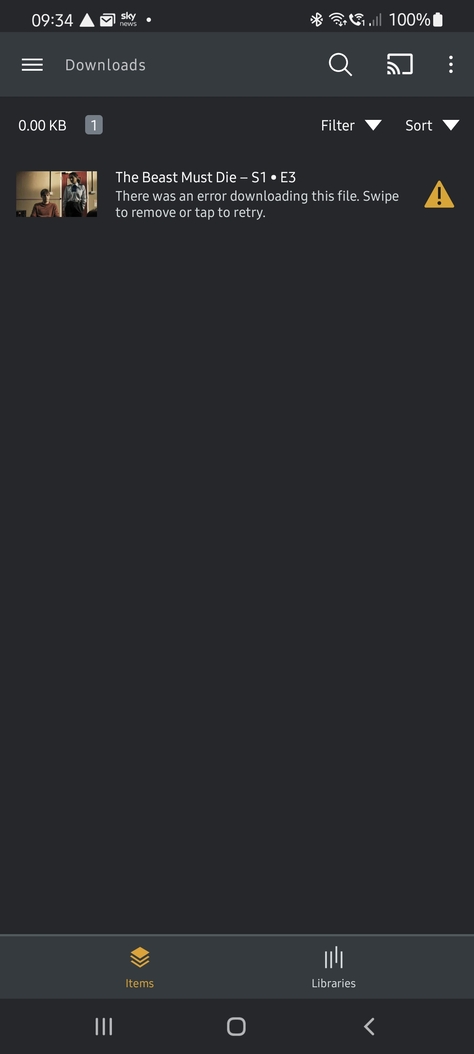
Hi all, I have the exact same problem as squishey123, my downloads are accepted by the server, but get the same error message on the screen as above. Downloads are working on my IOS and Laptop, just not on any Android or Amazon Fire device (i know it’s Android underneath but just mentioning  )
)
Has always worked and if I turn it back to Sync it works also.
Manufacturer: samsung
Device: y2s
Model: SM-G986B
Product: y2sxeea
Version: 12
Server Version#: 1.25.3.5409
Player Version#: 8.29.0.30443 (b3774acd)
Plex Media Server Logs_2022-01-25_09-33-34.zip (4.0 MB)
plex-log.zip (1.7 MB)
@davesappy See issue 3 in Update on new Downloads feature. See if that is your problem.
@anon18523487 Thanks for getting back to me, I do have that set to show already… also, the same error happens on movie downloading too…
Hi,
My download is not working on my android devices (Huawei Mate 40 Pro and Huawei Matepad 11) for most of my movies and video episodes. When I click the download button, and then go to the download module, it always says there’s something went wrong. But I can download the same file on my PC plex app.
Please fix this, thank you.
Plex Media Server Databases_2022-01-23_22-10-16.zip (3.2 MB)
Plex Media Server Logs_2022-01-23_22-10-04.zip (1.6 MB)
plex-log-陈旻.zip (869.7 KB)
@anon18523487 Exactly the same problem here. Logs are attached in my reply.
@davesappy Checking your logs again, it appears to be having trouble saving the file to your memory card. Do you have encryption enabled for the card? That does interfere with downloads.
Edit - Also check the permissions for Plex. Make sure it has permissions allowed for “media and files” or “storage”. The names change depending on the version of Android.
@chenmin7571 Your logs also indicate the app can’t save the file to your storage location.
“errorText”:“Could not move downloaded media to destination”
Edit - I also see that your server has a public facing IP address. PMS does not work well in that setup.
Thanks, @anon18523487 I have rechecked and you were right, for some reason,
it did not have rights (strange that Sync worked though but hey ho) I have now enabled everything so it has full rights to files, phone, and camera… but still erroring… Also, no, I don’t have encryption on… I have tried both internal and an SD card for storage of both the app and data to no avail…
This is also happening on a Samsung Tab S4… so i cant see its anything to do with the device… but willing to be wrong 
plex-log-davesappy.zip (1.8 MB) my mobile
plex-log-davesappy.zip (532.4 KB) my tablet
