I’ve recently purchased Plex Pass and am very excited to use the ‘Downloads’ feature for offline viewing.
So I’ve downloaded two episodes of my favorite shows but when I start playback from the ‘Downloads’ tab in Plex for iOS, it shows a spinning animation for about 15 seconds and tells me that something went wrong with my media and to try again later. I’ve tried this multiple times with restarts and it still doesn’t work.
In a last ditch attempt, I deleted the downloaded episodes from the app and tried to stream it from my server instead. To my surprise it worked. So here I am, wondering if there’s something wrong with my setup or my Plex app.
Any help/insights would be appreciated!
Plex server version: 1.24.2.4973-7000
Plex for iOS version: 7.23
As I understand it, after you have watched the show, when that device next attempts to sync, it will delete it from your device.
I have mine set for 1 day, just in case I fall asleep with it playing or something, gives me a chance to unmark it as watched before the next sync and it gets deleted.
@anon18523487 , My observations so far with “download” vs. “Sync”.
Download seems less flaky than Sync.
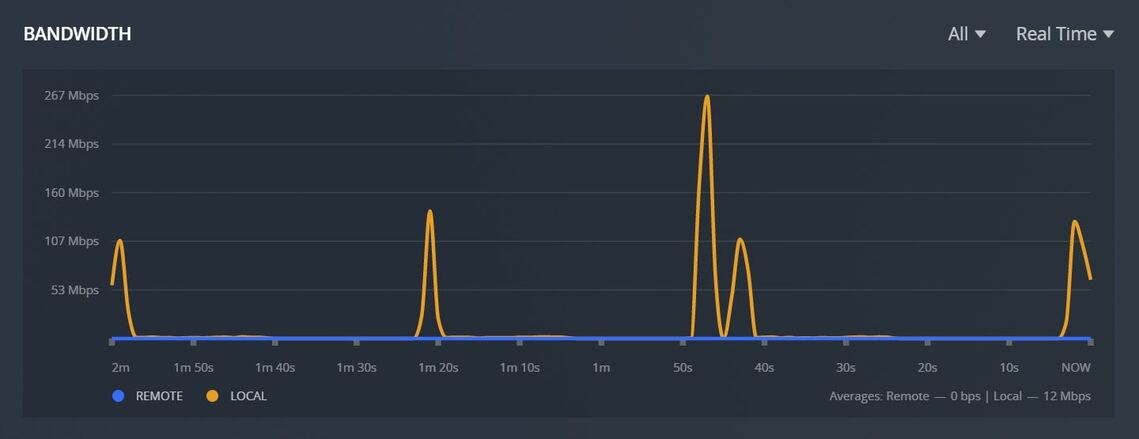
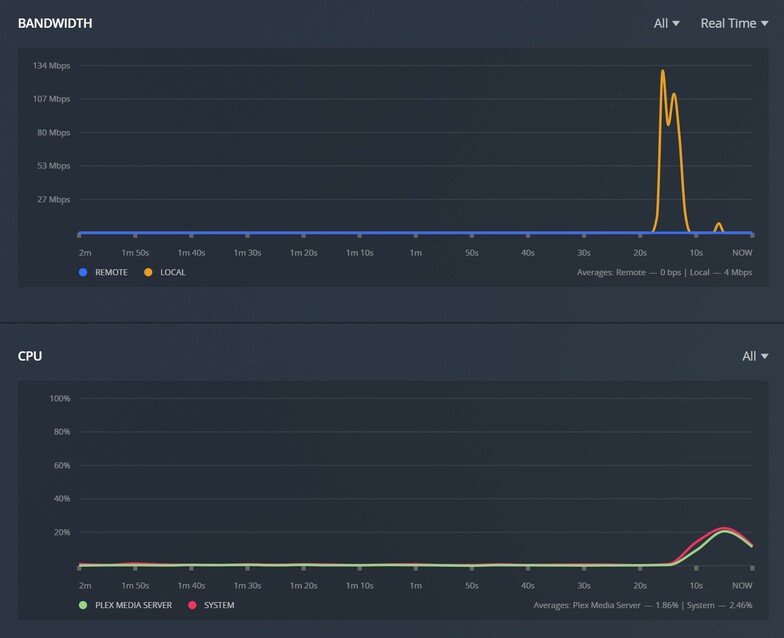
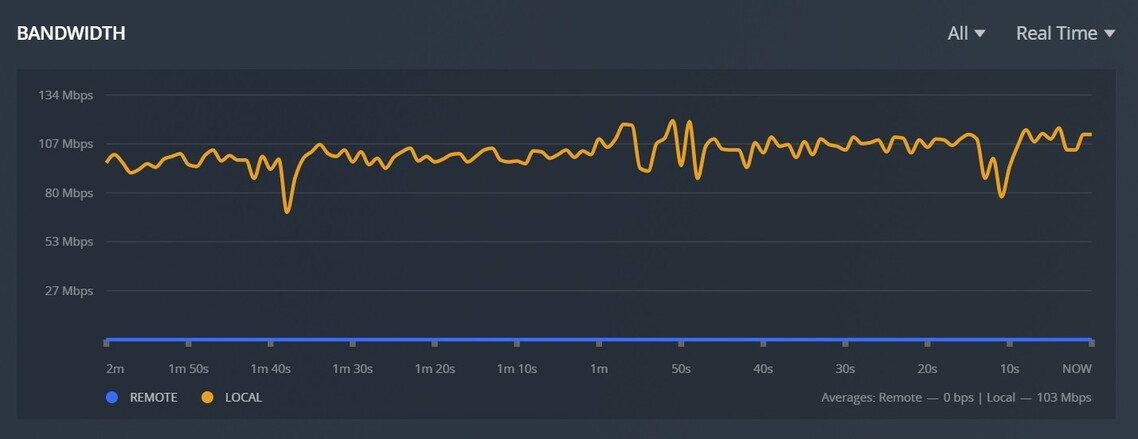
Download is still oddly slow, looking at the Dashboard network usage
there seems to be some sort of built in gap between songs like 30-40 seconds before it will download the next song.
I’m confused by others are asking to limit the number of simultaneous downloads as I see no evidence of this happening. I was going to ask that simultaneous be enable to speed things up. My server is half asleep. Plex is using a fraction of the available network bandwidth it could be using.
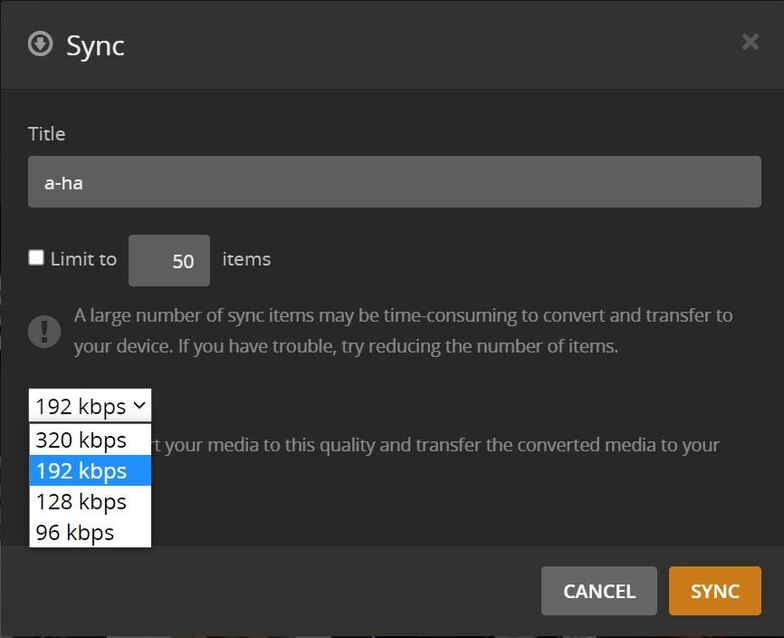
When I try to “push” a download out to a device the option to use “original” quality is missing so I am having to “pull” items from each device.
Because Download is as slow as Sync it would be nice to have the “pause” function back rather than turning the WiFi off on the device to pause the download while away from the home next work.
Currently testing on Samsung Galaxy S9 and Flip3 5G
Sever is on Windows 10 desktop ( Plex Sever Version 1.24.3.5033 )
Home network is hardwired Gigabit and WiFi 6
I moved your thread since it’s about Android. The other one was for iOS.
there seems to be some sort of built in gap between songs
There isn’t. I don’t see gaps for myself. Something not intended is going on. Will need logs to investigate.
I’m confused by others are asking to limit the number of simultaneous downloads
That’s for concurrent jobs. Downloading a playlist is sequential. Downloading 2 playlists would be parallel.
When I try to “push” a download out to a device
You can’t “push” to Download. That is only for Sync. I’m not sure why you wouldn’t see original there, but since Sync is going away, it’s unlikely this would be looked into.
Thanks for the fast reply, and the move to the correct thread.
Can I assume that downloading an artist would act the same as a playlist in that each artist would sequentially download but if more than one artist was selected for download they should be downloading in parallel? (Not what I am seeing)
I realized after I hit the send button that the server push faction is still using Sync, so yeah not sure when that broke. But I guess the question than is will download have a push function like Sync had? It seems like a few people on here would like to manage their “fleet” of devices centrally from their Plex Server.
Understanding that the Download and Sync functions are not intended for library replication it would be nice if I could quickly select new music for different devices and push it out more often. Because it is so hard and time consuming to get music out to devices we tend to take one weekend to leave the devices on the charges and load up the devices with as much lossless music as they will hold.
Oh and for a brief moment I did see more than one artist download at the same time, but these were very rare artist with less than a dozen songs. As soon as a artist with over 100 songs started to download it became the only thread.
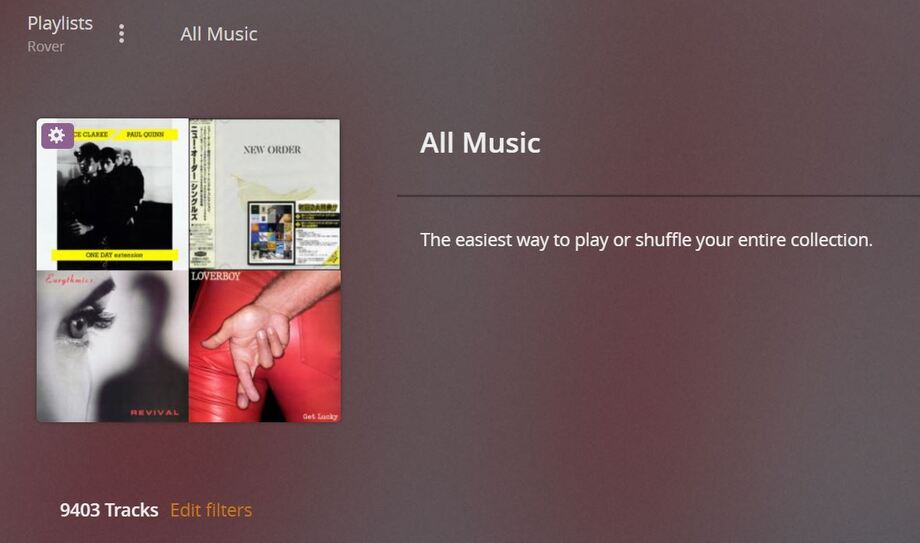
And yes on the smart playlist, the only issue is that Download will only transfer 24hrs of any playlist. Otherwise I could just use the “All Music” Smart Playlist for all my devices.
59 to be exact, but it sounds like I need to abort (now that I am at lest half way through) and use the “All Music” smart playlist if I want to keep that device up to date with all the music.
I guess for me even with only one Playlist trying to download my question has always been why is the transfer so slow? Where is the bottleneck? As a test I selected the “All Music” Smart Playlist it has 9400+ items in it. It has been downloading for the past 5 days. The gap between downloads seems to have grown to over 2mins. ?
P.S. Maybe I am missing something but it would be nice to be able to have access to the download settings before the 1st download is started so the destination could be set up front. As it is you have to start your first download then you get access to the download settings and can change the destination.