I use sync to keep a local version of my music library on my phone as I do a lot of driving in places with little to no cell phone service. Will Downloads be able to do this for me?
Right now it doesn’t look like I can download my entire music library, just individual items, so I’m not sure how to make this work.
Not sure if this would work for you but what I did for my daughter’s phone was to select all the music from her music library and add it to a playlist called all music (multiple selection can be done via the computer or long press on your device and choose Select Multiple). I then downloaded the playlist to her phone.
I asked a similar question re: multi-selection where a playlist itself would not be needed but seems that this might not be an option in the immediate future.
I would probably go with a different App for that purpose. I have no need for a Music App myself but I looked at Prism Music which seemes very promising. It’s created by the same developer who created Prologue. An app which I really love.
I noticed an interesting behavior with downloads and playlists which I am not sure was the same with the sync feature.
If I create a playlist called myMusic, fill it with a few items, and download it then it all works. If I add another item to the playlist then the downloaded area updates as expected.
However, if I rename the playlist to newMusic, the new name does not update in the downloads area.
Is this to be expected with the new downloads feature or will this be looked into?
Earlier in the thread I saw that IOS was still pending for this feature. If that is true, do you have an ETA? I do see that I can download one track at a time on my iPhone, but I need to do my entire library and doing this a few thousand times is not on my puchlist for this year…
…Later, I created a playlist of all tracks with a country of the US and I was able to start that process. Done 1200 so far. I assume it’s best to do these sort of things with the phone plugged into one’s network or computer…
Hi, so I’m now back home and since I have 2 WiFi Network (one inside and other outside firewall) I was able to run a couple of tests.
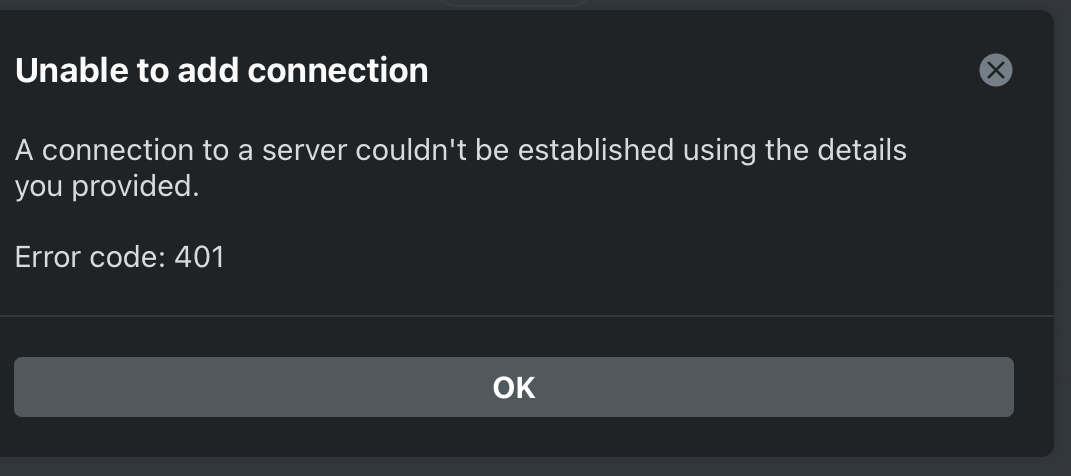
The most interessante is that inside firewall I’m able to play movies but if I try to add a manual server on plex pointing to 172.(local ip) port 32400, I get an error 401 and can’t add the server
However, if I open the browser and enter the 172.(local ip):32400 I reach the plex, can play media and connection status is reported direct connect
It seems that or the server has difficulty to understand when a direct connection is stablished or the iOS app can’t really deal with it, this might be what is affecting the download from inside the same Network.
When I’m connected to the LAN (via WiFi) the download doesn’t work, but if I connect to a different network is working as expected
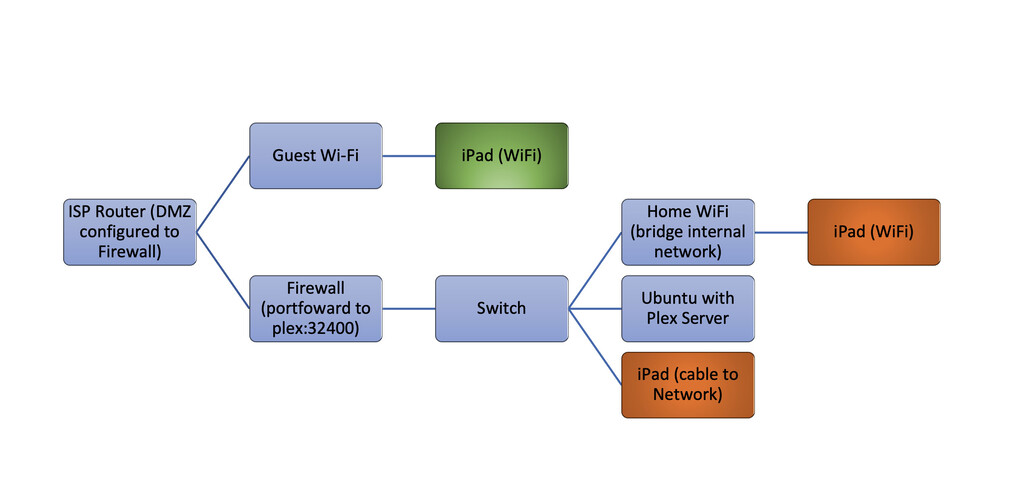
I tried with the iPad connected to guest network and local network.
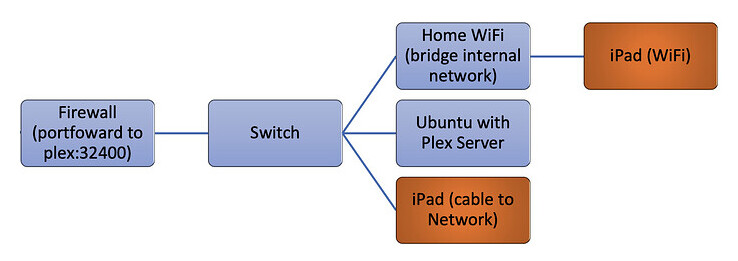
As you can see the one in green is the only that works, the other 2 options (in orange) won’t work.
Router network is a 192.168.1.*
Firewall has 2 network cards, one to network of router (with fix IP) and other to local Switch
Firewall also has DHCP server and network is 172.16.10.* - Plex has a fixed IP on DHCP, tablet will get the first available.
Internal IP will expire in 12 hours
Last piece of information, plex server is installed on the ubuntu not on docker
You’ve got a really complicated setup. I would suggest simplifying things and making sure PMS is working properly before making it more complex. That will also help identify where the problem is.
You basically have 2 networks going on with a double NAT.
and
The working iPad is likely using your server’s public IP address or Plex’s relay connection depending on if your remote access is working or not.
The non-working ones are likely trying to use the secured local plex.direct address and failing which most likely points to possibly DNS rebinding protection being enabled on the firewall. Or does your firewall have IP isolation capabilities? That can also prevent devices from seeing each other.
Apps have very little control on what happens when things get backgrounded by the OS, that hasn’t changed. It may work but if the OS decides to shut down the connection, there isn’t anything the app can do to prevent that unless it’s running in the foreground. As mentioned in our FAQ, if you keep the app on the Downloads page, the app shouldn’t get backgrounded so Downloads will continue.
Unfortunately, I can’t simplify the network, the router from ISP can’t be configured as Bridge.
I ask if I could have an ONT separated (since the router is connected directly to Optical) and the answer was a round NO.
Also they not given away the settings to configure the Firewall with public IP.
Botton line; ISP’s router gets the public IP and NAT to 193.*, best possible thing, was to configure the Firewall as DMZ destination and control all packages at the Firewall ( ISP’s router can be hacked by anyone, the “how to” is on the web … you don’t even have to go to darkweb)
However, looking at your explanation, it did made sense, I had activated the DNS resolver for some trials, at the time didn’t impact with the sync function, but was clearly impacting with the download.
I disabled the resolver … because I don’t actually need it … and is now working.
Have a look on the answer from @MovieFan.Plex, at least on my case guide me to the solution.
On the Downloads page looking at the Items tab, swipe the Downloaded show all the way to the left of the screen or long press on it, a menu will come up with delete as an option.
The app should not be transcoding hevc. Please provide me logs so I can check why. For Dolby, which ones are you referring to? Some Dolby can’t be direct played and must be transcoded.
Thanks for the reply @MovieFan.Plex, turns out after some additional testing, one of the files I had chosen had Forced Subtitles enabled, so was transcoding (as one would expect). I re-tested a wider range of files and things look just fine for X264 & X265 along with various combinations of Dolby.
I do notice something transcodes with most downloads when I’m watching the Plex GUI activity. It’s rather quick, last that long, so I’m guessing some kind of re-packaging or just audio, any insights you could offer (not important, just curious).
One bit of feedback, any chance we could see download status on the thumbnail for individual episodes, the status is marked correctly for the library and season, just not the specific episode.