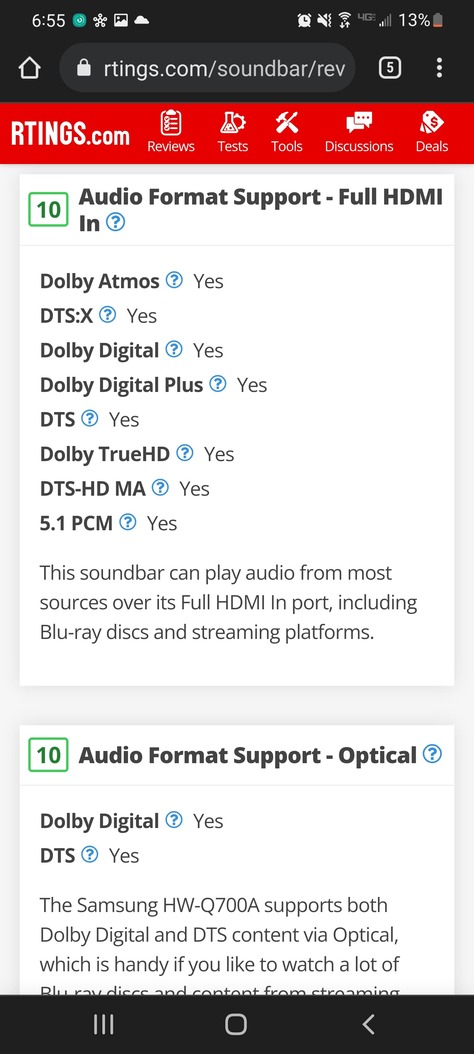
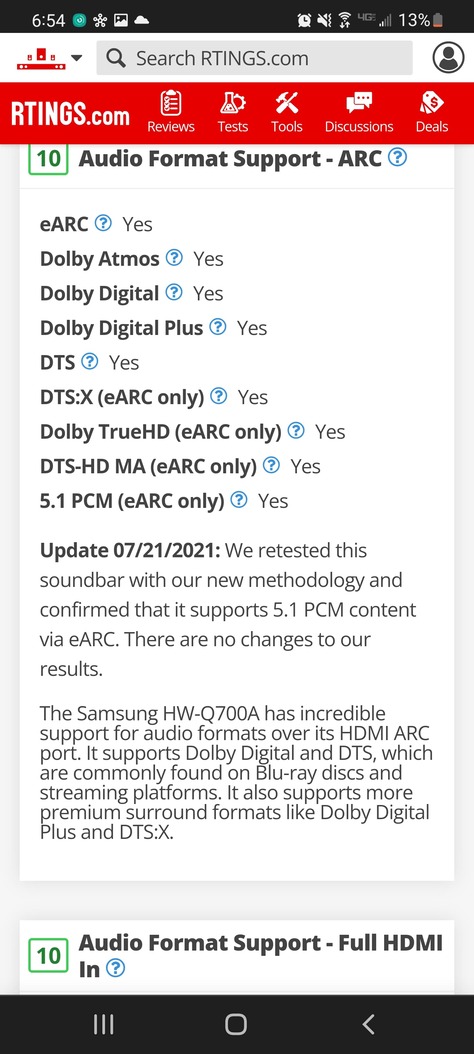
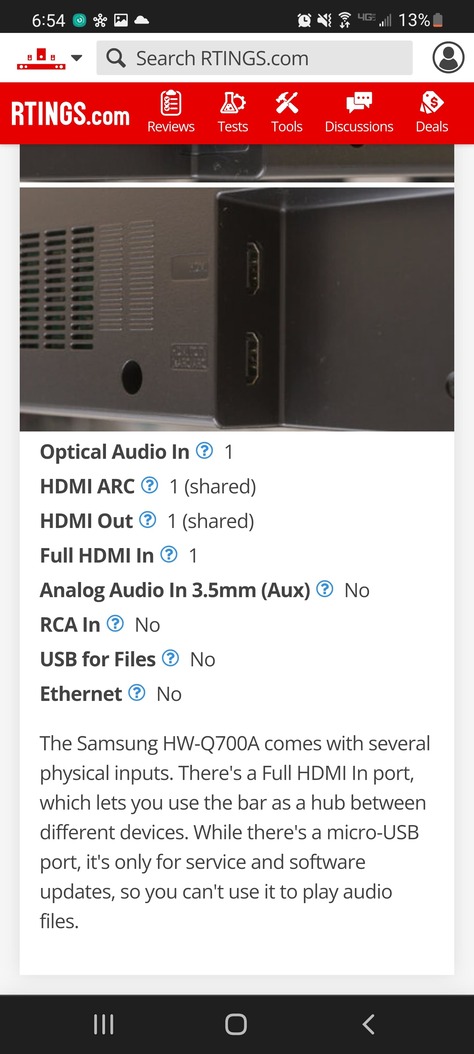
Here are the screenshots from Rtings showing my soundbar (Samsung q700a) as shown it has awesome support for all formats so this plus my TV should have 100% coverage of all HDR Video formats as well as all Audio formats DTS and Dolby via EARC so I’m at a loss. Everything should work 100% without the shield pro as is.
But please point out if somewhere in this info you see something I missed out if something is incompatible. Considering this TV runs Google TV (Android) then the plex app is pretty much the regular Android one with maybe some variation.
Ok. So your saying the DTS logo and the Atmos logo I’m seeing when messing with this on the native TV plex android app is just a lossy “fake” cut down version of each of those? And to get the actual lossless audio I need to use a plugged in device like a shield pro to the soundbar directly or to HDMI 2 since HDMI 1 is reserved for the soundbar EARC connection already? Can I test this with a gaming laptop or something to verify with the windows plex app connected to the soundbar or TV?
HD dts streams contain both the lossy and lossless audio, essentially the lossless part is dropped and you get the base dts 5.1 lossy audio.
truehd is not backwards compatible like that, however there are 2 kinds of atmos.
truehd+atmos = only from 4k/blruray remuxes.
dolby digital+atmos = only from ripped streaming sources.
the only way to ‘prove’ anything to yourself is via whatever is displayed on the soundbar display, if it says dts-hd-ma, then it is lossless, if it says truehd/atmos, then it is lossless, anything else is not lossless.
i don’t know if it can be ‘proven’ on a laptop or else.
you can monitor the plex server dashboard, it will tell you what video/audio streams are, and if they are transcoding or direct playing.
Gotcha, so the only reason these pass through settings are present on Android tv is for the shield pro or other players like it and the baked in android tv has no pass through full HD functionality at present due to manufacturers being ■■■■■■. =) I’m returning some stuff to best buy I’m a few days and I’ll try to pick up the shield pro to try it out.
At present it says video copy hevc and audio copy dts HD. And transcode reason dts is not supported by this device on exo player. I’ll try this in a couple days on a shield and reply with the results. These tv manufacturers should be held accountable for their BS. That’s like saying this brand new car is capable of 1000mph then when you try it doesn’t work then some guys online say you have to attach a rocket booster to get it to work… No official info whatsoever from the manufacturers that this shouldn’t work is disappointing. But thanks to everyone for your help. I’ll reply back with either great or poor results.
(IMO) It’s unlikely that we will ever have a tv that supports hd audio via smart app, because the only source of hd audio are Blu-ray disks, which work fine over hdmi.
We are lucky to have the shield, and more recently the Xbox, that can handle these formats.
Most streaming solutions/devices are specifically intended for Netflix/etc, so there is no benefit to those manufacturers to include support for gray area content.
Is it possible to change exo player to any other on android tv in PLEX? I check some other like MX player or VLC to play video file and 5.1 and 7.1 is working on the same TV (TCL 65c715) where PLEX is installed.
So I still have not acquired a shield yet but I did some testing with Jellyfin and my 4K library and JF allows you to change the player, So I changed it to this thing called Nova Player on Android TV and magically DTS seems to work via passthrough. I chose JF instead of VLC DLNA streaming or whatever because JF and Plex are extremely close architecture wise and run on virtually the same exo player from what I understand. So This seems like an exoplayer limitation possibly? IDK what the deal is but the JF built in exoplayer gave me the same issues as Plex until I changed it out and adjusted the passthrough settings. Seems like we need to be able to change the player within plex because TBH I dont want to use 2 services to make this work and I love Plex alot. IDK if im still off base here but I just want this to work. The only issue im still having is no HDR10 + Support on either JF or Plex so not sure if thats a TV issue or what but the Shield Pro doesnt support HDR 10+ so im kinda SOL and have to disable HDR10+ on my TV via the service menu somehow. TRUE HD audio is still broke and doesnt work with anything I try because of the issues you mentioned and that should* be resolved with a Shield or Xbox but since the vast majority of my 4K library works with the cut down versions then Ill work with what I have. Otherwise, I want the perfect Client that supports HDR10+ and TRUE HD,ATMOS,DTS is this a possibility right now? or Is a new Shield TV Pro on the horizon?
I do not believe anything exists for all that. The current Shield does all that except HDR10+. Anything that does HDR10+ is not going to have support for all the audio codecs. Also if there is a new Shield coming it is unlikely to have HDR10+ support either. I would argue that it doesn’t matter anyway though. My understanding is that HDR10+ will fall back to regular HDR10 anyway and I doubt the difference is anything that wild. It going to be much more common to run into audio issues as anything ripped from a Bluray nowadays is likely to have lossless audio that as far as I know, only the Shield can handle.
Ok sounds good to me, idk if my TV is messed up or what but HDR10+ content flickers and tries to fallback to HDR10 but fails and keeps trying to swap back and forth non stop in plex and JF but it works on the streaming platforms that support it. I’m going to just try to disable HDR 10 + next via service menu hopefully or just jump on the shield train sooner than later and then it won’t output 10+ anyway so that will solve the issue. As long as I can get HDR10 or DV with good audio then I’ll be happy =)
The good news is the Shield definitely does DV and HDR10. It really is a spectacular device. Just make for certain you get the Pro and not that garbage tube shaped one. The Tube has a whole list of issues with it and may be one of Nvidia’s biggest blunders.
There is no perfect client, there is likely never going to be a perfect client.
Neither the shield, nor the xbox is a perfect client, but they are the best/only real options for HD audio.
If you can live without HD audio, then remux your 4k blurays to eac3/dts-lossy (removing or shifting the HD audio to the 2nd/non-default audio track position), and have a ball with a much wider range of client options.
whatever JF/nova player are doing with dts, its not the HD dts, its the lossy portion (or its being decoded to PCM).