Yes, exactly, those are the episodes. The series has over 1,000 episodes and is still being filmed.
And still in 4:3?
No, the newer ones are in 16:9.
I once made a little bat file to change the language tags on audio and subtitle tracks in mkv files. How to remove tag spam and set language in several MKV files at once
It should be possible to adapt this approach to make it change the properties of the video stream instead.
Totally untested:
Only test it on copies of your video files. It has only a chance of producing valid results on files, which are of identical makeup as your example with s01e01 above. So make sure that you only process the old episodes with it.
for %%f in (*.mkv) do (
            echo %%~nf
    "C:\Program Files\MKVToolNix\mkvpropedit" --edit track:v1 --set --display-dimensions 1:768x576 "%%~nf.mkv"
    )
For all instructions on what to do with this, follow the link above.
I’ve determined that I only need to edit 116 episodes. I noticed that the edited episode is about 4 cm narrower (see images). Is there a solution for this?

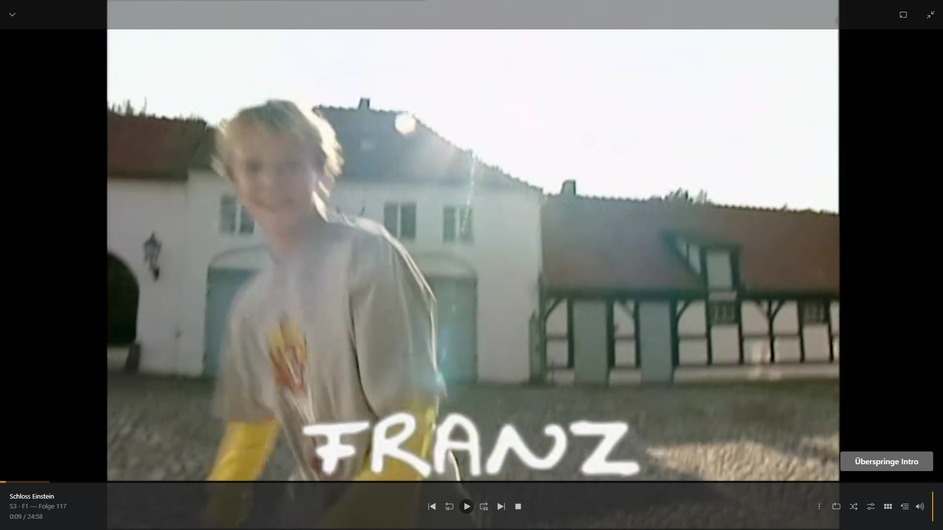
That means the numbers are not correct.
Again: are you certain that there are no black bars at the sides in your video file?
If there are, then the 768 value is not correct and you should use 1024 instead.
Could you prepare a sample file for me to download?
Here are a few seconds of the original file.
[upload removed]
Thank you! The file does indeed contain black bars at the sides.
Which means that my above solution does not apply.
Do NOT use it with these files!
Can you confirm that it is not an issue in other Plex client types?
I have filed this behaviour as a bug of the web app.
The Android and Fire TV apps have the display mode set to letterbox, but only the Fire TV app displays it correctly. The Android app doesn’t have any bars at the top or bottom, but the video is too narrow. Oh, and the Windows PC app displays it correctly, too.
By the way, I have another episode from another series, but it’s only displayed incorrectly in the Android app. It’s displayed as 16:9 in all other apps.
[file deleted]
thank you very much for your help and support
That is currently a known issue with the mobile app. It has difficulty displaying all anamorphic content. And DVD rips are practically all anamorphic (unless they have been extensively processed).
This topic was automatically closed 90 days after the last reply. New replies are no longer allowed.
