Server Version#: 1.21.0.3711
Player Version#: Roku
I have the same computer for about 3-4 years. I am using the same Roku box as well. I have never had this problem before. I have been living here for about a month and this has only started happening the last week?
I can go in and select a lower quality, but the picture looks fuzzy but I don’t have the issue?
Mind sharing some details (not about how it worked in the past but about your setup and what you’re trying to play )?
If your server is able to play the video at a lower quality that implies it might not be about your server’s transcoding capabilities but some issue with the network (perceived as a transcoding issue).
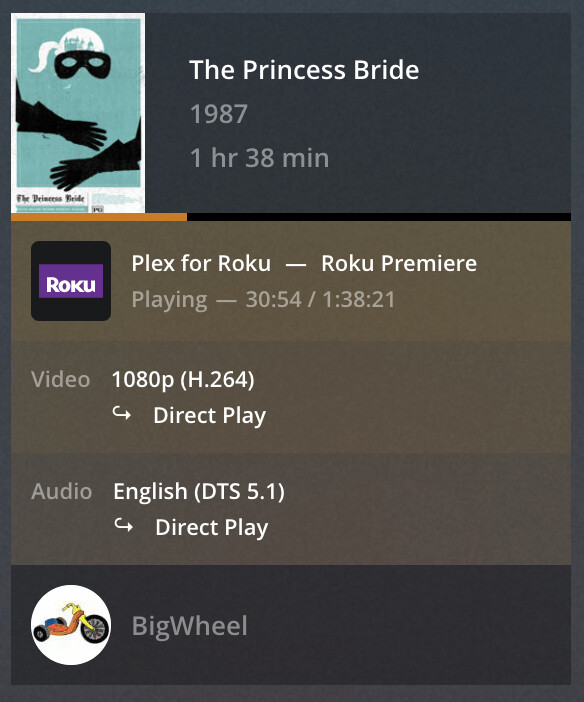
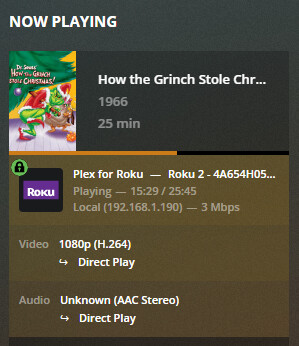
What information is showing in the “now playing” tile for that playback on the Plex server dashboard (for the initial attempt and the lower quality playback that worked)?
Well… that’s 2 different videos, one is encoded in h265 (HEVC) one in h264.
The answer could be as simple as your Roku not supporting native h265 playback.
I hope you understand my confusion here, and I do appreciate you trying to help me out. But I just don’t understand why it would go backwards and not play a newer file type anymore that it used to play?
To be fair… it shouldn’t. My point is that a timeframe of 2 years is just too big to make a significant call on what actually causes the different behavior at this time… could be Plex, could be some change on Roku’s side, could be your network, could be something entirely different…
In order to reproduce this, can you please:
go to Settings > [Server Name] > General and check Enable Plex Media Server debug logging (but keep Enable Plex Media Server verbose logging disabled!!)
play A Christmas Carol with your current configuration on your Roku
play A Christmas Carol with the quality set to 2 Mbps 720 on your Roku
Just keep both running for 10-20 seconds.
Afterwards, please open Settings > [Server Name] > Manage > Troubleshooting, click Download Logs and attach the resulting zip-file here.
According to the logs, Plex cannot direct play the video due to a bandwidth restriction of 12 Mbps. The initial playback is then supposed to stream at full resolution (1480x1080) but lower bitrate.
In the 2nd playback the video is being downscaled to 480p.
Did you get an error message at any point of this?
I’m not actually sure where that restriction comes from.
The logs made it appear like a server-side restriction. This can e.g. be set in your remote access settings (per-stream bitrate restriction) – however that shouldn’t apply if playing locally, unless you have different subnets and Plex doesn’t recognize them properly. Also this is a Plex Pass feature, so it won’t apply to you (at least I’m not seeing a Plex Pass tag with your forum user name).
What Roku models is this all about?
As for why it might play some 1080p content but not others… 1080p comes in all forms and sizes. In the end it’s just referring to a single element that determines your media… its resolution.
When it comes to a player’s capabilities (or restrictions), there’s so much more to be considered… e.g. but not limited to:
video resolution (e.g. 1080p)
video codec (e.g. h265, h264, mpeg2, divX…) and their various encoding levels/parameters
maximum/average video bitrates
video color spaces
audio stream codecs
audio stream number of channels
audio stream bitrates
subtitle stream formats (e.g. image based vs. text based subtitles)
 )?
)?