Server Version#: 1.24.4.5081 Synology
Player Version#: 1.35.1.2632-
Synology DSM 7.0-41890
Brand new installation, If I hit record on a currently running TV program in the guide my recordings come out fine. If I set up a recording for the future, the recording ends up 0 length when supposedly recorded. Suggestions? Thanks.
Insufficient permissions on the TV/Movie Library (Read/Write/Execute).
When you do a scheduled recording a directory .grab is created in the library for consolidating the stream before writing to the final location. Plex continually appends to the files created which if you don’t have proper permissions will error out.
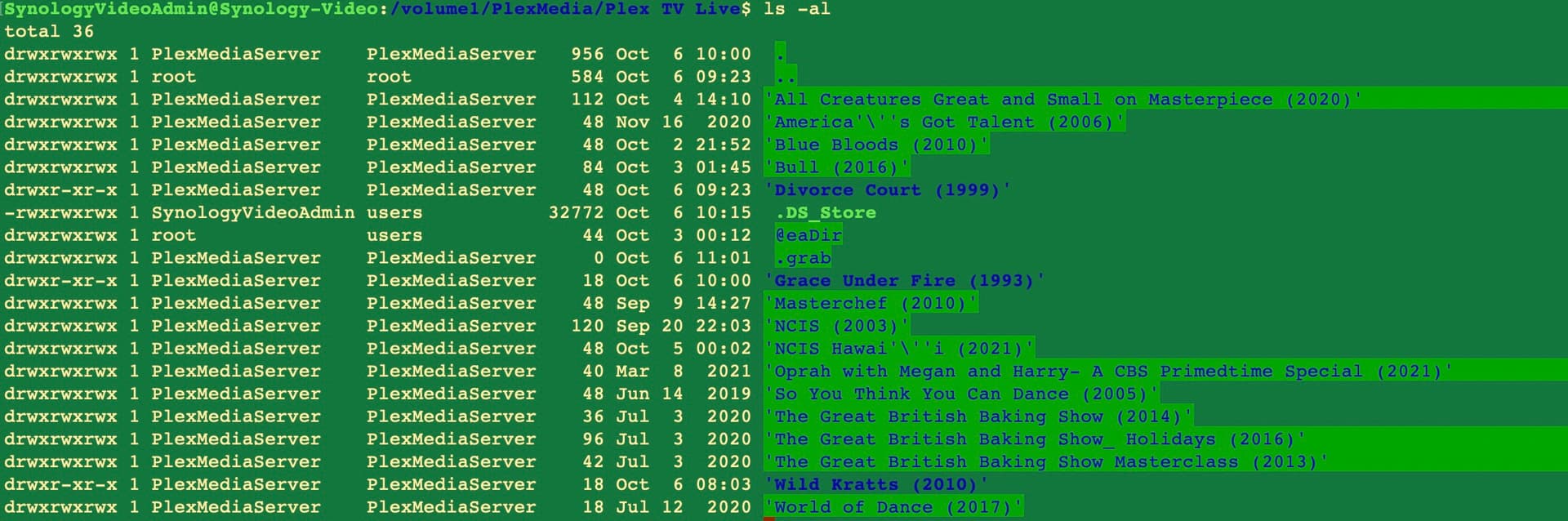
@pl_5309 What you say makes sense. I’m attaching a listing of the directory where I have my live recordings stored. I changed all to rwx and made sure the user:group was Plex Media server.
The directories that are bold blue text are the ones that have the 0 length files in them. Any further thoughts… can you tell what I’ve done wrong?? Thanks.
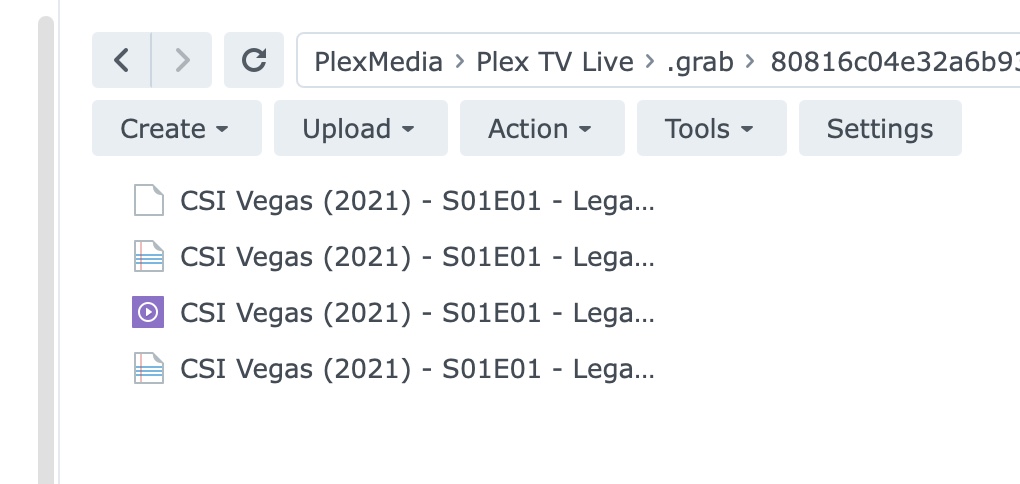
This gets more interesting. I watched a program being recorded and adding to the .grab folder. The program ended at 11P and I quickly copied it out of .grab to another Synology folder just after 11P. I then went back to the grab folder and found FOUR copies of the program:
The Purple color icon was the correct size, the other 3 were various other sizes including 0 bytes. I waited a bit more and the files in .grab disappeared, and the new directory (Premier of a show so folder hadn’t been there beforet) appeared in the TV Live directory and a 0 byte file (as usual) was left there. I then erased the 0 byte file and moved in the one I had rescued before it got deleted, and Plex program added it to its system and I can watch it tomorrow! Obviously I can’t do this for every program, but I hope it may give some indication of what is happening, Thanks again.
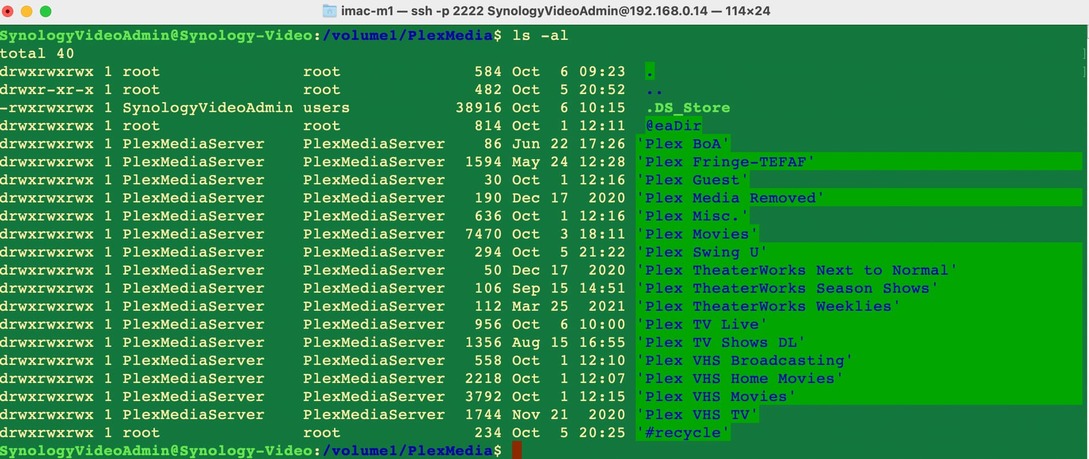
SOLVED: As a followup: I changed the User:Group in my media folder recursively from the highest level to PlexMediaServer:PlexMediaServer as well as recursively all the permissions to rwx and that solved the problem. Thanks for pointing me in the right direction.