It’s working!
- It now detects the GPU perfectly.
Jan 16, 2024 16:32:26.227 [140175720016696] DEBUG - [GPU] Got device: Alder Lake-P GT1 [UHD Graphics], intel@builtin, default true, best true, ID 8086:46a3:8086:2212@0000:00:02.0, DevID [8086:46a3:8086:2212], flags 0x3ae7
Jan 16, 2024 16:32:26.227 [140175720016696] INFO - Preemptively preparing driver imd for GPU Alder Lake-P GT1 [UHD Graphics]
Jan 16, 2024 16:32:26.227 [140175720016696] DEBUG - [DriverDL/imd] Skipping download; already exists
Jan 16, 2024 16:32:26.227 [140175720016696] INFO - Preemptively preparing driver icr for GPU Alder Lake-P GT1 [UHD Graphics]
- When you go to play, it checks for HEVC capability and sees it can do it. It then gets the HEVC HW decoder
Jan 16, 2024 16:34:26.189 [140175702416184] DEBUG - Codecs: hardware transcoding: testing API vaapi for device '/dev/dri/renderD128' (Alder Lake-P GT1 [UHD Graphics])
Jan 16, 2024 16:34:26.189 [140175702416184] VERBOSE - [FFMPEG] - libva: VA-API version 1.18.0
Jan 16, 2024 16:34:26.189 [140175702416184] VERBOSE - [FFMPEG] - libva: User requested driver 'iHD'
Jan 16, 2024 16:34:26.189 [140175702416184] VERBOSE - [FFMPEG] - libva: Trying to open /var/lib/plexmediaserver/Library/Application Support/Plex Media Server/Cache/va-dri-linux-x86_64/iHD_drv_video.so
Jan 16, 2024 16:34:26.190 [140175702416184] VERBOSE - [FFMPEG] - libva: Found init function __vaDriverInit_1_18
Jan 16, 2024 16:34:26.192 [140175702416184] VERBOSE - [FFMPEG] - libva: va_openDriver() returns 0
Jan 16, 2024 16:34:26.192 [140175702416184] VERBOSE - [FFMPEG] - Initialised VAAPI connection: version 1.18
Jan 16, 2024 16:34:26.192 [140175702416184] DEBUG - [FFMPEG] - Format 0x41524742 -> bgra.
Jan 16, 2024 16:34:26.192 [140175702416184] DEBUG - [FFMPEG] - Format 0x42475241 -> argb.
Jan 16, 2024 16:34:26.192 [140175702416184] DEBUG - [FFMPEG] - Format 0x41424752 -> rgba.
Jan 16, 2024 16:34:26.192 [140175702416184] DEBUG - [FFMPEG] - Format 0x52474241 -> abgr.
Jan 16, 2024 16:34:26.192 [140175702416184] DEBUG - [FFMPEG] - Format 0x58524742 -> bgr0.
Jan 16, 2024 16:34:26.192 [140175702416184] DEBUG - [FFMPEG] - Format 0x42475258 -> 0rgb.
Jan 16, 2024 16:34:26.192 [140175702416184] DEBUG - [FFMPEG] - Format 0x58424752 -> rgb0.
Jan 16, 2024 16:34:26.192 [140175702416184] DEBUG - [FFMPEG] - Format 0x52474258 -> 0bgr.
Jan 16, 2024 16:34:26.192 [140175702416184] DEBUG - [FFMPEG] - Format 0x30335241 -> unknown.
Jan 16, 2024 16:34:26.192 [140175702416184] DEBUG - [FFMPEG] - Format 0x30334241 -> unknown.
Jan 16, 2024 16:34:26.192 [140175702416184] DEBUG - [FFMPEG] - Format 0x30335258 -> x2rgb10le.
Jan 16, 2024 16:34:26.192 [140175702416184] DEBUG - [FFMPEG] - Format 0x30334258 -> unknown.
Jan 16, 2024 16:34:26.192 [140175702416184] DEBUG - [FFMPEG] - Format 0x36314752 -> unknown.
Jan 16, 2024 16:34:26.192 [140175702416184] DEBUG - [FFMPEG] - Format 0x56555941 -> unknown.
Jan 16, 2024 16:34:26.192 [140175702416184] DEBUG - [FFMPEG] - Format 0x56555958 -> unknown.
Jan 16, 2024 16:34:26.192 [140175702416184] DEBUG - [FFMPEG] - Format 0x30303859 -> gray.
Jan 16, 2024 16:34:26.192 [140175702416184] DEBUG - [FFMPEG] - Format 0x3231564e -> nv12.
Jan 16, 2024 16:34:26.192 [140175702416184] DEBUG - [FFMPEG] - Format 0x3132564e -> unknown.
Jan 16, 2024 16:34:26.192 [140175702416184] DEBUG - [FFMPEG] - Format 0x32595559 -> yuyv422.
Jan 16, 2024 16:34:26.192 [140175702416184] DEBUG - [FFMPEG] - Format 0x59565955 -> uyvy422.
Jan 16, 2024 16:34:26.192 [140175702416184] DEBUG - [FFMPEG] - Format 0x32315659 -> yuv420p.
Jan 16, 2024 16:34:26.192 [140175702416184] DEBUG - [FFMPEG] - Format 0x30323449 -> yuv420p.
Jan 16, 2024 16:34:26.192 [140175702416184] DEBUG - [FFMPEG] - Format 0x50313134 -> yuv411p.
Jan 16, 2024 16:34:26.192 [140175702416184] DEBUG - [FFMPEG] - Format 0x48323234 -> yuv422p.
Jan 16, 2024 16:34:26.192 [140175702416184] DEBUG - [FFMPEG] - Format 0x56323234 -> yuv440p.
Jan 16, 2024 16:34:26.192 [140175702416184] DEBUG - [FFMPEG] - Format 0x50343434 -> yuv444p.
Jan 16, 2024 16:34:26.192 [140175702416184] DEBUG - [FFMPEG] - Format 0x33434d49 -> unknown.
Jan 16, 2024 16:34:26.192 [140175702416184] DEBUG - [FFMPEG] - Format 0x30313050 -> p010le.
Jan 16, 2024 16:34:26.192 [140175702416184] DEBUG - [FFMPEG] - Format 0x32313050 -> unknown.
Jan 16, 2024 16:34:26.192 [140175702416184] DEBUG - [FFMPEG] - Format 0x36313050 -> unknown.
Jan 16, 2024 16:34:26.192 [140175702416184] DEBUG - [FFMPEG] - Format 0x30313259 -> y210le.
Jan 16, 2024 16:34:26.192 [140175702416184] DEBUG - [FFMPEG] - Format 0x32313259 -> unknown.
Jan 16, 2024 16:34:26.192 [140175702416184] DEBUG - [FFMPEG] - Format 0x36313259 -> unknown.
Jan 16, 2024 16:34:26.192 [140175702416184] DEBUG - [FFMPEG] - Format 0x30313459 -> unknown.
Jan 16, 2024 16:34:26.192 [140175702416184] DEBUG - [FFMPEG] - Format 0x32313459 -> unknown.
Jan 16, 2024 16:34:26.192 [140175702416184] DEBUG - [FFMPEG] - Format 0x36313459 -> unknown.
Jan 16, 2024 16:34:26.192 [140175702416184] DEBUG - [FFMPEG] - Format 0x50424752 -> unknown.
Jan 16, 2024 16:34:26.192 [140175702416184] DEBUG - [FFMPEG] - Format 0x50524742 -> unknown.
Jan 16, 2024 16:34:26.192 [140175702416184] VERBOSE - [FFMPEG] - VAAPI driver: Intel iHD driver for Intel(R) Gen Graphics - 23.1.6 (418a0ffb).
Jan 16, 2024 16:34:26.192 [140175702416184] VERBOSE - [FFMPEG] - Driver not found in known nonstandard list, using standard behaviour.
Jan 16, 2024 16:34:26.192 [140175702416184] DEBUG - [FFMPEG] - Created surface 0.
Jan 16, 2024 16:34:26.192 [140175702416184] DEBUG - [FFMPEG] - Direct mapping possible.
Jan 16, 2024 16:34:26.192 [140175702416184] VERBOSE - [FFMPEG] - Input surface format is nv12.
Jan 16, 2024 16:34:26.192 [140175702416184] VERBOSE - [FFMPEG] - Using VAAPI profile VAProfileH264High (7).
Jan 16, 2024 16:34:26.192 [140175702416184] VERBOSE - [FFMPEG] - Using VAAPI entrypoint VAEntrypointEncSlice (6).
Jan 16, 2024 16:34:26.192 [140175702416184] VERBOSE - [FFMPEG] - Using VAAPI render target format YUV420 (0x1).
Jan 16, 2024 16:34:26.192 [140175702416184] DEBUG - [FFMPEG] - Driver supports RC modes CQP, CBR, VBR, ICQ, QVBR, AVBR.
Jan 16, 2024 16:34:26.192 [140175702416184] WARN - [FFMPEG] - No quality level set; using default (20).
Jan 16, 2024 16:34:26.192 [140175702416184] VERBOSE - [FFMPEG] - RC mode: ICQ.
Jan 16, 2024 16:34:26.192 [140175702416184] VERBOSE - [FFMPEG] - RC quality: 20.
Jan 16, 2024 16:34:26.192 [140175702416184] VERBOSE - [FFMPEG] - RC framerate: 30/1 (30.00 fps).
Jan 16, 2024 16:34:26.192 [140175702416184] VERBOSE - [FFMPEG] - Using intra, P- and B-frames (supported references: 8 / 2).
Jan 16, 2024 16:34:26.192 [140175702416184] VERBOSE - [FFMPEG] - All wanted packed headers available (wanted 0xd, found 0x1f).
Jan 16, 2024 16:34:26.192 [140175702416184] DEBUG - [FFMPEG] - Using nv12 as format of reconstructed frames.
Jan 16, 2024 16:34:26.192 [140175702416184] DEBUG - [FFMPEG] - Created surface 0x1.
Jan 16, 2024 16:34:26.192 [140175702416184] DEBUG - [FFMPEG] - Direct mapping possible.
Jan 16, 2024 16:34:26.197 [140175702416184] VERBOSE - [FFMPEG] - Using level 4.
Jan 16, 2024 16:34:26.198 [140175702416184] INFO - CodecManager: obtaining decoder 'hevc'
Jan 16, 2024 16:34:26.198 [140175702416184] DEBUG - [HCl#3e] HTTP requesting GET https://plex.tv/api/codecs/hevc_decoder?build=linux-x86_64-standard&deviceId=e8fe6153-8701-4c0e-82bd-ff22abc1cf55&oldestPreviousVersion=1%2E25%2E4%2E5487-648a8f9f9&version=90a317c-4653
Jan 16, 2024 16:34:26.499 [140175700228920] DEBUG - [HttpClient/HCl#3e] HTTP/2.0 (0.3s) 200 response from GET https://plex.tv/api/codecs/hevc_decoder?build=linux-x86_64-standard&deviceId=e8fe6153-8701-4c0e-82bd-ff22abc1cf55&oldestPreviousVersion=1%2E25%2E4%2E5487-648a8f9f9&version=90a317c-4653 (reused)
Jan 16, 2024 16:34:26.500 [140175669902136] DEBUG - [GetFile/HCl#3f] HTTP requesting GET https://downloads.plex.tv/codecs/90a317c-4653/linux-x86_64-standard/libhevc_decoder.so
Jan 16, 2024 16:34:26.835 [140175717907256] VERBOSE - WebSocket: processed 1 frame(s)
- It tests the GPU can decode HEVC HDR (Main 10) . which succeeds
Jan 16, 2024 16:34:27.006 [140175702416184] DEBUG - Codecs: Testing with profile 'Main 10'
Jan 16, 2024 16:34:27.006 [140175702416184] DEBUG - [FFMPEG] - nal_unit_type: 32(VPS), nuh_layer_id: 0, temporal_id: 0
Jan 16, 2024 16:34:27.006 [140175702416184] DEBUG - [FFMPEG] - nal_unit_type: 33(SPS), nuh_layer_id: 0, temporal_id: 0
Jan 16, 2024 16:34:27.006 [140175702416184] DEBUG - [FFMPEG] - nal_unit_type: 34(PPS), nuh_layer_id: 0, temporal_id: 0
Jan 16, 2024 16:34:27.006 [140175702416184] DEBUG - [FFMPEG] - nal_unit_type: 20(IDR_N_LP), nuh_layer_id: 0, temporal_id: 0
Jan 16, 2024 16:34:27.006 [140175702416184] DEBUG - [FFMPEG] - Decoding VPS
Jan 16, 2024 16:34:27.006 [140175702416184] DEBUG - [FFMPEG] - Main 10 profile bitstream
Jan 16, 2024 16:34:27.006 [140175702416184] DEBUG - [FFMPEG] - Decoding SPS
Jan 16, 2024 16:34:27.006 [140175702416184] DEBUG - [FFMPEG] - Main 10 profile bitstream
Jan 16, 2024 16:34:27.006 [140175702416184] DEBUG - [FFMPEG] - Decoding VUI
Jan 16, 2024 16:34:27.006 [140175702416184] DEBUG - [FFMPEG] - Decoding PPS
Jan 16, 2024 16:34:27.006 [140175702416184] DEBUG - [FFMPEG] - Format vaapi chosen by get_format().
Jan 16, 2024 16:34:27.006 [140175702416184] DEBUG - [FFMPEG] - Format vaapi requires hwaccel initialisation.
Jan 16, 2024 16:34:27.006 [140175702416184] DEBUG - [FFMPEG] - Considering format 0x30313050 -> p010le.
Jan 16, 2024 16:34:27.006 [140175702416184] DEBUG - [FFMPEG] - Picked p010le (0x30313050) as best match for yuv420p10le.
Jan 16, 2024 16:34:27.006 [140175702416184] DEBUG - [FFMPEG] - Created surface 0.
Jan 16, 2024 16:34:27.006 [140175702416184] DEBUG - [FFMPEG] - Direct mapping possible.
Jan 16, 2024 16:34:27.006 [140175702416184] DEBUG - [FFMPEG] - Created surface 0x1.
Jan 16, 2024 16:34:27.006 [140175702416184] DEBUG - [FFMPEG] - Created surface 0x2.
Jan 16, 2024 16:34:27.006 [140175702416184] DEBUG - [FFMPEG] - Created surface 0x3.
Jan 16, 2024 16:34:27.006 [140175702416184] DEBUG - [FFMPEG] - Created surface 0x4.
Jan 16, 2024 16:34:27.006 [140175702416184] DEBUG - [FFMPEG] - Created surface 0x5.
Jan 16, 2024 16:34:27.006 [140175702416184] DEBUG - [FFMPEG] - Created surface 0x6.
Jan 16, 2024 16:34:27.006 [140175702416184] DEBUG - [FFMPEG] - Created surface 0x7.
Jan 16, 2024 16:34:27.006 [140175702416184] DEBUG - [FFMPEG] - Created surface 0x8.
Jan 16, 2024 16:34:27.006 [140175702416184] DEBUG - [FFMPEG] - Created surface 0x9.
Jan 16, 2024 16:34:27.006 [140175702416184] DEBUG - [FFMPEG] - Created surface 0xa.
Jan 16, 2024 16:34:27.006 [140175702416184] DEBUG - [FFMPEG] - Created surface 0xb.
Jan 16, 2024 16:34:27.006 [140175702416184] DEBUG - [FFMPEG] - Created surface 0xc.
Jan 16, 2024 16:34:27.006 [140175702416184] DEBUG - [FFMPEG] - Created surface 0xd.
Jan 16, 2024 16:34:27.006 [140175702416184] DEBUG - [FFMPEG] - Created surface 0xe.
Jan 16, 2024 16:34:27.006 [140175702416184] DEBUG - [FFMPEG] - Created surface 0xf.
Jan 16, 2024 16:34:27.006 [140175702416184] DEBUG - [FFMPEG] - Created surface 0x10.
Jan 16, 2024 16:34:27.006 [140175702416184] DEBUG - [FFMPEG] - Created surface 0x11.
Jan 16, 2024 16:34:27.006 [140175702416184] DEBUG - [FFMPEG] - Created surface 0x12.
Jan 16, 2024 16:34:27.007 [140175702416184] DEBUG - [FFMPEG] - Created surface 0x13.
Jan 16, 2024 16:34:27.007 [140175702416184] DEBUG - [FFMPEG] - Decode context initialised: 0x17/0x10000000.
Jan 16, 2024 16:34:27.007 [140175702416184] DEBUG - [FFMPEG] - Param buffer (type 0, 604 bytes) is 0.
Jan 16, 2024 16:34:27.007 [140175702416184] DEBUG - [FFMPEG] - Slice 0 param buffer (264 bytes) is 0x1.
Jan 16, 2024 16:34:27.008 [140175702416184] DEBUG - [FFMPEG] - Slice 0 data buffer (47 bytes) is 0x2.
Jan 16, 2024 16:34:27.008 [140175702416184] DEBUG - [FFMPEG] - Decode to surface 0x13.
Jan 16, 2024 16:34:27.008 [140175691774776] DEBUG - Request: [127.0.0.1:60354 (Loopback)] GET /library/sections (9 live) #179 GZIP Signed-in Token (thobu) / Accept-Encoding => gzip / Connection => close / Host => 127.0.0.1:32400 / User-Agent => Mozilla/5.0 (Macintosh; Intel Mac OS X 10_9_2) AppleWebKit/537.74.9 (KHTML, like Gecko) Version/7.0.2 Safari/537.74.9 / X-Plex-Token => xxxxxxxxxxxxxxxxxxxxxxxxxxxxxxxxxxxxxxxxxx
Jan 16, 2024 16:34:27.008 [140175702416184] DEBUG - Codecs: dummy-frame test succeeded
- It then launches the transcoder to convert that Apple Studios (Yes, I’ve seen that and know exactly what it is )
Jan 16, 2024 16:34:27.020 [140175631645496] VERBOSE - [FFMPEG] - VAAPI driver: Intel iHD driver for Intel(R) Gen Graphics - 23.1.6 (418a0ffb).
Jan 16, 2024 16:34:27.020 [140175631645496] VERBOSE - [FFMPEG] - Driver not found in known nonstandard list, using standard behaviour.
Jan 16, 2024 16:34:27.020 [140175631645496] DEBUG - [FFMPEG] - Created surface 0.
Jan 16, 2024 16:34:27.020 [140175631645496] DEBUG - [FFMPEG] - Direct mapping possible.
Jan 16, 2024 16:34:27.020 [140175631645496] INFO - Preparing driver imd for GPU Alder Lake-P GT1 [UHD Graphics]
Jan 16, 2024 16:34:27.020 [140175631645496] DEBUG - [DriverDL/imd] Skipping download; already exists
Jan 16, 2024 16:34:27.020 [140175631645496] DEBUG - TPU: hardware transcoding: final decoder: vaapi, final encoder: vaapi
Jan 16, 2024 16:34:27.020 [140175631645496] VERBOSE - Sufficient disk space: 355.17kB source file, 467.89GB capacity, 404.56GB available on "/var/lib/plexmediaserver/Library/Application Support/Plex Media Server/Cache/Transcode/Sessions"
Jan 16, 2024 16:34:27.020 [140175631645496] DEBUG - [JobRunner] Job running: FFMPEG_EXTERNAL_LIBS='/var/lib/plexmediaserver/Library/Application\ Support/Plex\ Media\ Server/Codecs/90a317c-4653-linux-x86_64/' LIBVA_DRIVERS_PATH="/var/lib/plexmediaserver/Library/Application Support/Plex Media Server/Cache/va-dri-linux-x86_64" X_PLEX_TOKEN=xxxxxxxxxxxxxxxxxxxxxxxxxxxxxxxxxxxxxxxxxx "/usr/lib/plexmediaserver/Plex Transcoder" -codec:0 hevc -hwaccel:0 vaapi -hwaccel_fallback_threshold:0 10 -hwaccel_output_format:0 vaapi -hwaccel_device:0 vaapi -analyzeduration 20000000 -probesize 20000000 -i "/media/data/Medien/Filme/Napoleon (2023)/Napoleon (2023) 1080p AAC.mkv" -filter_complex "[0:0]hwupload[0];[0]scale_vaapi=w=1920:h=800:format=nv12[1];[1]hwupload[2]" -map "[2]" -codec:0 h264_vaapi -b:0 20000k -r:0 23.975999999999999 -map 0:1 -metadata:s:1 language=eng -codec:1 copy -copypriorss:1 0 -f mp4 -map_metadata -1 -map_chapters -1 -movflags +faststart "/media/data/Medien/Filme/Napoleon (2023)/Plex Versions/Original Quality/.inProgress/Napoleon (2023).mp4.17" -map 0:2 -metadata:s:0 language=eng -codec:0 copy -strict_ts:0 0 -f srt "/media/data/Medien/Filme/Napoleon (2023)/Plex Versions/Original Quality/.inProgress/Napoleon (2023).mp4.17.9581.sidecar" -map 0:3 -metadata:s:0 language=eng -codec:0 copy -strict_ts:0 0 -f srt "/media/data/Medien/Filme/Napoleon (2023)/Plex Versions/Original Quality/.inProgress/Napoleon (2023).mp4.17.9582.sidecar" -map 0:4 -metadata:s:0 language=eng -codec:0 copy -strict_ts:0 0 -f srt "/media/data/Medien/Filme/Napoleon (2023)/Plex Versions/Original Quality/.inProgress/Napoleon (2023).mp4.17.9583.sidecar" -map 0:5 -metadata:s:0 language=ara -codec:0 copy -strict_ts:0 0 -f srt "/media/data/Medien/Filme/Napoleon (2023)/Plex Versions/Original Quality/.inProgress/Napoleon (2023).mp4.17.9584.sidecar" -map 0:6 -metadata:s:0 language=bul -codec:0 copy -strict_ts:0 0 -f srt "/media/data/Medien/Filme/Napoleon (2023)/Plex Versions/Original Quality/.inProgress/Napoleon (2023).mp4.17.9585.sidecar" -map 0:7 -metadata:s:0 language=zho -codec:0 copy -strict_ts:0 0 -f srt "/media/data/Medien/Filme/Napoleon (2023)/Plex Versions/Original Quality/.inProgress/Napoleon (2023).mp4.17.9586.sidecar" -map 0:8 -metadata:s:0 language=zho -codec:0 copy -strict_ts:0 0 -f srt "/media/data/Medien/Filme/Napoleon (2023)/Plex Versions/Original Quality/.inProgress/Napoleon (2023).mp4.17.9587.sidecar" -map 0:9 -metadata:s:0 language=ces -codec:0 copy -strict_ts:0 0 -f srt "/media/data/Medien/Filme/Napoleon (2023)/Plex Versions/Original Quality/.inProgress/Napoleon (2023).mp4.17.9588.sidecar" -map 0:10 -metadata:s:0 language=dan -codec:0 copy -strict_ts:0 0 -f srt "/media/data/Medien/Filme/Napoleon (2023)/Plex Versions/Original Quality/.inProgress/Napoleon (2023).mp4.17.9589.sidecar" -map 0:11 -metadata:s:0 language=deu -codec:0 copy -strict_ts:0 0 -f srt "/media/data/Medien/Filme/Napoleon (2023)/Plex Versions/Original Quality/.inProgress/Napoleon (2023).mp4.17.9590.sidecar" -map 0:12 -metadata:s:0 language=ell -codec:0 copy -strict_ts:0 0 -f srt "/media/data/Medien/Filme/Napoleon (2023)/Plex Versions/Original Quality/.inProgress/Napoleon (2023).mp4.17.9591.sidecar" -map 0:13 -metadata:s:0 language=spa -codec:0 copy -strict_ts:0 0 -f srt "/media/data/Medien/Filme/Napoleon (2023)/Plex Versions/Original Quality/.inProgress/Napoleon (2023).mp4.17.9592.sidecar" -map 0:14 -metadata:s:0 language=spa -codec:0 copy -strict_ts:0 0 -f srt "/media/data/Medien/Filme/Napoleon (2023)/Plex Versions/Original Quality/.inProgress/Napoleon (2023).mp4.17.9593.sidecar" -map 0:15 -metadata:s:0 language=est -codec:0 copy -strict_ts:0 0 -f srt "/media/data/Medien/Filme/Napoleon (2023)/Plex Versions/Original Quality/.inProgress/Napoleon (2023).mp4.17.9594.sidecar" -map 0:16 -metadata:s:0 language=fin -codec:0 copy -strict_ts:0 0 -f srt "/media/data/Medien/Filme/Napoleon (2023)/Plex Versions/Original Quality/.inProgress/Napoleon (2023).mp4.17.9595.sidecar" -map 0:17 -metadata:s:0 language=fra -codec:0 copy -strict_ts:0 0 -f srt "/media/data/Medien/Filme/Napoleon (2023)/Plex Versions/Original Quality/.inProgress/Napoleon (2023).mp4.17.9596.sidecar" -map 0:18 -metadata:s:0 language=fra -codec:0 copy -strict_ts:0 0 -f srt "/media/data/Medien/Filme/Napoleon (2023)/Plex Versions/Original Quality/.inProgress/Napoleon (2023).mp4.17.9597.sidecar" -map 0:19 -metadata:s:0 language=heb -codec:0 copy -strict_ts:0 0 -f srt "/media/data/Medien/Filme/Napoleon (2023)/Plex Versions/Original Quality/.inProgress/Napoleon (2023).mp4.17.9598.sidecar" -map 0:20 -metadata:s:0 language=hin -codec:0 copy -strict_ts:0 0 -f srt "/media/data/Medien/Filme/Napoleon (2023)/Plex Versions/Original Quality/.inProgress/Napoleon (2023).mp4.17.9599.sidecar" -map 0:21 -metadata:s:0 language=hun -codec:0 copy -strict_ts:0 0 -f srt "/media/data/Medien/Filme/Napoleon (2023)/Plex Versions/Original Quality/.inProgress/Napoleon (2023).mp4.17.9600.sidecar" -map 0:22 -metadata:s:0 language=ind -codec:0 copy -strict_ts:0 0 -f srt "/media/data/Medien/Filme/Napoleon (2023)/Plex Versions/Original Quality/.inProgress/Napoleon (2023).mp4.17.9601.sidecar" -map 0:23 -metadata:s:0 language=ita -codec:0 copy -strict_ts:0 0 -f srt "/media/data/Medien/Filme/Napoleon (2023)/Plex Versions/Original Quality/.inProgress/Napoleon (2023).mp4.17.9602.sidecar" -map 0:24 -metadata:s:0 language=jpn -codec:0 copy -strict_ts:0 0 -f srt "/media/data/Medien/Filme/Napoleon (2023)/Plex Versions/Original Quality/.inProgress/Napoleon (2023).mp4.17.9603.sidecar" -map 0:25 -metadata:s:0 language=kor -codec:0 copy -strict_ts:0 0 -f srt "/media/data/Medien/Filme/Napoleon (2023)/Plex Versions/Original Quality/.inProgress/Napoleon (2023).mp4.17.9604.sidecar" -map 0:26 -metadata:s:0 language=lit -codec:0 copy -strict_ts:0 0 -f srt "/media/data/Medien/Filme/Napoleon (2023)/Plex Versions/Original Quality/.inProgress/Napoleon (2023).mp4.17.9605.sidecar" -map 0:27 -metadata:s:0 language=lav -codec:0 copy -strict_ts:0 0 -f srt "/media/data/Medien/Filme/Napoleon (2023)/Plex Versions/Original Quality/.inProgress/Napoleon (2023).mp4.17.9606.sidecar" -map 0:28 -metadata:s:0 language=msa -codec:0 copy -strict_ts:0 0 -f srt "/media/data/Medien/Filme/Napoleon (2023)/Plex Versions/Original Quality/.inProgress/Napoleon (2023).mp4.17.9607.sidecar" -map 0:29 -metadata:s:0 language=nld -codec:0 copy -strict_ts:0 0 -f srt "/media/data/Medien/Filme/Napoleon (2023)/Plex Versions/Original Quality/.inProgress/Napoleon (2023).mp4.17.9608.sidecar" -map 0:30 -metadata:s:0 language=nor -codec:0 copy -strict_ts:0 0 -f srt "/media/data/Medien/Filme/Napoleon (2023)/Plex Versions/Original Quality/.inProgress/Napoleon (2023).mp4.17.9609.sidecar" -map 0:31 -metadata:s:0 language=pol -codec:0 copy -strict_ts:0 0 -f srt "/media/data/Medien/Filme/Napoleon (2023)/Plex Versions/Original Quality/.inProgress/Napoleon (2023).mp4.17.9610.sidecar" -map 0:32 -metadata:s:0 language=por -codec:0 copy -strict_ts:0 0 -f srt "/media/data/Medien/Filme/Napoleon (2023)/Plex Versions/Original Quality/.inProgress/Napoleon (2023).mp4.17.9611.sidecar" -map 0:33 -metadata:s:0 language=por -codec:0 copy -strict_ts:0 0 -f srt "/media/data/Medien/Filme/Napoleon (2023)/Plex Versions/Original Quality/.inProgress/Napoleon (2023).mp4.17.9612.sidecar" -map 0:34 -metadata:s:0 language=rus -codec:0 copy -strict_ts:0 0 -f srt "/media/data/Medien/Filme/Napoleon (2023)/Plex Versions/Original Quality/.inProgress/Napoleon (2023).mp4.17.9613.sidecar" -map 0:35 -metadata:s:0 language=slk -codec:0 copy -strict_ts:0 0 -f srt "/media/data/Medien/Filme/Napoleon (2023)/Plex Versions/Original Quality/.inProgress/Napoleon (2023).mp4.17.9614.sidecar" -map 0:36 -metadata:s:0 language=slv -codec:0 copy -strict_ts:0 0 -f srt "/media/data/Medien/Filme/Napoleon (2023)/Plex Versions/Original Quality/.inProgress/Napoleon (2023).mp4.17.9615.sidecar" -map 0:37 -metadata:s:0 language=swe -codec:0 copy -strict_ts:0 0 -f srt "/media/data/Medien/Filme/Napoleon (2023)/Plex Versions/Original Quality/.inProgress/Napoleon (2023).mp4.17.9616.sidecar" -map 0:38 -metadata:s:0 language=tam -codec:0 copy -strict_ts:0 0 -f srt "/media/data/Medien/Filme/Napoleon (2023)/Plex Versions/Original Quality/.inProgress/Napoleon (2023).mp4.17.9617.sidecar" -map 0:39 -metadata:s:0 language=tel -codec:0 copy -strict_ts:0 0 -f srt "/media/data/Medien/Filme/Napoleon (2023)/Plex Versions/Original Quality/.inProgress/Napoleon (2023).mp4.17.9618.sidecar" -map 0:40 -metadata:s:0 language=tha -codec:0 copy -strict_ts:0 0 -f srt "/media/data/Medien/Filme/Napoleon (2023)/Plex Versions/Original Quality/.inProgress/Napoleon (2023).mp4.17.9619.sidecar" -map 0:41 -metadata:s:0 language=tur -codec:0 copy -strict_ts:0 0 -f srt "/media/data/Medien/Filme/Napoleon (2023)/Plex Versions/Original Quality/.inProgress/Napoleon (2023).mp4.17.9620.sidecar" -map 0:42 -metadata:s:0 language=ukr -codec:0 copy -strict_ts:0 0 -f srt "/media/data/Medien/Filme/Napoleon (2023)/Plex Versions/Original Quality/.inProgress/Napoleon (2023).mp4.17.9621.sidecar" -map 0:43 -metadata:s:0 language=vie -codec:0 copy -strict_ts:0 0 -f srt "/media/data/Medien/Filme/Napoleon (2023)/Plex Versions/Original Quality/.inProgress/Napoleon (2023).mp4.17.9622.sidecar" -map 0:44 -metadata:s:0 language=zho -codec:0 copy -strict_ts:0 0 -f srt "/media/data/Medien/Filme/Napoleon (2023)/Plex Versions/Original Quality/.inProgress/Napoleon (2023).mp4.17.9623.sidecar" -init_hw_device vaapi=vaapi:/dev/dri/renderD128,driver=iHD -filter_hw_device vaapi -y -nostats -loglevel quiet -loglevel_plex error -progressurl http://127.0.0.1:32400/video/:/transcode/session/f587f400-fe10-4b16-bc29-1ed3b2fe2904/f93ed5a8-3fd5-4b61-860f-83af8ef17bab/progress
- It’s showing a 15.9 : 1 playback conversion speed.
Jan 16, 2024 16:34:53.144 [140175717907256] DEBUG - Completed: [127.0.0.1:60382] 206 PUT /video/:/transcode/session/f587f400-fe10-4b16-bc29-1ed3b2fe2904/f93ed5a8-3fd5-4b61-860f-83af8ef17bab/progress?progress=4.2&size=617087024&remaining=572&vdec_packets=9676&vdec_hw_ok=9662&speed=15.5&vdec_hw_status=1 (5 live) #22b 0ms 355 bytes (pipelined: 105) (range: bytes=0-)
Jan 16, 2024 16:34:53.646 [140175658650424] DEBUG - Request: [127.0.0.1:60382 (Loopback)] PUT /video/:/transcode/session/f587f400-fe10-4b16-bc29-1ed3b2fe2904/f93ed5a8-3fd5-4b61-860f-83af8ef17bab/progress?progress=4.3&size=629407792&remaining=581&vdec_packets=9862&vdec_hw_ok=9848&speed=15.9&vdec_hw_status=1 (5 live) #22d Signed-in Token (thobu) (range: bytes=0-)  / Accept => */* / Connection => keep-alive / Host => 127.0.0.1:32400 / Icy-MetaData => 1 / Range => bytes=0- / User-Agent => Lavf/LIBAVFORMAT_VERSION / X-Plex-Http-Pipeline => infinite / X-Plex-Token => xxxxxxxxxxxxxxxxxxxxxxxxxxxxxxxxxxxxxxxxxx
- What is not showing is where FireFox (or are you using Safari) is not performing a “GET” to come “get” the transcoded video
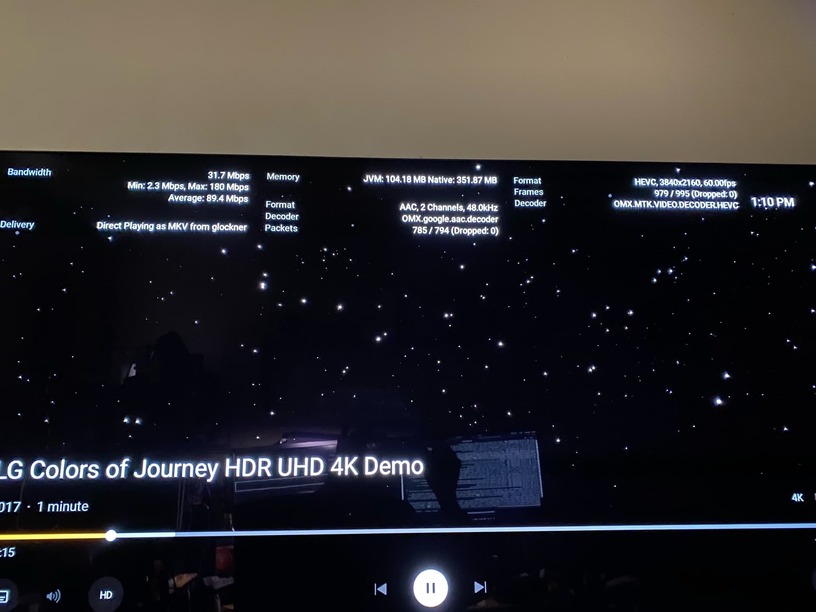
I would like you to take this known-good file. (I use it for all HW transcoding tests)
- Create a directory somewhere, place this file, and unzip it
- Create an ‘other videos’ library section
- In Plex/Web, left panel, Set the Player Quality to 20 Mbps.

- Now play this file.
As it plays, in another tab, open your server and look at the Activity display