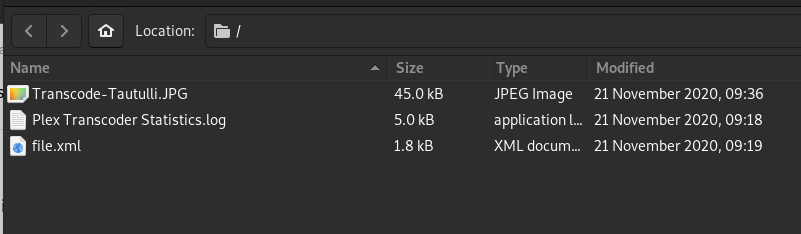
Server Version#: 1.20.5.3600
Synology NAS: DS918+ / 12 Gigs
TV: Sony X950H
Hi All,
I purchased a video file approx 2 weeks ago and play it all day in the background while I work. It’s a 148GB .mp4 4K file and It’s been direct playing for two weeks with no issues. When I went to play it yesterday, Plex started transcoding, and now it doesn’t play as it buffers and stutters most of the time. The only change was I got the latest version of PMS a couple of days ago. I’ve attached the log after turning on logging and playing the file for a minute and the XML of the file for reference.
I haven’t made any settings changes and it still being cast to the Sony X950H tv and it’s all over ethernet.
Highlights of the file are: 3840x2160, H.264, AACStereo, BitRate:50272, 148GB .MP4
If anyone can suggest any reason why this would occurred I’d appreciate some help as I paid a lot for the video as it keeps my brother calm (he’s on the spectrum).
I’m sorry if I haven’t provided everything you need and if there is more please let me know.
I really appreciate everyone’s help with this as it’s very important to him.
Hmm. Okay, It just coresponded to a Plex Update and it broke ? Cause as I said, it’s been fine since I got it on Nov 12th and only stopped with the recent update. I’ve played it over 30 times according to the Tautulli logs and it always direct played until yesterday. Could the TV maybe have gotten an update also that broke it ? Just a very weird coincidence maybe…
Not sure if it matters but I just downloaded VLC as well and it plays perfectly in there cast to the same Sony TV also, but I don’t know how VLC deals with this.
Handbrake says it will take a week to convert, but I may have to, or just resort to using VLC instead of Plex maybe…
I’m sorry you are getting upset, I’m not saying you are lying or anything and I appreciate your help, I just can’t explain it. I’ve shown this video on the new TV to many people and it’s played for hours.
I looked in the TV and there don’t seem to be any settings for changing the chromecast settings that I can see but i will keep looking.
I set Handbrake to what you said, but it keeps increasing and it’s up to 6 days and 11 hours estimated time remaining, but my laptop isn’t new and the file is so large.
I will just have to use VLC as it’s working perfectly for whatever reason casting through there.
Thank you very much and I will check those Handbrake settings to see if I can make it faster that way. I’m think you’re right that something updated on the TV since it’s supposed to support 5.2 and perhaps they broke it. I will look into that as well.
Wow thank you very much for the offer. The Intel QuickSync setting wasn’t on and when I set it, it says it will be done in 2 days and 2 hours now so that’s a LOT better now. Thanks again for your offer, that was really nice of you !