Translation not appearing in the Plex app on iPhone after server upgrade

Server Version#:v.1.42.1.10060-4e8b05daf

After upgrading the Plex server, when I watch a movie on Plex on my iPhone, the translation doesn’t appear In external subtitles…
In an older version it worked great.
There’s a bug in the server, check it out…

What do you mean by "the translation doesn’t appear in external subtitles?
Plex doesn’t auto-translate external subtitles, if that’s what you mean.

I attach an srt subtitle to the movie folder on the Plex Server. The subtitle does not appear on my iPhone when I play the movie.

Did you refresh the movie’s metadata or trigger the Analyze command?
Does your server not recognize/list the subtitle or is it selected but not displaying?

Of course I refreshed it, it was working and then stopped working. I think the problem is with the Plex iPhone app. I saw that users also posted that they had a problem with the Plex app in the Mobile Devices forum.

There is probably a bug in the version since the last update…
To drill down to your issue can you acknowledge the following steps.

Settings

/Tap Subtitles none

/Tap Find Subtitles [Language] English

/Tap (Found) Subtitle Selection

Back

? or plays with SubTitle.

This works perfectly on my iPad

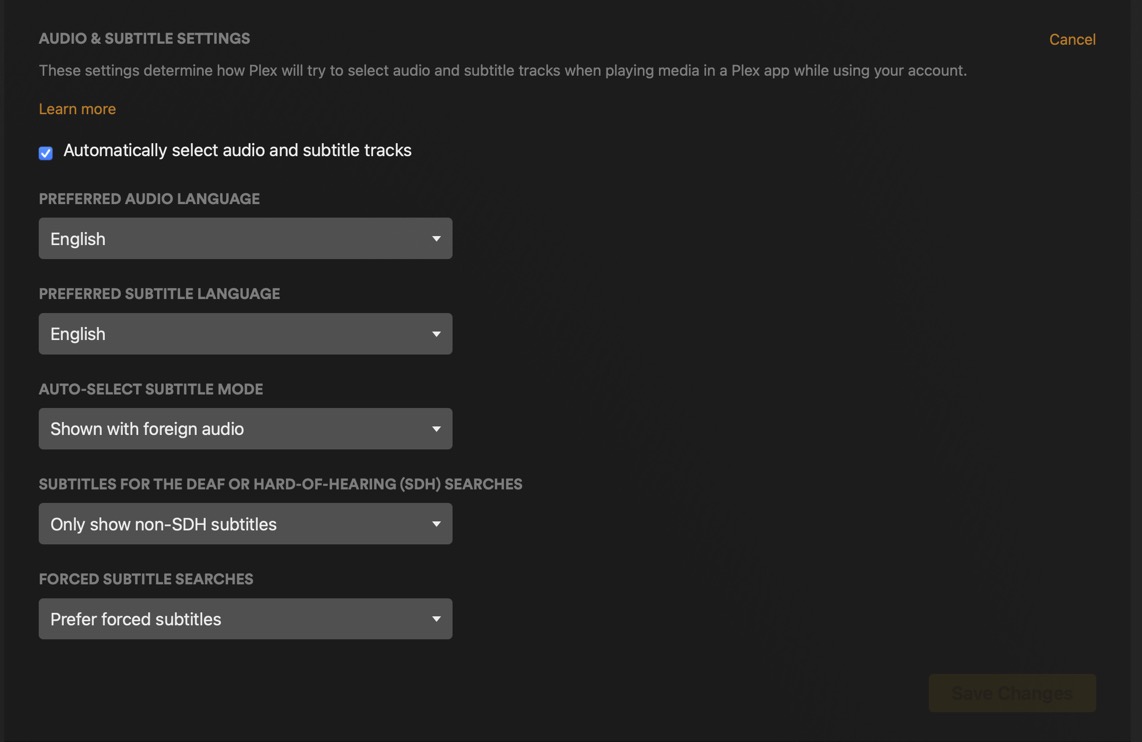
For Auto subs (English) Account Server Settings via account Avatar. the following example is for Auto forced subtitles in English.

Caveat, Subtitles must be present in a mkv container or with a mp4 and mkv containers in a Folder.

Naming:

https://support.plex.tv/articles/200471133-adding-local-subtitles-to-your-media/

This topic was automatically closed 90 days after the last reply. New replies are no longer allowed.
