Server Version#: 1.30.2.6563
Player Version#: 4.100.1
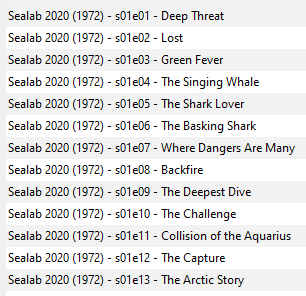
I can’t get Sealab 2020 from 1972 to show up after switching from Kodi. I made the folder “Sealab 2020 (1972)” and have a folder under that named “Season 01” with episodes under that like “Sealab.2020.S01E01.Deep.Threat.DVDRip.x264”. I checked the file for any embedded metadata using VLC and there is none. I can find the show here:
I have likely messed up my agent settings as I don’t feel it is very intuitive and even after reading this: https://support.plex.tv/articles/200241558-agents/?signUp=0
I am still not really clear on why I would or would not want something checked or in a different order. I would love to be able to just reset the agent settings if possible when I figure this out.
So does that setting have any effect if the initial scan does not even find any match at all? I am thinking not, but not saying I couldn’t be wrong.
At any rate, I managed to fix it this morning. I was looking for the “fix match” setting, but since it wasn’t finding a match at all, that wasn’t there. But “Match” was. I clicked that, then clicked search options, then clicked search without changing a damn thing, and Sealab 2020 was the first thing that popped up in the list. I selected it and bam, all fixed. But then why wasn’t it finding it without me having to do that???
So now I have one last show in my TV stuff that isn’t getting matched. I will post that separately. I still think there is an issue in the matching process for Sealab 2020 as I should not have had to do a manual match, but just happy it is working now.
You have to make sure at least the show folder has the date in parenthesis
I tested it with the date also in the file names but not without, so I’m not 100% sure if that’s necessary
I think what’s happening is the scanner is getting confused by the “2020” part of the title and trying to match it to a year of a show that doesn’t exist
If you are using the “Plex TV Series” agent, you can optionally include the TMDB or TVDB show ID in the folder name to improve matching. If you choose to do that, it must be inside curly braces: ShowName (2020) {tvdb-123456} or ShowName (2020) {tmdb-123456} where 123456 is the show ID https://support.plex.tv/articles/naming-and-organizing-your-tv-show-files/
Example:
Sealab2020 (1972) {tvdb-70528} <–main show folder