Server Version#:4.87.2
Player Version#: not sure I see a number on the TV it says 9.11.1.36576(t5b91d63)
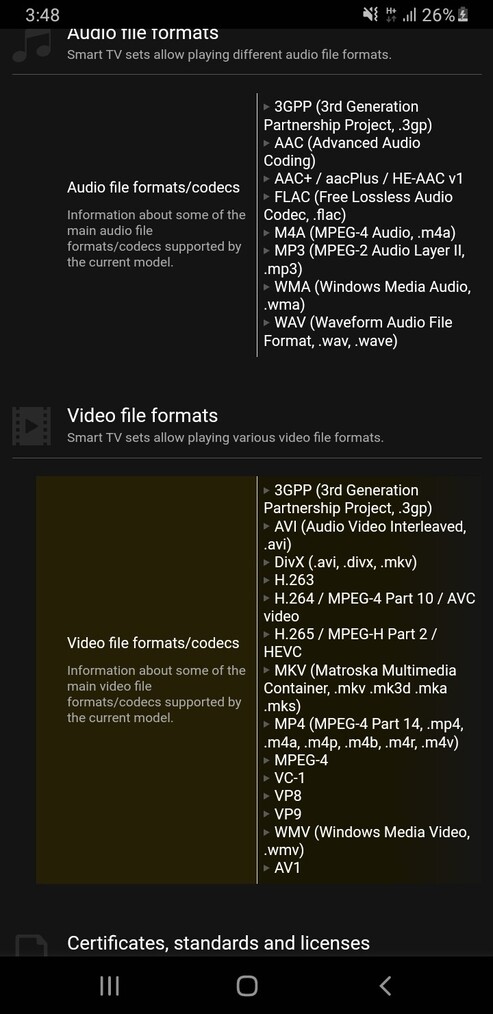
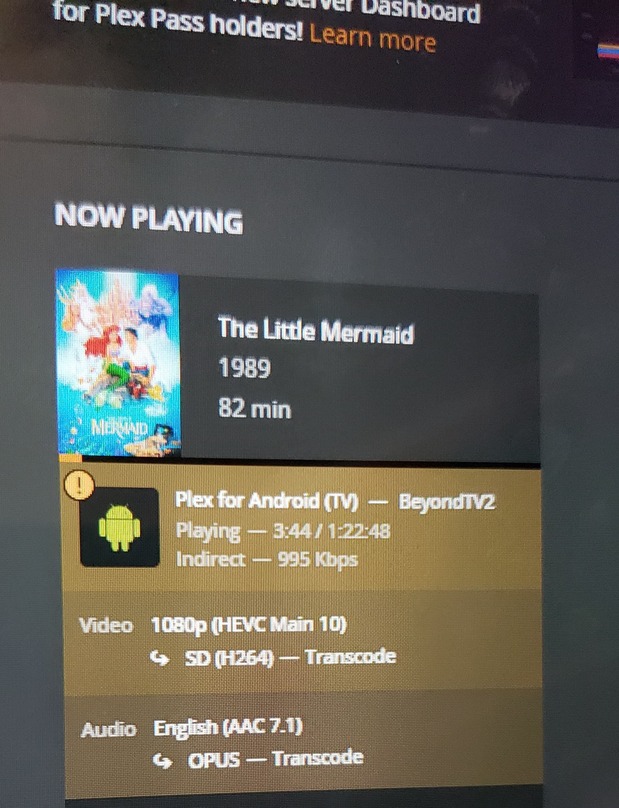
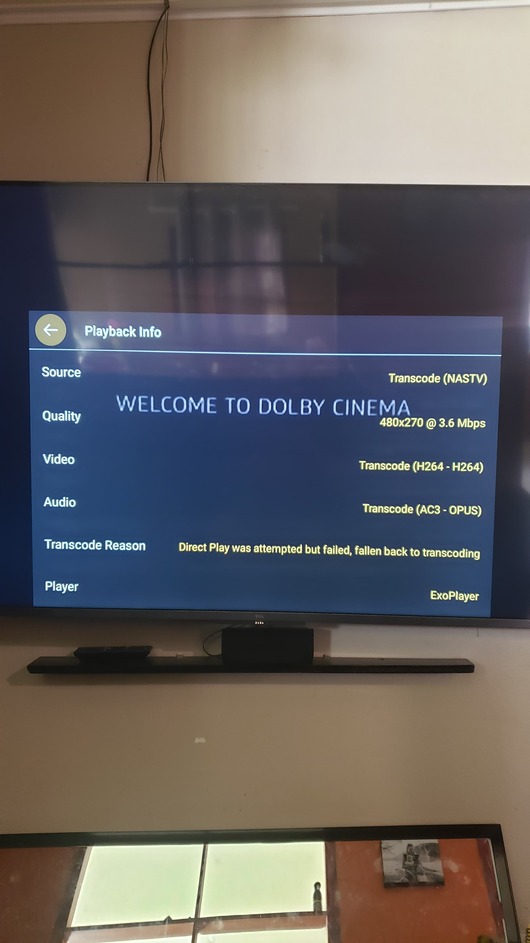
I can’t get direct play to work on my TCL P725, I have attached a list of compatible files and I am trying to play a HEVC Main 10 according to the dashboard, so I converted to H264 which is what it would transcoder to and it still does it (My sisters Samsung TV does play it all in direct play as well as my Samsung phone)
Then I converted to H264 but changed the audio to AAC Dolby surround in handbrake in case the problem is the audio, and it still transcodes to OPUS, the same happened after converting to mp3
It appears the stream is “indirect” – that means Plex considers it to be a remote stream but fails to establish a direct remote connection between your server and client… hence routing the stream through a Plex relay server. Those relay connections are limited to 1 Mbps (2 Mbps for Plex Pass members).
Before digging deeper into the transcoding part of your issue it might be a good start to review your remote access setup. Keep in mind Plex considers connections between different subnets inside your home network to be remote too… just in case you’ve segmented your network on purpose and that’s causing the hiccup.
I don’t know why it thinks it’s remote, I’m on the same network, the TV is wired on ethernet could that be the issue? I honestly don’t know what subnets are, Thanks for your reply so far
Go into the settings of the Plex app on the TV.
Look for the “Advanced” section.
See if you can find an item called “Unsecure Connections”. If it’s there, allow them for the local network.
My laptop has no ethernet port so it was on wifi, switched the TV to wifi and I got direct play! I’ll get a wired adapter for the laptop later on but thanks so much for mentioning subnets, I don’t know if it’s what you meant but TV on wired and laptop on wifi clearly wasn’t working. Thanks
Some routers establish separate (sub) networks for wired and wireless connections.
Unless your router has an option to change that, your best shot will be to keep both devices on the same connection type (wired / wireless).