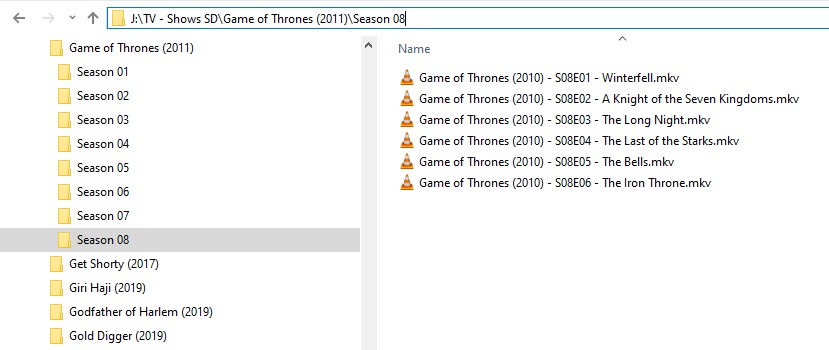
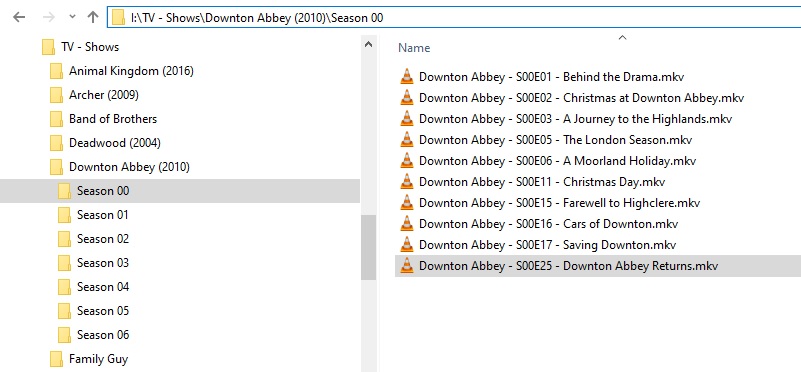
Newb here, looked on Google and here but I am not understanding why Plex keeps playing the wrong or random episodes for my media.
The one that is driving me nuts is the naming convention I read the guide named and followed this the name structure “media/tv shows/red dwarf (1988)/season 01/s01e4 -waiting for god” This particular one keeps playing a trailer from season 6 for some reason no matter what I try. I’ve named “s01e4” , “Red Dwarf s01e4” , “Red Dwarf (1988) s01e04” , “Red Dwarf -s01e4 -waiting for god” and a bunch other stuff. Nothing seems to work. I rescan the libraries and now I have two extra episodes in season 1 a total of 8 when there should only be 6 that play stuff from other seasons? What am I doing wrong?
I’m really frustrated at this since I have 6TB of stuff I have to go in and manually edit to play on Plex but I am having this problem so early on I feel like its going to be a daunting task with errors on top of errors along the way for everything. Its not just happening with this one but with Andromeda also I just used this one as an example as I spend the most time with it.
Nice! Let me try how your naming structure , I was just thinking maybe the dash in Windows thinks it’s like a command or skip? Kind of like “ipconfig /release” I don’t know I’m grasping at straws right now, lol.
Ughh dang it, the icon on that episode flipped like it updated , buy it keeps playing the wrong thing . nydave69 thanks reply.
Can it be because I have an AVI version of the media and not MKV?
At this point I’m pretty much given up, hey nydave69 thanks again for the reply. Plex is just too wonky weird for me to invest anymore time into it. I spent two days tracking articles down , reading Plex guides and what not. I spent more time trying to fix them than watching , not worth my time anymore.
Yup, same here. It’s not the structure that’s messed up, it’s Plex doing what it wants, I read how finicky it can be so I was really trying to get it down like the guides. I erased the sever to get a clean read at least ten times. Erased my entire catalog and re-uploaded from NAS and started renaming again, it’s just too much work to get one series going, like half of it works the rest is all messed up. Like season one episodes 1 thru 3 flawless, then 4 just wants to keep playing a trailer, and 5 and 6 play extras from the DVD and I don’t know where it’s pulling that from since I have them in a season 00 folder.
Will do, thanks again , I’m just upset since it’s seems at least at a this point a waste of money, but I need to step back and try to fix this later. Just don’t understand why it’s so weird about using other files.
LOL, fixed it by using Emby, I can not believe how much easier Emby is to use and it labeled seasons all correctly, played my correct episodes and added my extras correctly. Plex you gotta step your game up , I know you work on more things than Emby but omg, TWO DAYS of naming files everything under the sun by your own guides just to make it work. I will come back and check for updates but seriously I found EMBY just because Plex was acting goofy as heck.