Tested on Debian, MacOS, and Windows - doesn’t seem to occur on iOS.
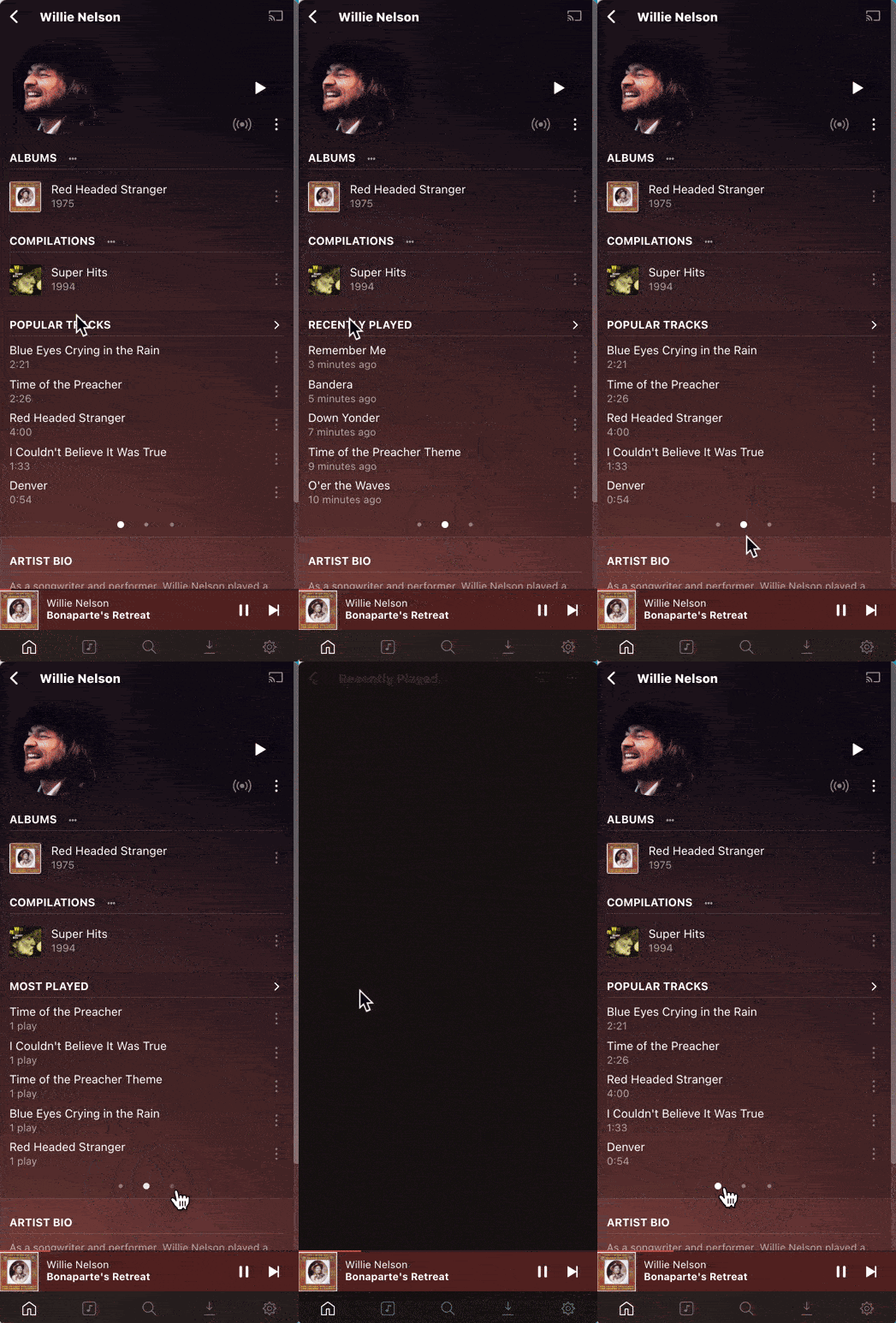
Opening the “Popular Tracks” / “Recently Played”, etc. list for an artist on desktop and then pressing the Back button resets the tab contents for that list component, even though the correct tab bubble remains selected.
This also seems to occur when clicking a track to play it, and then navigating back via the “V” at the bottom of the player.
Example:
- Navigate to artist, and scroll down to the “Popular Tracks” list.
- Activate the “My Favorite Tracks”, “Recently Played”, or “Most Played” preview by selecting the corresponding tab indicator.

- Navigate to the expanded list by clicking the tab title

- Hit the back button in the top left, the preview component will now display the “Popular Tracks” content from the first tab, even though the indicator still states that we’re viewing the tab that we navigated to previously.