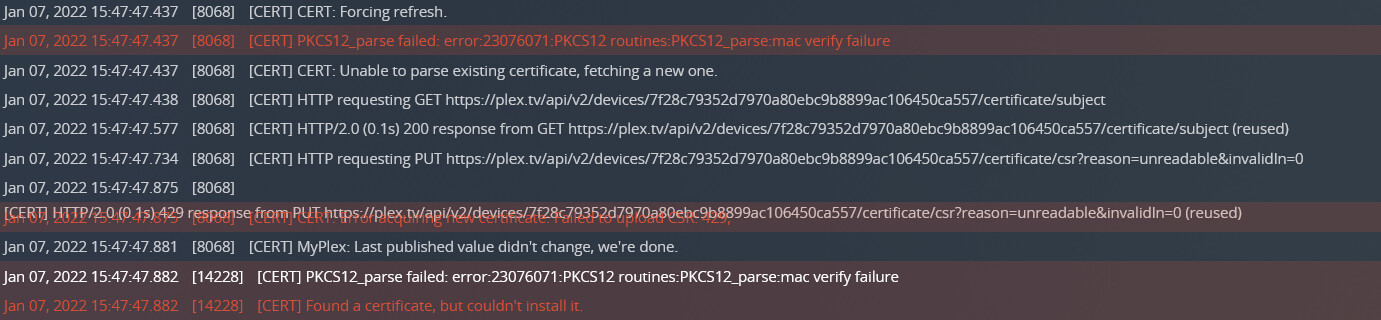
Reset the perms and restarted. Seeing lots of messages in the ‘console’ like this:
“Found a certificate, but couldn’t install it.”
Is it possible that the reinstalled cert(s) in my data dir are causing issues? Should they be removed?
Reset the perms and restarted. Seeing lots of messages in the ‘console’ like this:
“Found a certificate, but couldn’t install it.”
Is it possible that the reinstalled cert(s) in my data dir are causing issues? Should they be removed?
Are you using custom certs?
No - no custom certs. And browsing my logs, I see “429” rate limiting responses from the cert PUTs almost immediately, so I’m likely shut out at plex.tv again 
I suppose I could wipe my data dir and start again, but would prefer to keep all the watch history, etc.
I’ve shut my server back down for now.
You may want to post in this thread to see if @ChuckPa can reset your certificate.
Stop, guys. This is being handled.
@greywun please go into your plex data folder,
into the subfolder Cache and delete the file cert-v2.p12.
For me this setting always showing ‘Not available outside your network’. But in fact it is available and I can connect securely via app.plex.tv. Even when I disable remote access entirely, everything works as before, except that the remote bandwidth limit is suddenly applied to local streams.
That being said, this setting must be something like an easteregg.
All 1445 cert-v2.p12* deleted. (There were lots of tmp files) (and TY for your help and patience @OttoKerner ).
What next?
Perform another server restart, please.
Working! All clients can connect and app.plex.tv is solid. Appreciated!