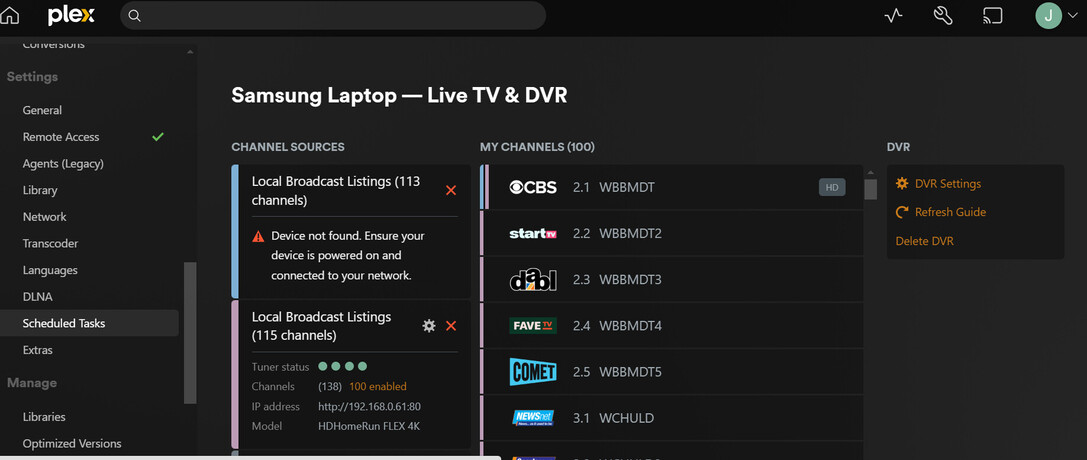
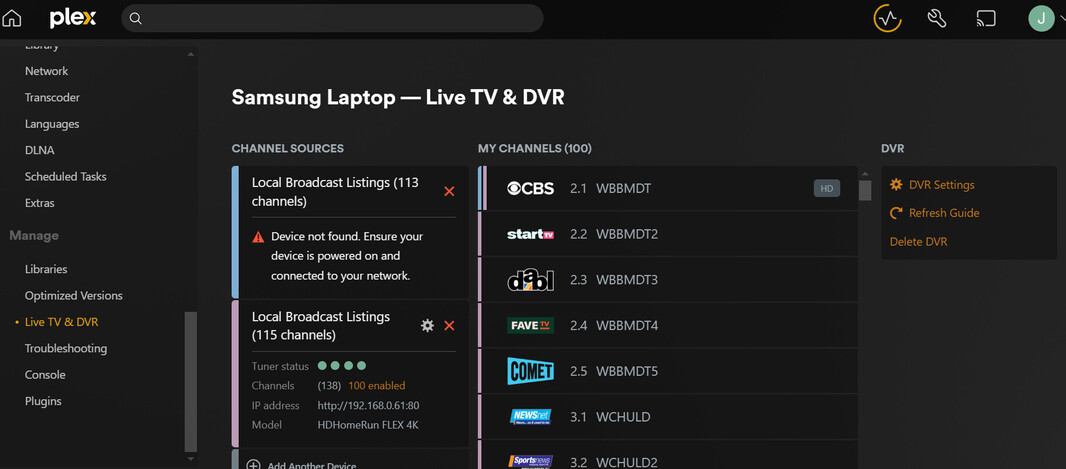
Thank you to all who helped me install the Hauppauge WinTV tuner. I now am trying to leave the Hauppauge tuner install on Plex and install a HD Homerun HDFX-4K tuner on plex. Can both of these tuners coexist on Plex Media Server at the same time? With the Hauppauge tuner it must be connected to the USB port on my laptop which is difficult because the antenna connection will have to follow my portable Samsung laptop, hence the reason I purchased the HD Homerun tuner which only needs to be connected to the modem/router.
I am also considering buying a Beelink S12 Pro Mini PC, Intel 12th Gen Alder Lake- N100(up to 3.4GHz), 16GB DDR4 RAM 500GB M.2 SSD, Desktop Computer Support 4K Dual Display/USB3.2/WiFi 6/BT5.2/Gigabit Ethernet for Home/Office, https://www.amazon.com/gp/product/B0BVLS7ZHP/ref=ox_sc_saved_title_1?smid=A1NNDL37T76WIA&th=1
to act a fixed location Plex Media Server at home, connect the Hauppauge WinTV tuner to that computer as an alternative if the two tuners will not work together. I would need to transfer or reinstall the Plex Media Server on the Beelink mini which I would need to learn how to do. I would almost prefer to delete my existing Plex account and start over even if this would cost an annual subscription cost! Seems like a non technical person as myself could get help from Plex Forum experts to make a good decision. Just from a year of experience on Plex it scares me to think of trying to fix problems I don’t understand.
I welcome any comments on which would be the better approach.
If I click add another device will it be possible to toggle between the two devices under the same settings Live TV and DVR with one showing Samsung and the other HDHomeRun?
You don’t need to do that, you can have multiple servers on one user id.
You can have two tuners but it will only show the guide for one. Adding an HD Homerun tuner needs to be done by IP address of the HD homerun and I can help you in a bit, but if you have two tuners it should look like the screenshot.
I have only been using the Hauppauge tuner a little over a year but it has been reliable if properly connected to the laptop USB port which is at times difficult.
Hence the reason I bought the HDHomeRun. I am warming to the idea of using the Beelink mini with either one of the tuners connected as that doesn’t move around.
I plan to leave the state this winter and that would I guess force me to leave the Samsung laptop here since it is running the Plex Media Server. Is it correct that the Plex Media Server couldn’t travel with me to another state and still be the server at home?
I will try adding the HDHomeRun now.
It found the HDHomeRun and is downloading the guide but shows the Samsung?
That makes sense since the Hauppauge is connected to my Samsung laptop and the HDHomeRun is only an IP address and it should be entered through some other setup.
I have looked up the Host Name, IP Address, Mac Address, Type and Interface.
When you have time I will appreciate that help.
So I know you have the USB tuner and the Hd Homerun (HDHR), do you want them both to work, or would you be okay with just the tuners available on the flex?
Either way you will have one guide and your source will still be labelled (Samsung Laptop) because that’s what your server is.
So have you tried adding the HDHR via ip address? You can click manually if it doesn’t find it, and then you can choose your guide like before.
I would like either one to work if that is possible. The channels when scanned seem to be the same.
So I should go to the same Live TV & DVR, click add device then enter IP address?
Going the beelink route isn’t a bad option, that’s how I started my plex experience before diving all into a NAS. I still use my beelink as a test plex server now and then. It’s a very capable machine and you could leave that usb tuner plugged in full time if you need the extra two tuners.