Server Version#:most current version 1.16.4.1469-6d5612c2f-x86
Player Version#:
I’ve been running Plex since January with no problems.
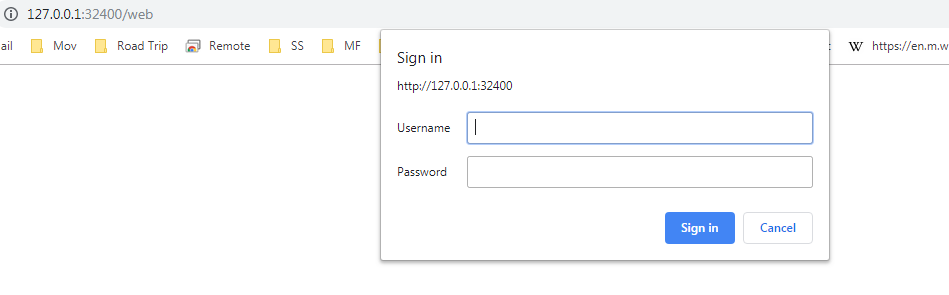
I upgraded to this latest version of plex. It then asks me to sign into the server (127.0.0.1:32400) with Username and Password, and all I ever get is 401 unauthorized. I’ve reinstalled, deleted and reinstalled again. Nothing fixes issue…
I’m able to log into plex web, but it tells me I have no server .
I have a dedicated machine for Plex, running windows 7 Professional.
In the local/bundled web app, you simply sign in to your regular Plex account. With your Fyther account, you could choose “Continue with Email” and enter your username/email and password or else you could also use “Continue with Google” (since you’ve also linked a Google Login to the account).
Once signed in to the app, you’d go to Settings > Server > General, where you could sign in/claim the server using the Plex account you just signed in to.
Hi, Thanks,
I’m able to sign in with my google link, get into the app and press the Settings and get the following screen, but there is no place where it shows Server > General Maybe I’m on the wrong screen?
Reading through a lot of the documentation, it says if I go to my system tray and click right mouse button to open server it should bring me to the server, mine asks me to sign in. This is what happens:
Our web app does not prompt with a “sign in” form like is shown in your screenshot. That’s definitely very strange and somewhat suspicious. It would be good to see if the server is actually even receiving the web app request. Please:
Load the page so that you get the sign-in prompt like in the last screenshot (just “cancel” on it
Attach that log file to a reply here in this topic
It would also be useful to know if, since you started experiencing this issue, you’ve installed any other new apps on your computer? Or maybe manually installed a plugin on your Plex Media Server?
FYI, just to let you know, I was able to setup a server on my laptop and link to the server through the Plex Web app (in the web app it’s called the ‘Laptop Server’, I have no media there.
I hope I haven’t screwed up anything by doing this. But it now points to the desktop machine with the problem.
That was it (my bad), I had another process (Tixati ) using that port also. Normally I had the Plex server start first, prior to Tixati so I had no problems. I changed the port that Tixati listens on and started the plex server. It works, I don’t know how to say thank you enough, but THANKS for the help.