Plex has a bug tracking system, and no it is not open to the public and is not likely to become so. And this is just the way they have decided to run things (by the way, I am not “Plex“, I’m just a volunteer).
I don’t expect to see the bug tracker, but the point remains using forums to track support issues is something Plex has grown out of.
I know the difference between “Moderator” and “Employee” but at the end of the day you still represent the brand and aren’t ‘just another forum user’
I just got this error yesterday. I thought it was something I did and hoped it was just a random issue. Well it didn’t fix itself and it lead me here. I know this topic was started for a library but I saw kwisatzca had the same problem as me with the Live TV and DVR that is not showing. All other libraries are good. Web, iOS app, and old Windows Player work fine too. I uninstalled/reinstalled before finding this topic and it fixed it. But closing the program and opening again later it came back broken again. I tried the cosmetic reset and no fix for me. Happy to provide any additional info on request.
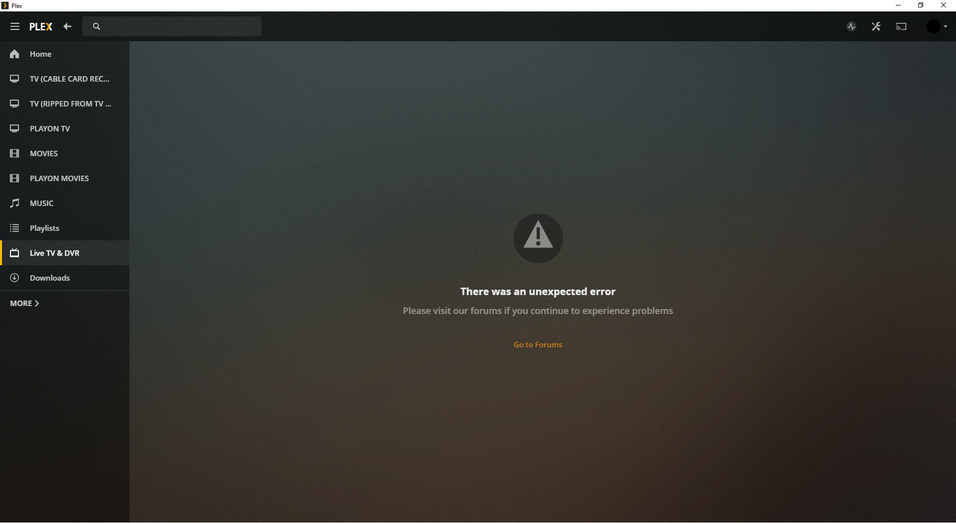
Yes, this is covered in a number of other threads for live-tv. The next release should fix your issue as well; it’s coming soon-ish but not before the weekend.
1 Like
Thank you for this update. I am also experiencing the same unexpected error alert on the Live TV & DVR section on my Windows 10 PLEX app and look forward to having this issue resolved.
1 Like
I’m having this problem with my movies section. above fixes did not help
Ive been getting this issue when trying to access custom filters. The workaround solved it temporarily but I cannot use custom filters.
Can you see if the Preview version fixes the issue?
Issues again with build .1973
Live TV and DVR is working again on Win 10 app Version 1.4.0.924-60046db9. I literally just installed it and went to Live TV and DVR tab/folder a min before posting. I’ll put it through the paces and see if anything pops up. Thanks for getting it out so quick:)
This did work for me, thank you. However, the problem reoccurs when I try to apply custom filters, so there is still a problem here.
From a post a few above yours:
I’m suddenly having the same issue after trying to use a custom filter, now I cannot access my movies library.
Please read the post right above you’d for the solution.
Thanks but this did not resolve my issue as mine is occurring on the media server and not the app, I now realise I have responded to this post in the desktop players section by mistake so will look for a solution in the relevant section.
EDIT - I managed to fix the issue via the debug option and restoring default settings
I’m glad you managed to fix it. This thread is about the player app for Windows and not about the web player; had I known you were using that I would have answered differently.
Having the same issues on one Windows 10 machine, only with my Movies library and only with the main Plex admin account. All other “Home User” accounts can access that library fine and all accounts including the main Plex admin account can access it through web browsers, mobile, Nvidia SHIELDS etc.
As a result I can only assume it’s a bug in the Windows app itself and nothing to do with the server itself.
Update: It happens on my home Windows 10 machine also. Exactly the same. Only on main Plex account, only with Movies library etc.
The solution given of reseting settings etc makes no difference for me.
Another update:
This occurs only on my Nvidia SHIELD Plex server. I have another Windows server that is basically a duplicate as I had it running before getting a SHIELD and kept it running. The Windows app works fine when selecting that library on the Windows Plex server.
It’s bizarre though that it is only that 1 library and only the main Plex admin user account that cannot get access and gets “There was an unexpected error” message. I’ve also just added media to that library and it’s appeared as expected so nothing appears to be obviously wrong on the server.
Server has also been restarted.
Update your Windows player app:
1 Like
Nice one, thanks. Updating the player to 1.4 appears to have fixed the issue for me. 
