Unexpected error when loading library (MAC OS CATALINA v10.15)

Server Version#: 1.18.0.1913
Player Version#: 1.3.1.916-1cb2c34d

I was using my Plex app on MAC OS CATALINA v10.15 and I attempted to change from ALL to UNPLAYED in my home videos library.

Now I am getting a "There was an unexpected error” message whenever trying to access the library. However, this is only affecting the Plex app and not the web app.

Help! How do I fix this?

there are other threads noting this happening in the current version of the player on OSX / Win10 so, Catalina is not the culprit here

but yeah, it is custom filters apparently :frowning:

1 Like

Same problem here. Hoping for a fix.

1 Like

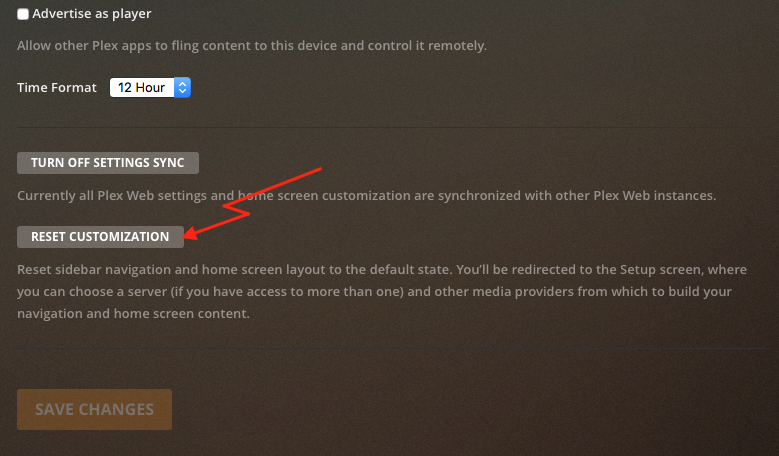
Something with filtering affects libraries yes. You have to do a cosmetic reset, by which the organization of your home page is reset and the current filters too. It has zero affect on metadata, or media.

Section

Confirmation

THANK YOU! Your solution fixed the problem!

1 Like

I have tried these steps and still getting the same error

Are you doing from: https://app.plex.tv/desktop

Same here but thank you for the suggestion nibbles.

If you don’t have success with https://app.plex.tv/desktop

It’s not clear to me if web settings get sync’d.
Let us know if you’re still stuck.


nibbles

      Plex Pass


    October 10

If you don’t have success with https://app.plex.tv/desktop

It’s not clear to me if web settings get sync’d.

Let us know if you’re still stuck.


Visit Topic or reply to this email to respond.

To unsubscribe from these emails, click here.

Yes, I followed your directions as you wrote them. Then I tried it via the local ip and still nothing. I’ll wait for the problem to be fixed I suppose.

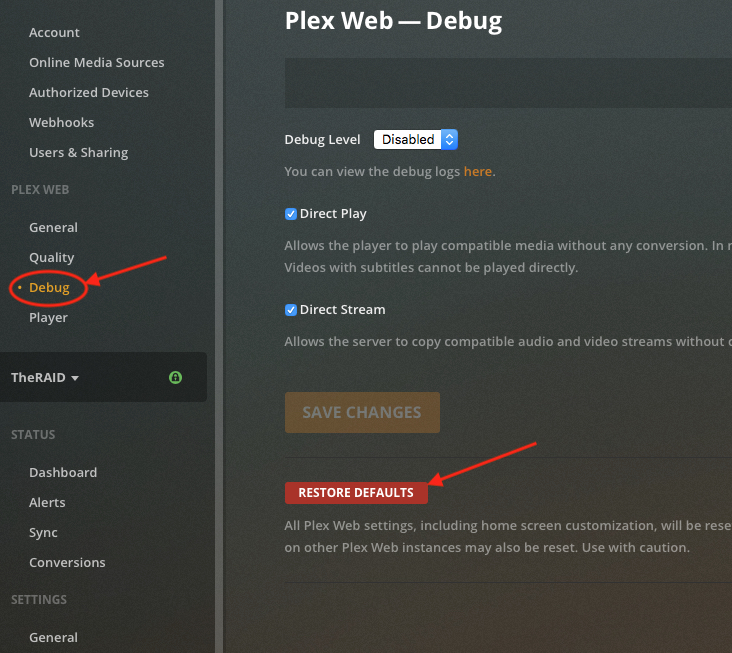
If it’s still not working, use the other web app reset:

  1. Go to https://app.plex.tv/desktop
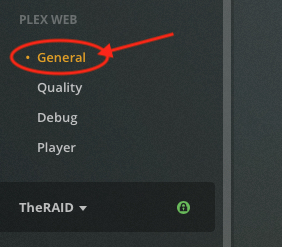
  2. Drill down into Settings - Show Advanced - Debug
  3. Click thru the Restore Defaults

Confirmation

Heart me if it works :crazy_face:

1 Like

Worked for me! Thanks!

As expressed, neither of these solutions worked for me, You can tell me to take the same steps a third time and I’ll happily come back to report it’s still broken


thedeathstar

      Plex Pass


    October 11

Worked for me! Thanks!


Visit Topic or reply to this email to respond.


In Reply To


nibbles

      Plex Pass


    October 11

If it’s still not working, use the other web app reset: Go to https://app.plex.tv/desktop

Drill down into Settings - Show Advanced - Debug
Click thru the Restore Defaults
[Defaults] [Confirmation]
Heart me if it works :crazy_face:


Visit Topic or reply to this email to respond.

To unsubscribe from these emails, click here.

For those of you that still have this issue with the Live TV & DVR section/view, this should be fixed in the next release which is coming soonish (but not before the weekend).

3 Likes

This issue isn’t affecting Live TV & DVR for me, it is affecting a Library that I have setup, containing personal videos. And it is ONLY on the App, and not on the Plex.tv web version.

Understood but there are others who do have the issue with Live TV & DVR that have posted to this thread.

Thanks. Does anyone from Plex monitor this forum/message??

Yes though they may not post; or they may be pointed to threads by moderators.

1 Like