Server Version#: 1.32.6.7557
Player Version#: Unknown, but recent
A family member is having trouble playing some files from my server on his Roku Ultra. We have ruled out problems with the network and server performance; when he tests with an iPhone on the same wifi, the problem files can be played perfectly both Direct and with forced transcoding. (My server is a Linux i5-10400 with Plex Pass hardware accelerated transcoding turned on, and a 150 Mbps pipe.)
However on the Roku Ultra, with these files he has performance problems unless he chooses a lower bitrate, like 720p.
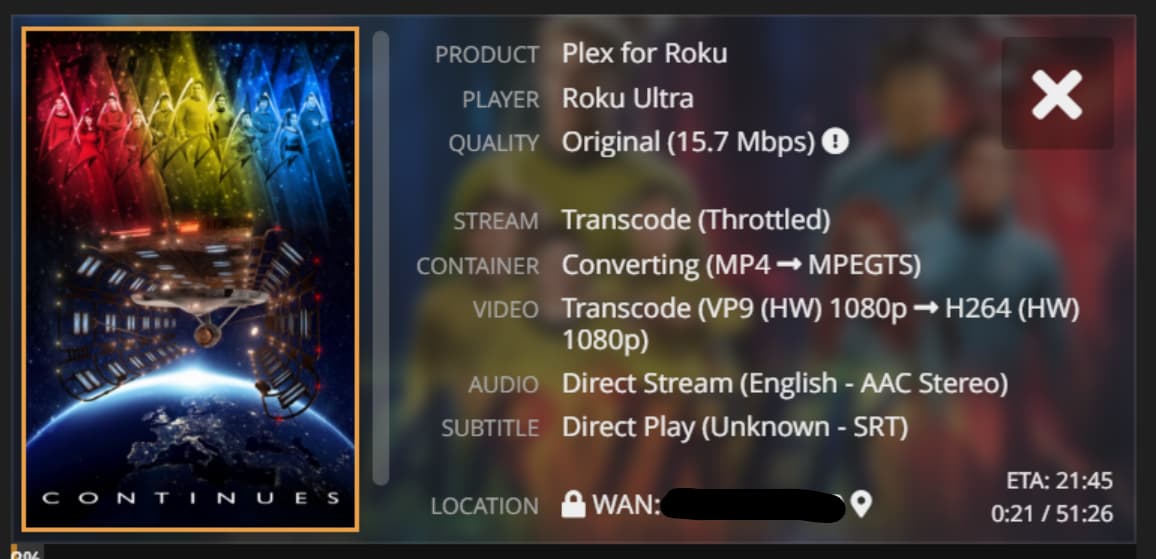
Here is a specific example. I ripped a VP9 video (SDR) off YouTube and put it in my library. The Roku I guess can’t speak VP9 so the server automatically transcodes it but it … but it fails to play smoothly at the default setting. It must be forced to a lower bitrate. (When Direct Played this file is 1.2 Mbps.)
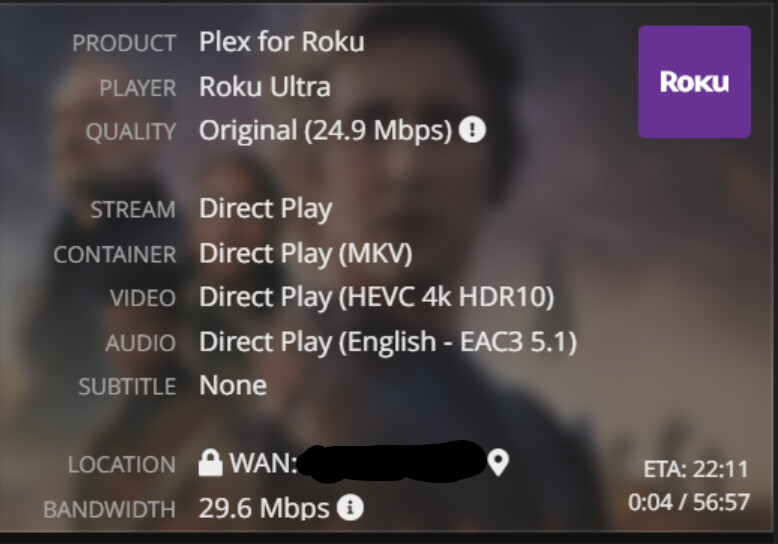
Here’s another example. The Roku Ultra can be told to Direct Play this 4k HEVC HDR10 file (he does have an appropriate TV) but it lags. This file can me made to play if the Roku is forced to 12 Mbps and the server transcodes.
I’ve never worked with a Roku before. Any tips?
I am seeing the same issue since about mid-Nov. I sat down today and tried to do as much debugging as possible (tailing plex logs, roku logs, etc.) but still have not found the issue. What is odd is that switching over to my apple tv 2nd gen playing the same files results in no issues.
I am not sure what to do at this point but seeing the same issue as above.
File 1 (stutters)
Container: mkv
Bitrate: 11.6 Mbps
Codec Bitrate:
Video: 1080p (H.264)
Audio: English (EAC3 5.1)
File 2 (stutters)
Container: mkv
Bitrate: 24.7Mbps
Codec Bitrate:
Video: 4K DoVi/HDR10 (HEVC Main 10)
Audio: English (EAC3 5.1)
File 3 (plays fine)
Container: mkv
Bitrate: 5.5Mbps
Video: 1080p (H.264)
Audio: English (AC3 5.1)
Both have the issue where the video starts to stutter, pixelate but the audio keeps rolling just fine. Forcing transcode or lowering quality (which just transcodes) resolves the issue. Playing the same file on an ATV 2nd gen does not have this issue so I know it is something with the Roku.
I can provide logs if needed but I have been unable to find anything of substance that points to the issue.
Update:
So interesting finding just now. I streamed another file with the specs below and had no issues on the roku. I’m starting to wonder if bitrate itself may be to blame based on what I’m now seeing here:
Thoughts?
Good find, thanks. I never would have considered this. I’ll ask my Roku users to keep this in mind and see if they notice a pattern.
HEVC supports higher “up to 40Mbps” but I’m still seeing issues with my HEVC that fall within this range. I honestly cannot figure it out but given my ATV plays the same file without transcoding I’m thinking its something in the file encoding that is causing the issue.
If anyone has an idea what I should look for that would be helpful!