Long time Plex user. For the past couple of years i’ve made do with a NetGear ReadyNAS RN214 NAS box and to quote Dyatlov - It’s not great but its not terrible.
Anyway, currently migrating away to Unraid. Upon first start up i’ve noticed some issues with the Unraid server setup notably;
On the new Unraid server all the libraries I have so far are accessible. All except for the Movies folder this is replicated across my tablets and smartTV. The error suggests that the server isn’t connected, when it is (can access Music and Sports libraries).
On my TV (LG WebOS), the Plex home screen will not show any of my libraries and nor can I add them in the manage hubs option. It says that the Plex server is offline. (it’s not. Have checked the Unraid server, the Plex docker and they are running and “up”. Indeed the Plex web app of my MBP, shows it as available.
Just wondering what is going on and how to best resolve.
on your TV have you deleted and reinstalled the plex app after the change of server?
can you manually specify a server in the tv app?
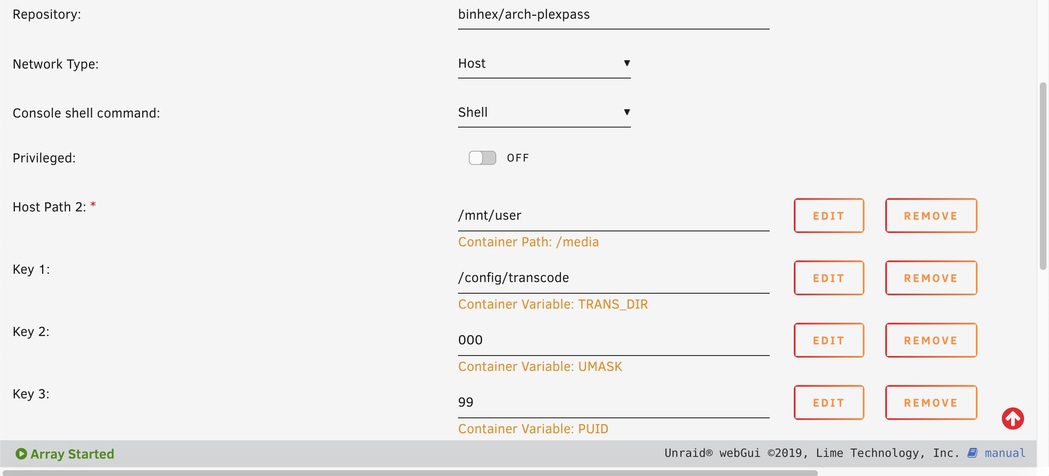
is your plex docker running as host or bridge mode?