Update for LG WebOS FullHD TV unavailable #lg-webos

Server Version#: 1.16.3.1433
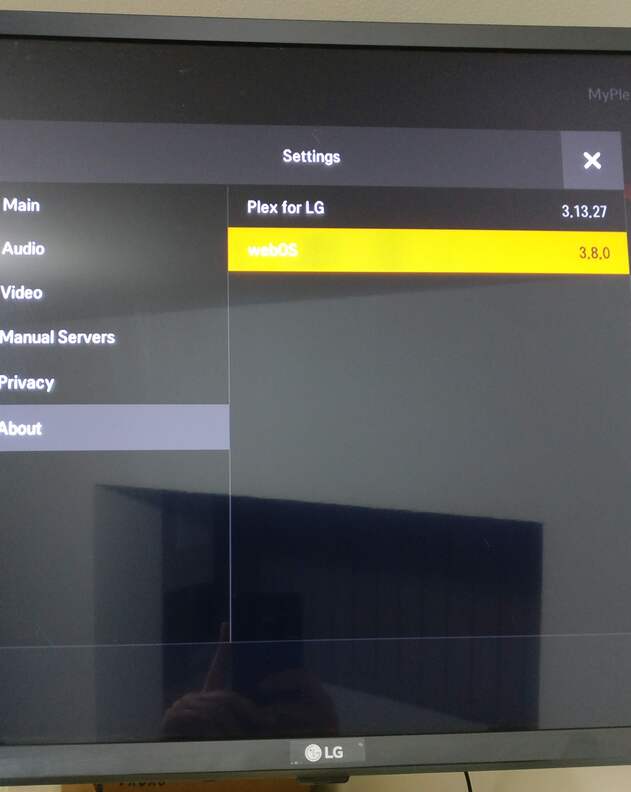
Player Version#: 3.13.27
WebOS Version#: 3.8.0
TV Model#: LG 32LJ610V with latest firmware Version 05.80.25 (from 16/07/2019)
PlexPass: Yes, lifetime

Unable to update app to the latest - still the old interface (no UNO). The LG Content Store says the latest version available is: 2.1.0 (from 07/09/2016).

When will the update be available for it? (got a mail 2 days ago that UNO is rolling out everywhere)
Will PLEX update it’s apps on the LG Content Store?

1 Like

Your TV is running an older version of WebOS. You need to be running a newer version to get the UNO version. Unfortunately, you will not be able to run UNO on this TV.

I also have an older model of LG TV: 40UH630V which is a 2016 4k TV with web OS 3.0 that has UNO - and it received it some very long time ago.

The aforementioned LG 32LJ610V is a 2017 model with 3.5 (out of the box).

That’s a little bizarre, I’m running a 2015 LGTV with WebOS 2.0 and I’ve got the UNO UI?

Have you gone to the LG app settings and opted in for UNO

I do not have anything to opt in (no check box). On my other, older LG 4k TV, the UNO interface came with a Plex App update (not opted in for anything).

Can you show me that same page from the TV that isn’t getting the update?

1 Like

That is the one not getting the update :slight_smile:

You can see the same info in the first message:
Player Version#: 3.13.27
WebOS Version#: 3.8.0

This is what i would suggest to try in the exact order.

  1. Uninstall Plex on your TV
  2. Turn the TV off at the wall. Leave off for Now.
  3. Go to Your Plex server and go to “Devices” , Delete LG client.
  4. Restart Plex server on your computer
  5. Start your TV
  6. Install plex again from LG store.
  7. Link the app to your account
  8. Go to LG Plex app settings and see if “opt in” has appeared.

No luck. Did all the steps in the exact order and the same info is in the About section in Settings.
No opt in for UNO check box has appeared.

Also found something interesting (< rather disturbing) in the forums: Plex Media Player, PlayStation 4, Smart TVs, Xbox One with UNO UI

Supported smart TVs:

LG 4K/UHD [webOS 2.0+]
Samsung 2016+ 4K/UHD

So I guess no FHD support for the moment… I mean, I know NetCast has no chance, but a FHD TV from 2017 with webOS 3.8.0 … really PLEX?

I also have this as I have a 2018 LG FHD TV without UNO UI. I also have a an 2017 LG OLED with UNO UI. I am aware Plex didn’t even update FHD TV’s to the UI that preceded UNO apparently due to performance issues (they are stuck with the UI before that). I noticed on the following posts they are allowing people to test UNO on Samsung FHD TV’s (Plex 3.109.2 for Samsung FHD devices). It would nice to have same treatment for FHD LG TV’s.

1 Like

So, dear PLEX … what should we do about this? Do we receive also access to test the UNO UI on our new (1-2 yr old) FHD TVs?

Testing => reporting => optimisation => better product, right? (product that we paid for)

That Samsung release has to be sideloaded. You can’t sideload apps onto LG TVs. Please be patient, if the testing on Samsung FHD devices works out, we can look into allowing testing on other FHD devices.

1 Like

Great, it’s just good to know there is an intention to test on LG FHD TV’s in the future if it is successful on Samsung FHD TV’s.

1 Like

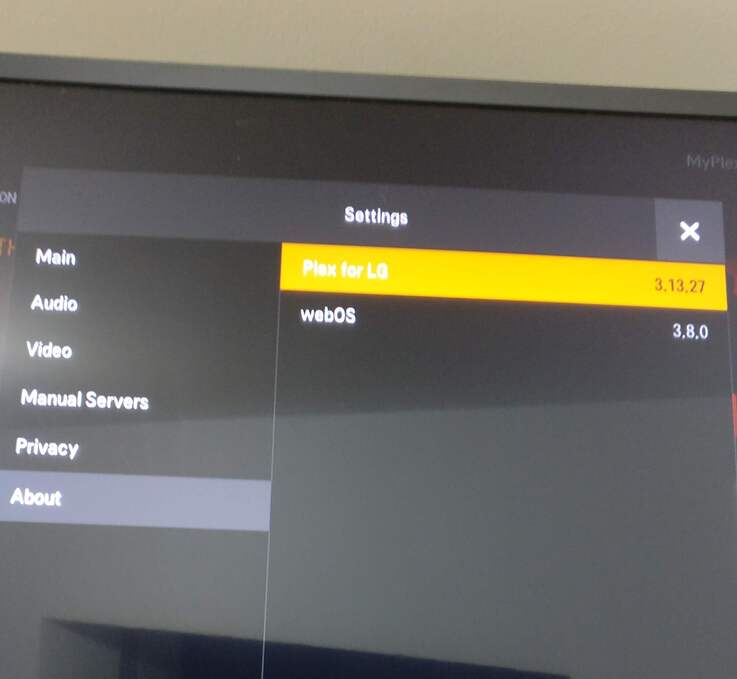
I am also a happy owner of an LG Oled FHD TV. But it’s true that I’m quite disappointed that Plex has been leaving us on the side of the road for a while. But apparently that’s going to change… Is there a Beta test program? I am in Web OS 2.2.0 and Plex for LG 3.13.27.
1 Like

This topic was automatically closed 90 days after the last reply. New replies are no longer allowed.