Upgrade to 1.15.2.793-782228f99 breaks plex -- Prevents from Starting

What might be more useful than tracing how the shell launches :wink:

Now,

  1. As root
  2. while in directory /usr/lib/plexmediaserver
  3. Start the test shell – AND–
  4. strace -p $(pidof ā€œPlex Media Serverā€) (in another terminal window)

you should see what it’s doing as it initializes.

This is all very bothersome to me because with this level of difficulty, it should be impacting everyone.

That said, it’s something stupid.

When was the last reboot? :slight_smile:

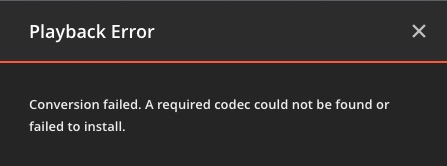
I just upgraded my Ubuntu 16.04 Linux server to PMS 1.15.2.793 and I can access PMS fine but I can’t play anything. Every-time I try to play something it thinks for a good 10 seconds then comes back with an errorerror ā€œConversion Failed. A required codec could not be found or failed to install.ā€ I’ve tried media I’ve played before and new media and nothing works. It is only videos all of my music works fine.

It doesn’t sound like the same problem but it didn’t happen until I updated.

Also after the upgrade it kept telling me there was an unclaimed Plex server and did I want to claim it. I would click the Claim Server button and it wouldn’t do anything, I rebooted the server and then I could click the Claim Server button. But I’ve never seen that before in all of the updates I’ve done over the past 4 years.

Thanks in advanced.

@tconkle

Is this Linux, a NAS, or Windows please so I may direct you further?

Chuck its running on Linux (Ubuntu 16.04).

I did reinstall with the previous version I was running 1.14.x and it’s working fine now.

Really screams there is something up with this new version.

It screams:

ā€œGet Chuck the log files before they are gone so he can see what the real problem wasā€

:smiley: heheheh

Except for a few cases, most have been bad Environment variables in override / service files heldover from the early Ubuntu mistakes.

Your particular case sounds like a network burp. Do you use AT&T perhaps? 172.x.x.x WAN (ISP) address? There was a major outage due to a borked netmask.

I’m having issues, as well. Sometimes it will load the dashboard, sometimes I’ve gotten my music library to load, other times not so much. If I can get to an item (music, tv show, etc), it will play. So some portion seems to be working properly, just not others. Or, at least, not consistently like it was a couple of days ago.

Logs attached.
Some other relevant info:
System: Ubuntu 16.04.6 LTS
Plex install used: plexmediaserver_1.15.2.793-782228f99_amd64.deb
(When I can get to the settings page, it does show the proper version.)
plexmediaserver.service file is in the /lib/systemd/system directory
override.conf is in proper location, initially only set the library path and was working just fine.
In trying to fix this, I set the user/group to my normal user/group and then ran a ā€œchown -Rā€ against my existing library location (setting everything to my normal user/group). That may have been pointless (or even stupid), but I figured it would be needed if I switched the setting in the override.conf file.

I did notice that my nursery IP camera (192.168.2.69 address) is showing up in the logs a lot, failing to be properly identified/handled. I swore I turned off the setting to scan for network devices, but I cannot currently get back into the system in order to double-check. Once I find out, I’ll update this post.

Logs.tar.gz (3.0 MB)

If there is anything else I can provide, please let me know.

edit: this setting is disabled: Enable local network discovery (GDM)
I assumed that meant that it wouldn’t scan for things (finding my camera, etc), but perhaps I’m wrong (the camera is somehow initiating requests to be scanned, or something odd). Just thought I’d confirm that setting wasn’t enabled.

edit2: I also tried, last night, to use 1.15.1.791-8bec0f76c but the results were the same. I’m not 100% positive, but I’d assume that’s the version I was previously using. I have a script check for updates every two days.

@i814u2

Is PMS running? I am not certain.

It seems it’s running but you don’t have access. There is something wrong with your logs. It appears to be ā€œcodepageā€ / locale related. I see only chinese characters.

If PMS is running at all, please create a new thread. This thread is for those who cannot even get it to start.

It is running. Not sure why the logs are borked, I’ll double-check them.
Good call not the thread topic though. I swore it was more generic initially, but I think I probably just got hung up on the version part, after searching for similar issues.

I’ll check around first, and open a new thread if needed.

Thank you.

i am on windows 10 and 793 works fine with remote access

To all who view here:

This is a Linux thread. We are resolving Linux issues. Please do not interject with non-Linux related posts.

Please be considerate of others.

Thank you.

I’ve rebooted today after the upgrade; I’ll do it again though now.

Huh. Oddly enough it worked this time. The service managed to start up and open the port properly. I definitely recorded a reboot almost an hour after installing the software;

[root@plex ~]# cat /var/log/messages | grep 'Kernel command line'
Mar 21 10:37:58 plex kernel: Kernel command line: BOOT_IMAGE=/vmlinuz-3.10.0-957.5.1.el7.x86_64 root=/dev/mapper/centos-root ro crashkernel=auto rd.lvm.lv=centos/root rd.lvm.lv=centos/swap rhgb quiet LANG=en_US.UTF-8
Mar 21 20:30:43 plex kernel: Kernel command line: BOOT_IMAGE=/vmlinuz-3.10.0-957.5.1.el7.x86_64 root=/dev/mapper/centos-root ro crashkernel=auto rd.lvm.lv=centos/root rd.lvm.lv=centos/swap rhgb quiet LANG=en_US.UTF-8

That is bizarre. I will copy my VM then try to ā€˜break’ it so I can track it

Any suggestions? :slight_smile: (yes, this is almost so sad it’s comical)

I’ve been following this thread. I have the same problems. What information can I provide?

I don’t even know where to begin without a machine which is actually ā€˜broken’ in front of me to work with.

That’s going to mean I most likely will need to Teamviewer into someone’s machine and figure out what is borked.

I’m not comfortable working on someone’s machine without their presence so coordinating such an effort will take a bit of doing and most likely a weekend task.

To be registered, okay?
Last night came the upgrade alert for version 1.15.2.793.
(two days ago we had arrived here at 1.15.1.791).

We manually run the upgrade (running the .deb that appears linked in the upgrade alert) and everything runs perfectly fine and within normality.

I’m going to back up /var/lib/plexmediaserver and re-install. Although I’m not sure what that will accomplish, I assume whatever is broken will restore as well as my settings.

Just found something.

  1. Stop Plex
  2. Rename Preferences.xml to Preferences.xml.old
  3. Restart
  4. Come into the server and reclaim it.
  5. This will appears as if a first-time setup but is not.
  6. Sign it in
  7. SKIP creating new library sections (yours still exist)
  8. Continue with other preferences as you proceed
  9. Arrive at the dashboard.
1 Like

So I’ve done the following:

  • Removed Plex (checked with apt and dpkg)
  • Removed /var/lib/plexmediaserver (backed up first)
  • Made sure via slocate that nothing Plex was still hanging around (aside from the backup)
  • Rebooted (I know there’s not much reason behind this, but at this point, why not try?)
  • Installed plexmediaserver_1.15.2.793-782228f99_amd64.deb

Output of ps aux|grep -i plex:

plex 6782 0.0 0.0 4276 756 ? Ss 11:00 0:00 /bin/sh -c PLEX_MEDIA_SERVER_INFO_VENDOR="(grep ^NAME= /etc/os-release | awk -F= "{print \$2}" | tr -d \" )" PLEX_MEDIA_SERVER_INFO_DEVICE="PC" PLEX_MEDIA_SERVER_INFO_MODEL="(uname -m)" PLEX_MEDIA_SERVER_INFO_PLATFORM_VERSION="$(grep ^VERSION= /etc/os-release | awk -F= ā€œ{print $2}ā€ | tr -d " )" LD_LIBRARY_PATH=/usr/lib/plexmediaserver/lib ā€œ/usr/lib/plexmediaserver/Plex Media Serverā€
plex 6792 18.9 0.2 3229204 65976 ? Sl 11:00 0:02 /usr/lib/plexmediaserver/Plex Media Server
plex 6810 27.5 0.1 2530032 47840 ? SNl 11:00 0:03 Plex Plug-in [com.plexapp.system] /usr/lib/plexmediaserver/Resources/Plug-ins-782228f99/Framework.bundle/Contents/Resources/Versions/2/Python/bootstrap.py --server-version 1.15.2.793-782228f99 /usr/lib/plexmediaserver/Resources/Plug-ins-782228f99/System.bundle
plex 6871 0.7 0.0 914900 21788 ? Sl 11:00 0:00 /usr/lib/plexmediaserver/Plex DLNA Server
plex 6873 0.2 0.0 454736 14320 ? Sl 11:00 0:00 /usr/lib/plexmediaserver/Plex Tuner Service /usr/lib/plexmediaserver/Resources/Tuner/Private /usr/lib/plexmediaserver/Resources/Tuner/Shared 1.15.2.793-782228f99 32600 /waitmutex
plex 6902 15.8 0.1 945888 32464 ? Sl 11:00 0:01 Plex Plug-in [com.plexapp.agents.plexthememusic] /usr/lib/plexmediaserver/Resources/Plug-ins-782228f99/Framework.bundle/Contents/Resources/Versions/2/Python/bootstrap.py --server-version 1.15.2.793-782228f99 /usr/lib/plexmediaserver/Resources/Plug-ins-782228f99/PlexThemeMusic.bundle
plex 6903 17.3 0.1 947948 34420 ? Sl 11:00 0:01 Plex Plug-in [com.plexapp.agents.opensubtitles] /usr/lib/plexmediaserver/Resources/Plug-ins-782228f99/Framework.bundle/Contents/Resources/Versions/2/Python/bootstrap.py --server-version 1.15.2.793-782228f99 /usr/lib/plexmediaserver/Resources/Plug-ins-782228f99/OpenSubtitles.bundle
plex 6982 32.0 0.1 952884 39512 ? Sl 11:00 0:01 Plex Plug-in [com.plexapp.agents.themoviedb] /usr/lib/plexmediaserver/Resources/Plug-ins-782228f99/Framework.bundle/Contents/Resources/Versions/2/Python/bootstrap.py --server-version 1.15.2.793-782228f99 /usr/lib/plexmediaserver/Resources/Plug-ins-782228f99/TheMovieDB.bundle
plex 7131 99.5 0.1 955368 41728 ? Sl 11:00 0:01 Plex Plug-in [com.plexapp.agents.thetvdb] /usr/lib/plexmediaserver/Resources/Plug-ins-782228f99/Framework.bundle/Contents/Resources/Versions/2/Python/bootstrap.py --server-version 1.15.2.793-782228f99 /usr/lib/plexmediaserver/Resources/Plug-ins-782228f99/TheTVDB.bundle
plex 7162 82.0 0.1 126864 27800 ? R 11:00 0:00 Plex Plug-in [com.plexapp.agents.plexmusic] /usr/lib/plexmediaserver/Resources/Plug-ins-782228f99/Framework.bundle/Contents/Resources/Versions/2/Python/bootstrap.py --server-version 1.15.2.793-782228f99 /usr/lib/plexmediaserver/Resources/Plug-ins-782228f99/PlexMusic.bundle
plex 7165 82.0 0.1 126860 27720 ? R 11:00 0:00 Plex Plug-in [com.plexapp.agents.lyricfind] /usr/lib/plexmediaserver/Resources/Plug-ins-782228f99/Framework.bundle/Contents/Resources/Versions/2/Python/bootstrap.py --server-version 1.15.2.793-782228f99 /usr/lib/plexmediaserver/Resources/Plug-ins-782228f99/LyricFind.bundle

netstat -lptn|grep -i plex shows:
tcp 0 0 127.0.0.1:36039 0.0.0.0:* LISTEN 2493/Plex Plug-in [
tcp 0 0 127.0.0.1:33163 0.0.0.0:* LISTEN 2573/Plex Plug-in [
tcp 0 0 127.0.0.1:43021 0.0.0.0:* LISTEN 2463/Plex Plug-in [
tcp 0 0 0.0.0.0:32400 0.0.0.0:* LISTEN 1514/Plex Media Ser
tcp 0 0 127.0.0.1:42289 0.0.0.0:* LISTEN 2021/Plex Plug-in [
tcp 0 0 127.0.0.1:35729 0.0.0.0:* LISTEN 1553/Plex Plug-in [
tcp 0 0 127.0.0.1:32401 0.0.0.0:* LISTEN 1514/Plex Media Ser
tcp 0 0 0.0.0.0:32469 0.0.0.0:* LISTEN 1603/Plex DLNA Serv
tcp 0 0 127.0.0.1:32600 0.0.0.0:* LISTEN 1605/Plex Tuner Ser
tcp 0 0 127.0.0.1:43901 0.0.0.0:* LISTEN 1629/Plex Plug-in [
tcp 0 0 127.0.0.1:34303 0.0.0.0:* LISTEN 1633/Plex Plug-in [
tcp 0 0 0.0.0.0:1184 0.0.0.0:* LISTEN 1603/Plex DLNA Serv

I still cannot connect to Plex.

EDIT: Ignore this, the solution above has worked!

Supplemental info:

Renaming /var/lib/plexmediaserver/Library to Library.keep makes it look as if starting fresh when you are not.

1 Like

How about netstat -an | grep ā€˜:324’ and not presume plex has all the ā€œ324xxā€ ports.

There are some apps which have jumped in there in the past.