Server Version#: v.1.43.0.10492-121068a07
Player Version#:
HI all,
I have main user + 3 managed users. It happens that every time I stop plex server and then launch again, for example because I reboot nas, the database is increasing users, with no name ones, totally empty values. Apparently in web interface everything is ok, they don’t appear, but I think this is not normal, isn’t it? Every time I have a look to the database I find more and more self created no name users…
please have a look at this
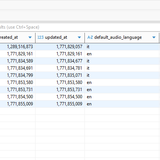
The users in the database is filled from plex.tv, so this will include old users as well. I don’t know when or if these get removed on their end.
not sure to fully understand what you are saying. I have never had so many users, it just increases every time i stop and run the service, even without doing nothing. strange thing as you can see it increases +1 evry time….
I can’t see you image so I’m not positive on the exact issue. I was trying to say that the uses listed in the database will update from your account on plex.tv. There may be users still listed there so they will end up in your database again. They won’t show under the ui, since they are not active but they will be in your database.
Sounds like you are saying you see a blank entry being added when you reboot. If so, that isn’t right and not something I’ve seen. It shouldn’t be possible to have a blank user entry in the database. If you are getting this, it could be a database issue. Try the repair steps and see if this stops.
sorry, I edited the post, now the pic should be ok.
anyway, I completely uninstalled and reistalled plex. I am at the beginning of a new server setup so it is not a big issue.
It does it again in the fresh new install. As you can see It creates a new entry which has id number +1 every time plex is stopped
This is normal and existed. Id 1 is the admin. Instead of using your actual plex account number, it uses 1. This is so you can reclaim the server with any other account, and you don’t lose any past information.
Not sure why there is a user 2. That doesn’t look right unless you actually know that user and shared your server with them.
@Nas_Garage thanks for reporting. I’m not sure how or why this has happened. I’ve created an issue for our engineers to investigate. @MovieFan has the right of it, 1 for for the admin. 2 is for… I’m not sure and I agree doesn’t look right. Both the accountID of 2 and the unassigned users are definitely odd to see.
Can you describe this process? Are you stopping Plex then opening the DB file with some DB view application? Can you enable debug logging, repeat your process that generates a new accountID, download your PMS logs, and share them here or with me in a DM?
Hi
thanks for investigating. Basically I do this:
1 stop PMS, download the database, check the database from a windows database editor
2 start PMS and then stop it again
3 download the database again and check it with the editor.
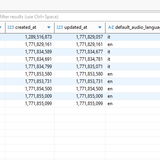
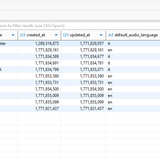
I don’t do anything else in plex, basically just a stop-restart of the PMS. Accounts increase +1 as you can see in new image here. In my previous image they were 9. now 10 and then 11. Here attached the log in debug mode as you requested
Plex Media Server Logs_2026-02-24_09-29-07.zip (1.5 MB)
How are you launching Plex Web?
I am asking because some web browsers will store a URL that was used in the past. That URL can also contain parameters. If now by some weird coincidence the stored URL did contain parameters which would create a new user account, it might get used over and over, always when you load the web app freshly.
Take a closer look how you are launching the web app.
Are you using a browser bookmark, or a link in the Dashboard of your NAS?
Are you typing in “plex” in the address bar of your browser and then use whatever is shown first?
Maybe change your routine and use this link to open the: hosted web app.
Or if you must use the local web app, construct the URL manually by this pattern:
http://local-ip-address-of-the-nas:32400/web
Do not allow any web browser feature, or optional web browser add-in to manipulate the URL.
See if the behavior still continues afterwards.
Hi actually always use web browser address “nas-public-ip:32400”.
but the strange behaviur happens even if I don’t open the server interface.
I mean, tried again now:
1 I stop the service using nas web interface, download the database, check the database: 11 users.
2 run the service. Now I don’t do anything else, no access to plex web app-interface, nothing, leave the service run for few seconds (10 - 20….)
3 stop it again and download the database, check it and find 12 users
It must be something that PMS does itself either in the stopping process or in start process. between stop and restart nothing has been done by me, I am just inside nas web interface and wait few seconds to relauch the PMS service
