Verification of opt-out for Plex sharing private info to ad partners

How does a user verify that my choice for plex,inc to never, ever share my information with advertisers is respected?

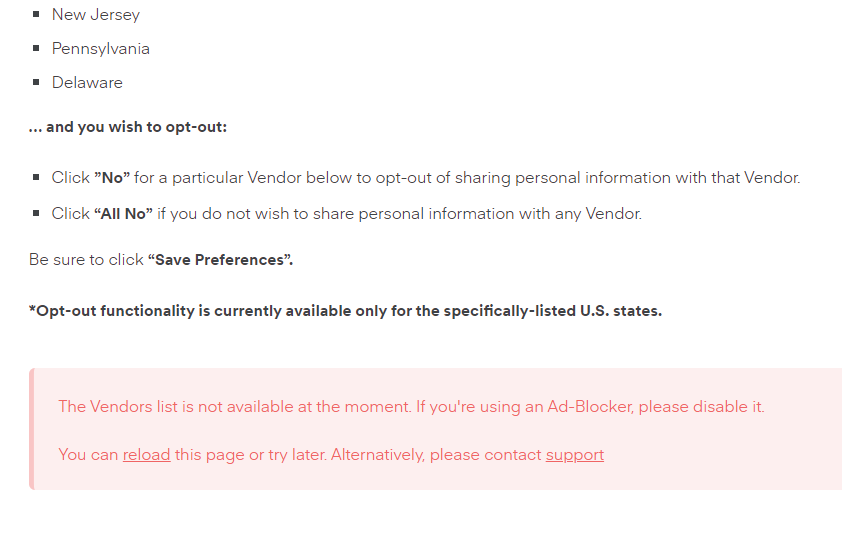
Edit: direct link: https://www.plex.tv/vendors-us/ . Cute how you force us to turn off ad blockers to view that page.

In yet another privacy page us users are just supposed to know exists, there is no verification that my opt-out is respected.

And I hit refresh to make sure my wishes are respected, and imagine my surprise that there is no verification on my opt-out. Almost like a trendline is forming by plex,inc on never respecting privacy.

1 Like

Works perfectly fine for me. Saves the choices I made, not that I ever use Plex’s free streaming so don’t have any interaction with ads anyway.

1 Like

Lots of folks in /r/plex are seeing it as well. They are using far more colorful language than I am, but wanted to make sure plex FTEs saw their opt-out is “magically” not working. Almost as designed.

Apart from it working…

Opt-out functionality is currently available only for the specifically-listed U.S. states.

You may live in a state where they’re not legally bound to give you that option

Which browser are you using? Seems like neither options is selected in the second screenshot.
when either yes or no should be afaik. Using any browser extensions that like add blocker or something that may affect web pages?

If you use an adblocker the list isn’t even available. At least for me

1 Like

Chrome: Version 119.0.6045.200 (Official Build) (64-bit)

Agreed, I’m just hoping this is a simple web dev fix. Ultimately, there should be a single page of consolidated privacy settings for a plex account, but that’s a larger issue. Small battles first.

Nope- just chrome. One thing to note in /r/plex, there was a user using firefox that had my same problem and another user using chrome that did not have my problem. Safari also appears to be working as planned.

I’m told this should be fixed now.

It should not matter as YOU have the ability to make this OPT-IN with an emergency fix pushed out to everyone Right now!

This argument will not end just FIX it correctly

It’s not working if you have an Ad Blocker.

I have an Adblocker and it works ?

I used the all vendors page as I live outside the USA and all were set to No as expected.


I live in Pennsylvania … just screencapped this after @JohnAlex said it works with an Ad Blocker. It doesn’t.

For you.

Works for me.

Clearly some Ad Blockers do more than others (or not as good as others in false positives). I’m using Malwarebytes Browser Guard.

Edit - Microsoft Edge Version 119.0.2151.97 (Official build) (64-bit)

The fix I was referring to was it not saving the choices for some folks. I don’t think we could fix it if specific ad blockers remove that element from the page but I will ask about it.

1 Like

Is there a way to request the deletion of previously stored data that these vendors have? My account is several years old and some of these other companies store it for over a year. I just found this well hidden page an updated my settings and Im cleaning house after this discover together thing.

This topic was automatically closed 90 days after the last reply. New replies are no longer allowed.