Server Version#: 1.19.3.2843-e3c1f7bcd
Player Version#: Plex Web 4.34.2
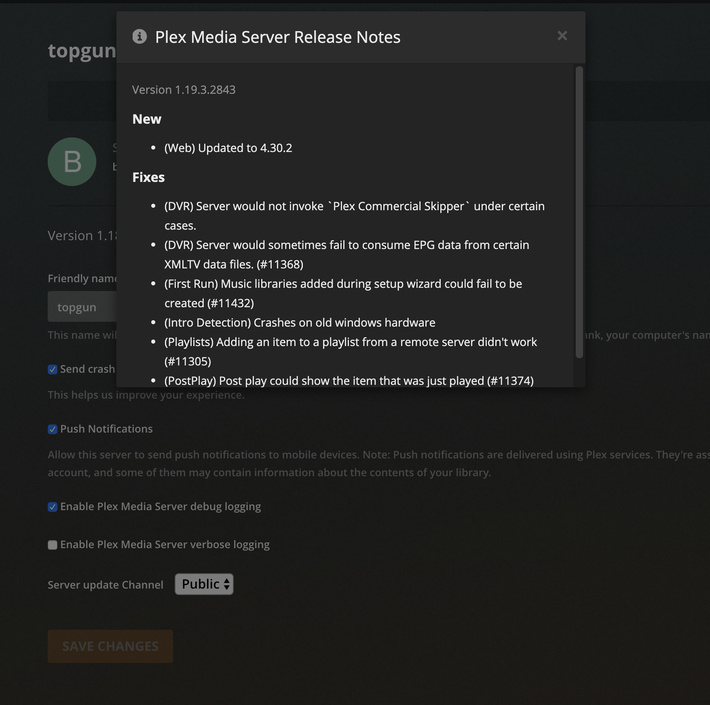
In the general tab, for the Plex Web player, the previous version of the Plex Server persists. For example, I have upgraded the server to 1.19.3.2843-e3c1f7bcd , bit it still shows that the prior server version is installed. This occurs even after refreshing the page. Screenshots attached.

Refresh the web app (F5)
Restart your server.
Fetch the Plex media server.log file. In the first 2 lines or so, you should find the actual server version.
I am reporting a bug in the Plex Web client. You can see that the version reported by the release notes is 1.19.3.2843. However, at a different place in the console the version reported is 1.18.9.2571. Also, the banner overhead, reporting that there is a release to upgrade has also disappeared.
This leads me to believe that the version string reported in the General settings for the server is not displayed properly by the UI.
This is the version of the server, which will be installed by the pending software update. You will only see those version notices before the update is installed.
However, if you don’t hit “Update”, or if the update installation fails, the server won’t get updated and thus, will keep the old version number.
Hence why I asked to confirm the version number using the log file.
The server software was updated. It was performed via direct download and dpkg installation for Linux, the update messages in the UI appear to be an error, which is why I am reporting. Can I assist further in replicating the problem ?
Notably, the latest server release does not appear to have this problem ( 1.19.4.2935 ). Is this officially fixed ?
Sorry, I don’t know much about Linux.
@ChuckPa might be able to help, though.
In this case, diagnosis is as it seems.
Please capture the first two lines of Plex Media Server.log as Otto requested.
Also, Please look here to confirm installed:

Correspondingly please go to Web debug and enable Debug logging.

Refresh the window again then open the logs as shown in this window here button and attach the version info you find there.
