Okay, where to start. I have my videos across 2 HDD’s. 1 HDD has 4.51 TB of videos. This is the drive in question.
Folder scanned and in Plex
Sub-Folders scanned and in Plex
Folders, sub-folders, and videos are listed ad showing on Plex in play list
Watched one, but had to stop, when I came back to watch, wouldn’t play.
“Playback Error
There was an unexpected error during playback. Please visit our forums if you continue to experience problems.”
The file system was wrong for the video; wrong cover art for movie
Always has been
Just hadn’t gotten around to change
Changed it
Unmatched
Re-Matched to correct video
Still wouldn’t play
It’s a sequel, so I tried playing the first video, which presented same issues
This video, will not match
Won’t match through IMDB either
Neither video will play
I’m fairly new to Plex and not sure of next step
Again, I unmatched, re-matched, analyzed, fixed match, optimized, and refreshed metadata on each video
Neither will still play
DNS fixed, videos matching now
Poorly encoded files? How do I fix them?
What is ffmpeg? How do I use it?
How do I determine which files need re-encoded or replaced?
How can I download the data base of my files? What program can I use to open it and understand the list?
Okay, I’m not a programmer. Barely a user. I do not know how to re-encode my files.
As far as downloading the ffmpeg file, I got 2: ffmpeg4.3.1 full build, & tools
Hope that’s what I needed
As for the WebTools, I got 5 files: WebTools 0.1.7 zip, WebTools0.1.7.tar.gz, WebTools0.1.7.dmg, WebTools0.1.7.AppImage, & WebTools Setup0.1.7.exe
I have no intention of running any until I know what I am doing.
I simply would like to re-encode my files so that they match up correctly and then to print off a listing that I can view on a sheet of paper.
I have Excel, and the database is not saving as an .xlsx; but I’m assuming that is because I need one of these programs to do that for me. Correct?
However; on the original post, the 2 videos in question the would not play, are now playing fine.
I am sure it was merely a connection error now for that.
I still have many videos that are not matched appropriately, or are not allowing me to match them correctly
Installed WebTools.
Followed instructions and setup custom level.
Downloaded Handbrake and installed.
Ran Handbrake, chose file that had just finished and was created from WebTools.
“No valid source or titles found” error
Wasn’t able to select Fast 1080p30
Even selecting entire HDD with movies, resulted in same error
I am leaving town for the weekend, so I won’t be able to do anything until Sunday evening from this moment forward.
Thank you for your help and I hope you continue to walk me through this
Okay, sorry, been real busy with work.
I was trying to use Handbrake to open the Webtools files
duh
Okay, downloaded the files and opened in excel
They expand out more than the headers
I’m assuming that is because they are broken???
Handbreak, used to convert one video to MKV
No real reason to use it just yet; at least I don’t think
So I am assuming that when I find a video that I am unable to “Match” on Plex, I send it through Hnadbreak and that should set everything correctly. Correct???
I believe I am having the same issues. Is it OK if I get you to look at my logs as well?[Plex Media Server Logs_2020-10-27_20-06-20.zip (4.0 MB) ](https://)
I appreciate any assistance you can give.
So, to get this straight. I use the webtools to create an .xlsx or .csv file, to which I then open in the perspective application? We will use .xlsx as I am familiar with excel. Now, as I said, when I open it, having chosen every available field from the webtools dropdown, they are collapsed as well. As I expand them, to determine what information I may need, I come to no more Headers, but still information being displayed out further than the headers.
So again, I ask if this means that these files are broken and need to be restored or repaired?
Handbrake, I get it it; it’s a converter and repairs files from one format to another.
My issue is this now; I have several files, that I can search in IMDB, even if they are known by another name, but am unable to Match them through Plex.
For example: “I’ll Always Know What You Did Last Summer (2006)”. This is also how it is named on my system in my files under : G:\720\I Know What You Did Last Summer’s\I Know What You Did Last Summer 3 - I’ll Always Know What You Did Last Summer (2006).mp4

Why is this not finding the metadata through IMDB, when I can???
One final question, as this may also be an issue causing my problems.
I have: g:/720/Beautiful Boy/Beautiful Boy (2010).mp4
and in the same folder; g:/720/Beautiful Boy/Beautiful Boy (2018).mkv
These are two different movies, same name, same folder and occasionally, they need to be split and re-matched. Is this because they are in the same folder?
All my Star Wars are in the same folder

Then, I have this situation
I upload this video, and others like it, and it Matches wrong.

Okay, no problem. I un-match and try to figure out why and make appropriate adjustments

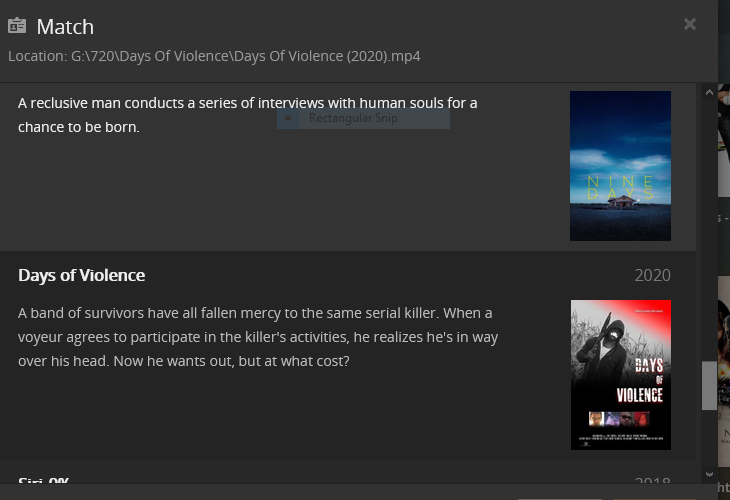
Select the correct file and
I still get same artwork and the correct artwork is not in the folder and then I am back to changing all data in the Information pencil tab thingy
LOL


“I’ll Always Know What You Did Last Summer”, is fixed
Some others, newer ones, not fixing
I’m using 365 and '16
Opened in 365


Okay, well considering I got no response in almost a month to my last comment here; lets see where this one gets me
BTW, I got that issue resolved
Now on to my TV Episodes
Watching The Six Million Dollar Man season 1 episode 1
Played great
Episode 2
Played great
Episode 3
Not at all
Instead, it played the Lee Majors Interview

Episode 4 plays the Richard Anderson Interview
So, I downloaded filebot
Unfortunately, I am currently unable to purchase the program; but did rename the first season files manually for now
Still, plays the Interviews on the TV
Plays just fine on the computer
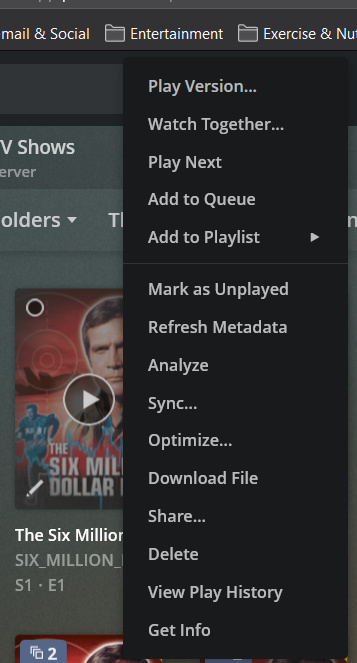
There is no way to Split either, as it isn’t even appearing
Plex is very sensitive to file naming/organization. It’s the foundation that Plex builds upon. And they have a way of organizing/naming files for that foundation. You can use your system and it may work until it doesn’t. Then it won’t anymore. Either way your experience won’t be very good until you organize and name your files “the Plex way”.
In the support articles there is a section on organizing and naming your TV Series:
There’s a corresponding section for movies as well.
I came to Plex from DLNA servers and had a different organizational structure from what Plex was expecting. My experience wasn’t very good until I reorg’d my files. Since then it’s gotten way, way better.
What I would do is start a new Test TV library. Then create a Work area that is outside of Plex’s view (that will keep Plex from trying to index the files while you are working on them). Copy a sampling of files to that Work area and rename/reorg them The Plex Way. Then move them into the TestTV Library and see how it works. This will minimize the work you have to do to see the results and allow you to have a playground you can just nuke if you don’t like it.
I think you’ll be happier with the results. The downside to this is that all the ‘Extras’ probably won’t go into your new library as Plex doesn’t handle TV Extras very well. There are ways to kind of, sort of, work that stuff in there but it’s kind of odd. You’ll learn that as you go.
Good luck & hope this helps!
I have most of my movies figured out I think
No, I do not have the latest webools-ng
I have Version 1.7
I’m not sure how to update it
I’m trying to find the best way to file my movies as I have a wide genre range and video format: 4K, 720, and 1080
Thank you
That is exactly what I am currently doing
I am, or rather was having difficulties finding the movies in different video formats
For ex: Mulan, which I have in all 3 formats, only the 72o wold show up
