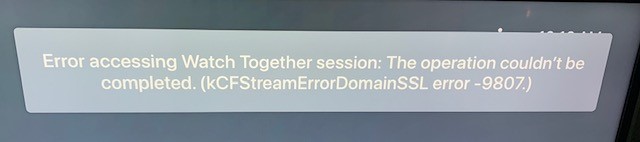
https://184-105-148-95.watchallyourmediayourwaytogether.plex.direct:8899 seems to have an expired certificate, and possibly as a result Play Together seems to be non-functional.
What I’m doing:
- Open the dango menu on a piece of media
- Select Watch Together…
- Pick friend
- Click invite
- Invite button briefly becomes a spinner, and then the modal goes away
- Nothing happens. I’m returned to the list of media.
- Opening the Chrome Dev Tools, I see https://p.lukegb.com/raw/JollyEnhancedMoray.png
What my friend sees:
- The watch together session appears
- It can’t be joined
I worked around it for the moment by setting my clock back to 10am today, which is before the certificate expiry.
I wondered if the cert had been renewed but not installed yet, but it doesn’t seem like there’s a cert with at least an identical CN: https://p.lukegb.com/raw/FormerlyEqualMole.png
[also: who has their certs expire at 1pm on a Saturday of all time :’(]
I’m having the same issue. Could indeed roll back the clock on my PC and get into the invite, but my friend and my own iOS devices can’t join.
1 Like
Can confirm, set my time back to Yesterday and it works fine. Hopefully this will be fixed by tonight
Fixed now. Thanks Plex folks 
system
Closed
6
This topic was automatically closed 90 days after the last reply. New replies are no longer allowed.


