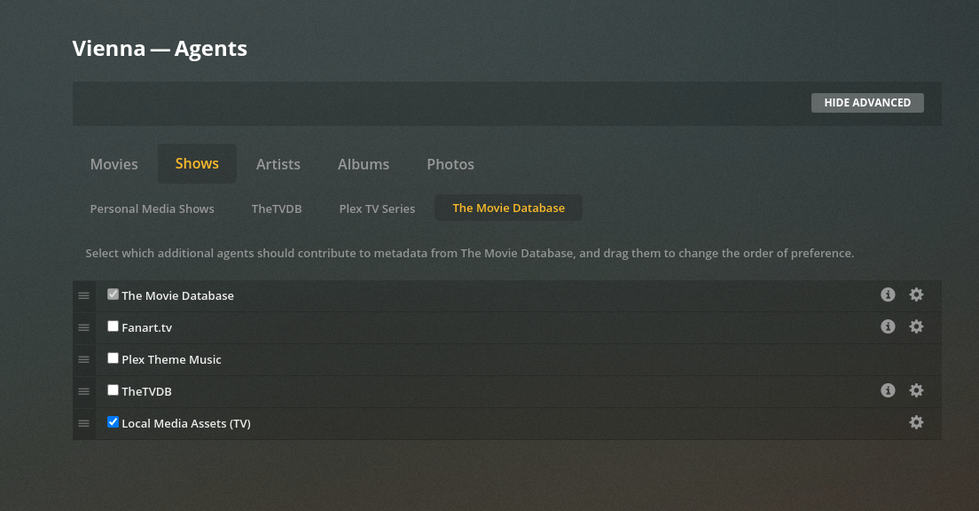
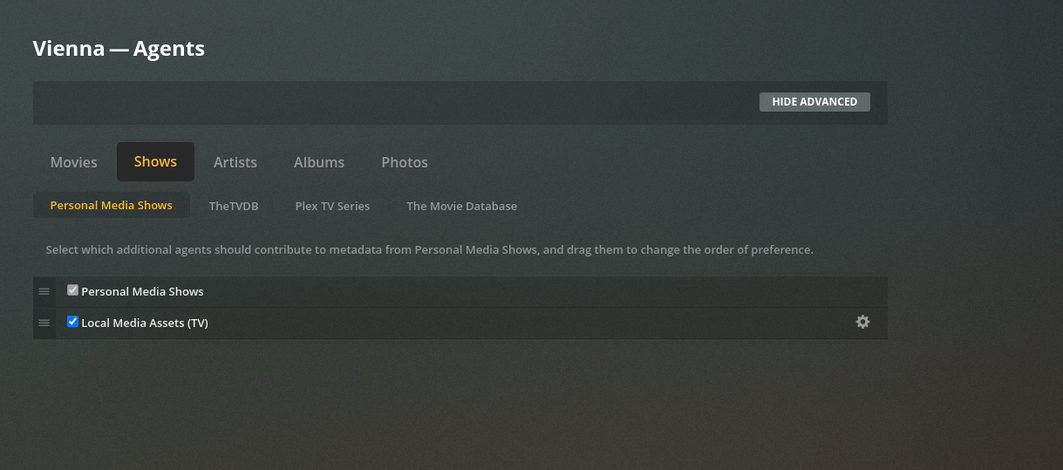
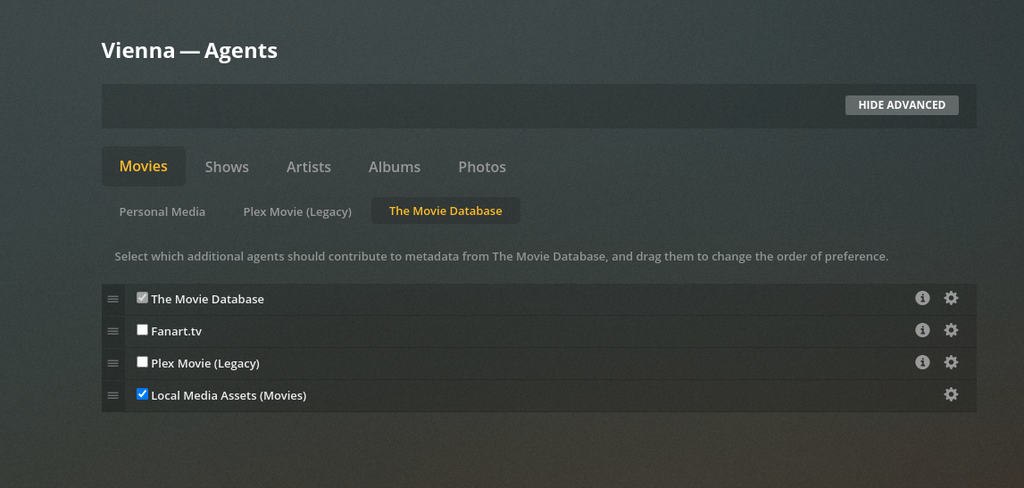
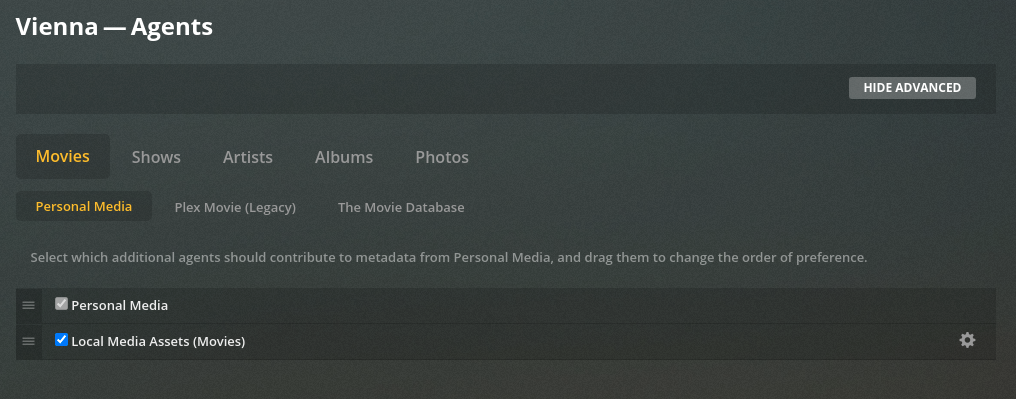
I’ve read them all though and none of the support articles answer at all what I’m trying to get at. I guess I’m asking two questions.
1.) What databases do the default metadata agents go to for metadata for each media type?
2.) And in what order does the default metadata agent go to each of these databases?
For example, for movies it seems to me in looking at my Plex’s matches that metadata always comes from TMDB first, then if it can’t find it there I guess it goes to it’s secondary database. What databases, and what order?
Same with TV Shows, TVDB first, then where?
Perhaps I completely misunderstand how the agent works, thanks to anyone who can explain this to me!
Plex gets the entire contents of those databases and keeps them within Plex.
It performs a fusion of them. This occurs on a predefined schedule.
a. movies: TMDB first - then IMDB
b. tv: TheTVDB
There is an overloading of the term “Local Media Assets” .
It’s confusing to a new user but means one thing: “All the extras – above and beyond the Movie or Episode”.
Where it becomes confusing is in the Settings.
It’s possible, and in most cases – wrongly so, to make PMS ignore the main databases and use only the information it has locally.
The best way to do this – To setup and forget:
Plex’s databases first
Secondary backup – directly to those databases (this catches anything updated since last Plex copy of the DB was updated
Bottom of the list is “Local Media Assets” - Use the information in your ‘Extras’ content as free-standing & self contained.
These are likely to post out of order (My apologies)
OKAY. So it’s not actually going out to any of these databases, it’s going to Plex itself. Plex keeps a kind of mashup of various databases, and that’s by default what Plex’s metadata agent will use. For example, a few of the things leading me to try to learn about this. I have a “Studio Gihbli Collection” that is being created in my movies, but it only pulls in like 5 of the 20 odd Ghibli movies I have. Or Rage Against the Machine, self titled, the cover art found for that is just a picture of the band, and not the actual album cover. So I’m trying to understand where these are coming from, but they’re coming directly from a mushedup Plex database.
Is there anyway to view and search the Plex database in a web browser or something?
It’s not possible to browse the DB openly / unrestricted because someone would invariably try to download the whole thing. ( contract / licensing issues)
Anime is one of the toughest to make work correctly. Naming and structure are critical here. Have you browsed TMDB and IMDB’s web sites to verify naming / do you have a tool like FileBot to make certain the names & structure are correct?
Yeah, I follow the naming a structure guidelines precisely, found at:
and the other ones for tv shows, music, etc.
I go to IMDB and copy the name with year in parentheses exactly, and paste it to rename my file. I have it within a folder called /Movies/Movie Name/Movie Name (year).ext. I split tv shows when they come as one file, and I merge movies when they come as multiple files. Honestly, Plex is great at finding metadata 99.9% of the time, at least with how I’ve tried to follow the naming conventions. It’s just tiny things that you probably would have to manually edit no matter what you do. (Like .hack//Roots shows up as .hack, which gets confused with the TV Show Hack.) I have not used FileBot at all, I’ll take a look at it, it would be nice to verify names and structures every so often for the files I may have minorly misnamed. I was more so just questioning the metadata process so I could 100% understand it, so I could better correct minor things like Studio Ghibli Collection, and .hack metadata.
Just downloaded FileBot, seems easy enough to use, most of my files are already named correctly it seems, but it’s catching the odd random file that has symbols and such in its name.
Are renaming rules an actual file or something you import into FileBot? Or do you just mean your method? Thus far I just dropped in my movie folder, clicked Match and selected Movie Mode “TheMovieDB”.
Movies:
Each movie gets a subdirectory so I can place all the extras in that subdirectory with the movie (keep it all together).
/nas/movies/{n} ({y})/{n} ({y})
When you’re done editing the format , click “Use Format”
TV looks like this when done:
[chuck@lizum Star Trek Discovery.502]$ ls -1
Season 01/
Season 02/
Season 03/
[chuck@lizum Star Trek Discovery.503]$ ls -1 *01
Star Trek Discovery - S01E01 - The Vulcan Hello.mkv
Star Trek Discovery - S01E02 - Battle at the Binary Stars.mkv
Star Trek Discovery - S01E03 - Context Is for Kings.mkv
Star Trek Discovery - S01E04 - The Butcher's Knife Cares Not for the Lamb's Cry.mkv
Star Trek Discovery - S01E05 - Choose Your Pain.mkv
Star Trek Discovery - S01E06 - Lethe.mkv
Star Trek Discovery - S01E07 - Magic to Make the Sanest Man Go Mad.mkv
Star Trek Discovery - S01E08 - Si Vis Pacem, Para Bellum.mkv
Star Trek Discovery - S01E09 - Into the Forest I Go.mkv
Star Trek Discovery - S01E10 - Despite Yourself.mkv
Star Trek Discovery - S01E11 - The Wolf Inside.mkv
Star Trek Discovery - S01E12 - Vaulting Ambition.mkv
Star Trek Discovery - S01E13 - What's Past is Prologue.mkv
Star Trek Discovery - S01E14 - The War Without, the War Within.mkv
Star Trek Discovery - S01E15 - Will You Take My Hand.mkv
[chuck@lizum Star Trek Discovery.504]$