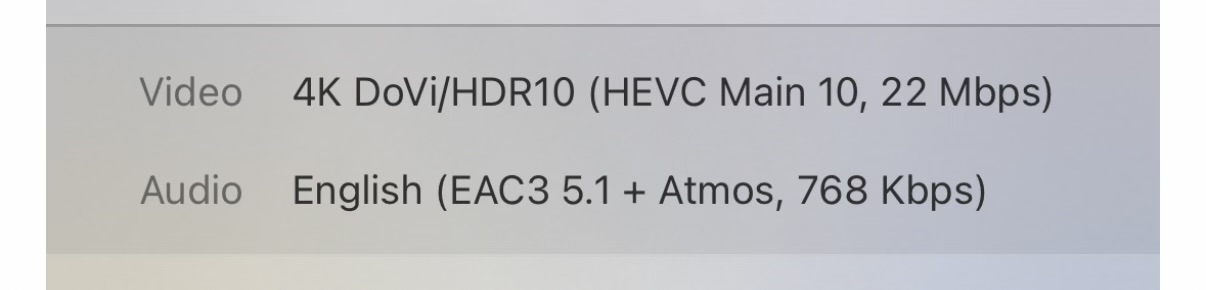
MKV files which have DV+HDR can now successfully play DV instead of falling back to HDR, since recent LG webOS updates. However, if the audio has to be transcoded, while the video is direct streaming, it doesn’t activate DV and instead will fallback to HDR.
This can be seen in a single file which has two audio tracks, e.g. TrueHD and DDP. With DDP selected, DV successfully activates. With TrueHD, audio transcoding is required and DV does not activate.
Because the video is direct streamed, I would hope that DV could be retained. Is this a bug and/or area that could be enhanced, or a fundamental issue that will never be solved?
I’ve tested this, and yes LG does not like TrueHD 7.1 audio tracks. Sometimes the tv will force the HDR video and try to decode the 7.1 audio, and the stream will buffer.
So with a 7.1 audio track, the TV will take the HDR stream and poorly decode the 7.1 audio
If you mux in an 5.1 audio track and select it, DV works fine and the sound is fine, everything direct plays.
A proper fix for the LG app would be to request the plex server to transcode the 7.1 to 5.1 and direct play the video. There currently is no way that I can see to force this to happen. Mux in a 5.1 or find a video that has dual audio tracks already and choose 5.1.
I am fine with the audio being transcoded as not being able to play TrueHD on native TV apps is a known and well documented limitation for all TVs. I’m also fine with the transcoding method, in my experience it transcodes to 1mb/s DD+ which is transparent to my ears.
Once the audio has to be transcoded, the whole package has to be put together again in a new container, that’s why the video will only ever “Direct Stream” rather than “Direct Play” in this scenario.
I know that detection of Dolby Vision can be container dependent, for example, historically on LG, Direct Play of an mkv container with Dolby Vision would never activate Dolby Vision. In recent months, LG have fixed this specific issue, so mkv Dolby Vision is possible, but I mention this just because container-specific issues with Dolby Vision are a known thing, and I suspect the container Plex is using to repackage the transcoded audio and original video suffers the same problem.
I would really appreciate some acknowledgement of the issue from a Plex Employee. @BigWheel seems quite responsive from recent experience!
The problem is likely licensing. Plex is apparently permitted to pass Dolby Vision through to the client, but is not allowed to use unlicensed code for transcoding.
To be clear, it is passing the video through without transcoding. It’s Direct Stream. My suspicion is it’s more to do with how they are packaging the Direct Stream with the audio on the fly and compatibility issues with the client, rather than licensing, but it’d be good to get a developer’s insight.
@BigWheel I think the user experience failure here, if it can’t be fixed, is how it all happens silently. Say a DoVi file has two audio tracks, TrueHD and EAC3. The former track is the default and has to be transcoded to EAC3 anyway, except you lose the DoVi. DoVi could be regained by switching to the EAC3 track without any real loss, perhaps.
It’s one thing to tell users of my server that if audio fails, try another track, but another altogether to say “… and even if audio is working, if it plays as HDR and you want DoVi, see if there’s another track and see if that activates DoVi…”
When I place 4K BluRay rips onto my system, I always ensure I provide a 2nd audio track in the form of either DD or DD+ and I tell my users who don’t have a capable system to simply select the 2nd track.
When the user then selects the 2nd track, they are more likely to Direct Play the audio track and consequently more likely to Direct Play the video track as well.
So always mux your 4K BluRay rips with a 2nd track to help with compatibility.
I understand all that, but I don’t think it’s helpful in this context: I’m highlighting a gap in Plex’s capabilities which I believe is possible for them to fix, and seeking some kind of response or acknowledgement from them.
I’m perfectly happy with audio being transcoded in these scenarios, and delighted that Plex can do this without transcoding the video stream; it delivers the video data to me exactly how it was originally, with all the DoVi metadata intact. However, the container they are using to repackage the audio and video has a subtle compatibility issue with LG clients which means DoVi is not detected. Other clients are capable of playing the DoVi in this scenario. If Plex can fix this for the LG client, it would be beneficial for all those cases where there is no second track, or people don’t think to select it, etc., and no harm to anyone who is as meticulous as you
And here is where I have to say… Good luck with that one!
By all means, raise the awareness… Let Plex know that there is something wrong and ask them to fix it, however we all know how long that is likely going to take to actually come to fruition, if at all.
So my question to you is… How long are you prepared to wait?
Whereas in the mean time, you can take matters into your own hands and get started with muxing your content in such a way that you can guarantee will work with the gear that you have.
Can you turn off direct play and play the eac3 audio? This should cause both audio and video to be direct streamed. I’m wondering if the LG doesn’t support DV with the direct stream protocol.