Server Version#: 1.24.2.4973
Player Version#: 1.34.1.2601-ff212e16
This guide should help anyone who cant directplay files with Plex windows client on windows 10 or 11.

open up Windows Security
Select App & browser control on the sidebar menu

Select Exploit protection settings

Select Program settings tab.

Select Add program to customise

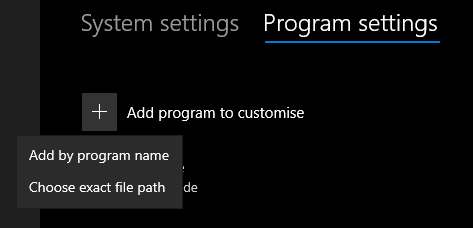
Select one of the options:
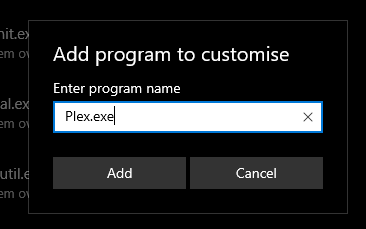
Add by program name.
good for portable versions or any program with the same name.
type in Plex.exe
Choose exact file path.
fixed absolute path to the file
C:\Program Files\Plex\Plex\Plex.exe

check override system settings
toggle off button.
repeat for 4 times
Click apply.
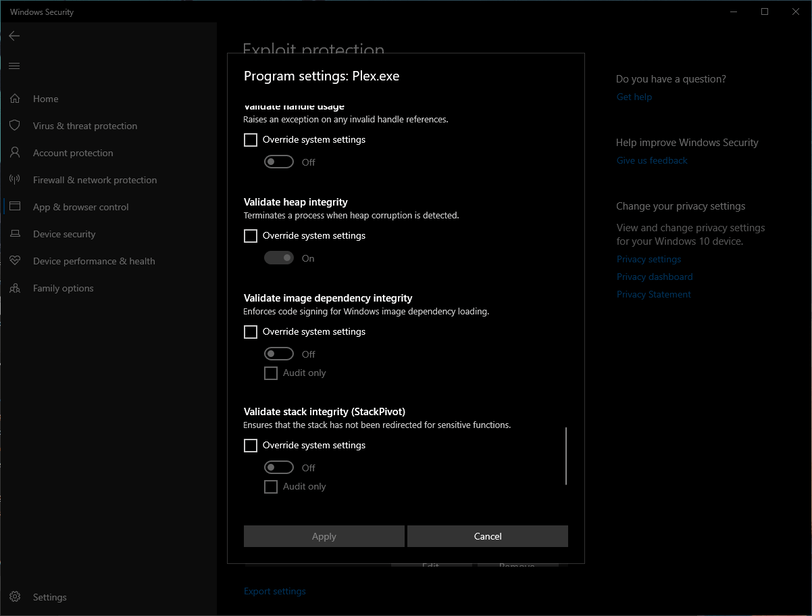


Click apply.
Close and start Plex to apply the new settings and test it out.
That’s it. you can test to narrow down root cause and I recommended you do. Reducing the application’s security set by windows for functionality should be avoided.
