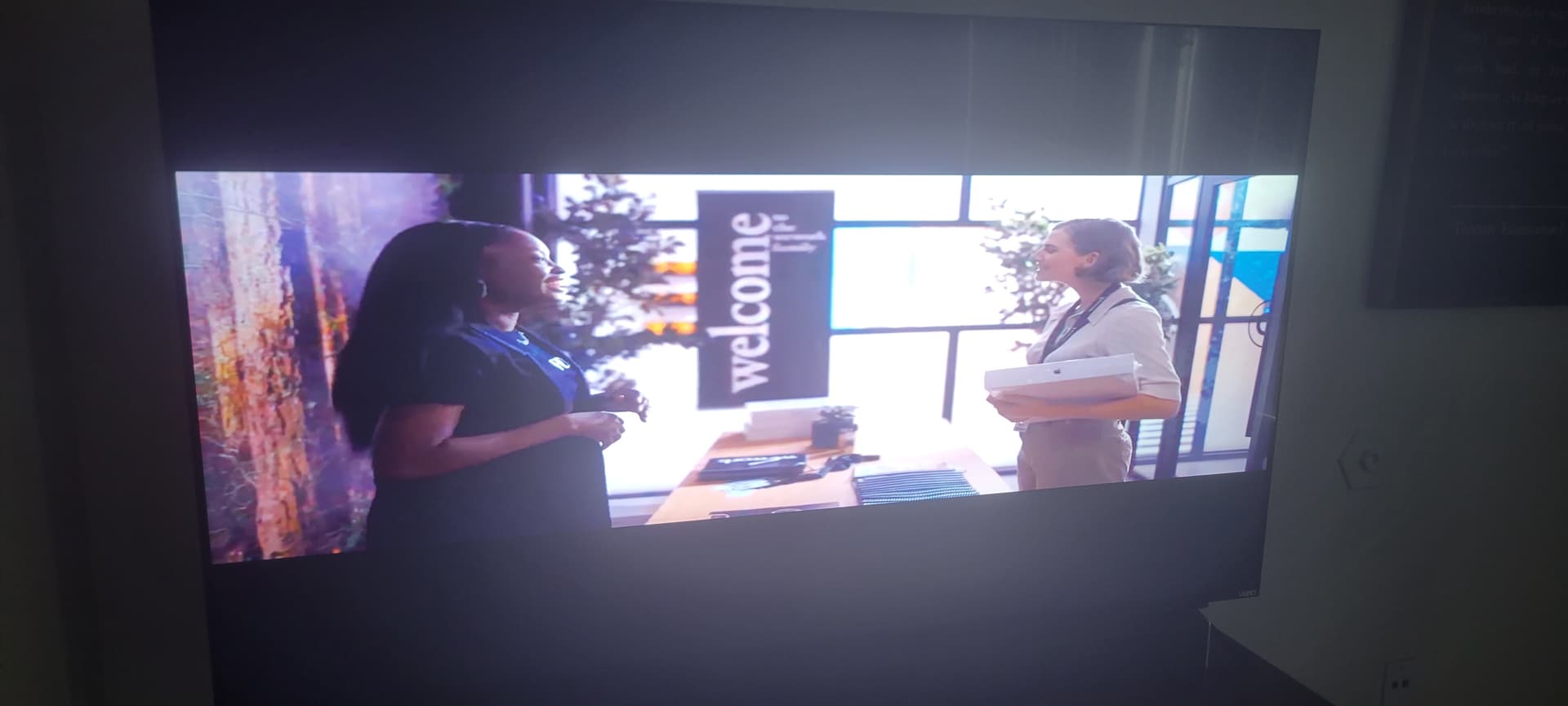
Why are the videos being displayed in the wrong aspect ratio with large black bars at the top and bottom?
Observations
All videos played from my server look like this
Playback from YouTube app is fine
Playback through Plex from a PMS connection to a friend’s server works fine (some videos - others display incorrectly)
Playback on Plex web and Plex on Android works fine
Casting playback from phone or browser displays incorrectly
Apparently, this problem is only when using the Vizio for Plex from my server. Since YouTube videos and all other aspects of the Plex Player’s UI display full screen.
Things tried:
Reboot TV
Restart Docker container
Re-ran Docker container (thus doing a docker pull)
Searched for aspect ratio on the TV. Found it. It’s greyed out
Tried Plex’s Live TV and Movies and Shows. All displayed wrong
Some playback from my friend’s server plays OK, others play in the wrong aspect ratio
Tried other services like Crackle, Prime, etc. Displayed incorrectly, though their UI’s also displayed fullscreen.
Data Point:
Seeing
ERROR - [Req#a6f] Unable to find client profile for device; platform=Vizio SmartCast, platformVersion=2.3.0-2125.0003, device=Vizio SmartCast 2.3.0-2125.0003, model=M65-F0
Playing these episodes via my PS4 works fine. I hadn’t used my PS4 for a while so it wanted to update the Plex app to 2.04 (IIRC). It’s looking more and more like I need perhaps reinstall the Plex app on Vizio except that AFAICT I can only do that by doing a factory reset and then set up everything again. I’m trying to avoid trying this.
The problem returned!!! I’m resetting my TV again. This is not good. What could be the problem?
I’m wondering if, after a reset, the Vizio Plex player is at a certain version number then the Vizio TV updates that app and it breaks again.
Hmmm… Odd. After reset, I go to the Plex app on Vizio and it reports 5.44.3 for a version whereas I was having the problem at version 5.43.1! Did it downgrade? I guess I’ll have to wait until it breaks again and check the version.
Not sure it is. My problem is from the git-go in that it happens when I start. I’m not sure if I tried stopping and playing again, I think I had but if it breaks again I’ll try that.
Of note is that resetting the TV corrects the problems (only 6 days for me). Also, casting to the Vizio displays the problem (the same underlying client I guess) while using Plex from my PS4 works fine. And as you noted other clients like Netflix, YouTube, etc. display fine.
I need to check that too. I had just a few videos displaying correctly. I thought most of my videos were 16:9 but if this happens again I know what to check.
BTW is that Display aspect ratio? I’m seeing things like 2.40:1. Ah, here’s one that just says 16:9.