I noticed that when started playing content that was available in both 1080p and 2160p, player always choose to play the 1080p stream by default on my NVidia SHIELD TV Pro player.
Looking at the server logs, I notice the following request:
Request: [192.168.1.12:51324 (Subnet)] GET /photo/:/transcode?width=544&url=http%3A%2F%2F127.0.0.1%3A32400%2Flibrary%2Fmetadata%2F433205%2Fart%2F1657843696&height=306&quality=90 (9 live) #3d1fd TLS GZIP Signed-in Token (kevin.denis) (SHIELD Android TV) / Accept => image/webp, image/* / Accept-Encoding => gzip / Accept-Language => en-us / Connection => Keep-Alive / Host => 192.168.1.10:32400 / User-Agent => Mozilla/5.0 (Linux; Android 11; SHIELD Android TV Build/RQ1A.210105.003; wv)PlexTV/9.9.0.35519 / X-Plex-Advertising-DoNotTrack => 0 / X-Plex-Advertising-Identifier => 5d75c040-2f50-4dfd-b4db-fdd7c35a7e03 / X-Plex-Client-Identifier => ffef7bc87459ac64-com-plexapp-android / X-Plex-Device => SHIELD Android TV / X-Plex-Device-Screen-Density => 320 / X-Plex-Device-Screen-Resolution => 1920x1080 (Android TV) / X-Plex-Device-Vendor => NVIDIA / X-Plex-DRM => widevine:video / X-Plex-Features => external-media,indirect-media,hub-style-list / X-Plex-Language => en-us / X-Plex-Marketplace => googlePlay / X-Plex-Model => mdarcy / X-Plex-Platform => Android / X-Plex-Platform-Version => 11 / X-Plex-Product => Plex for Android (TV) / X-Plex-Provider-Version => 5.1.0 / X-Plex-Provides => player,pubsub-player,controller / X-Plex-Token => xxxxxxxxxxxxxxxxxxxx / X-Plex-Version => 9.9.0.35519
It looks like plex player does not report correct screen resolution. Any way I can fix this ?
Does the screen you’re watching on support 4K? My Shield has no problem automatically selecting 4K when it’s connected to a 4K display.
This is why it’s choosing 1080p, that’s the highest it thinks it can go. Is the Shields display set to 4K resolution or 1080p?
Yes, it is a 4K TV.
No issues with 4K Netflix / Amazon Prime.
Even TV reports nVidia Shield Pro source to be 2160p
Is this for a movie? I feel like there’s info missing. If it’s a movie and you’ve got multiple versions working properly you should be able to “Play Version” try selecting the 4K one and see what happens.
I’ve got mine set up like this, no problem differentiating between 1080p and 4K on applicable devices.
If I play this through the web, it’ll be 1080p, if I play on my Shield I get the 4K.
This is for both movies and TV Shows.
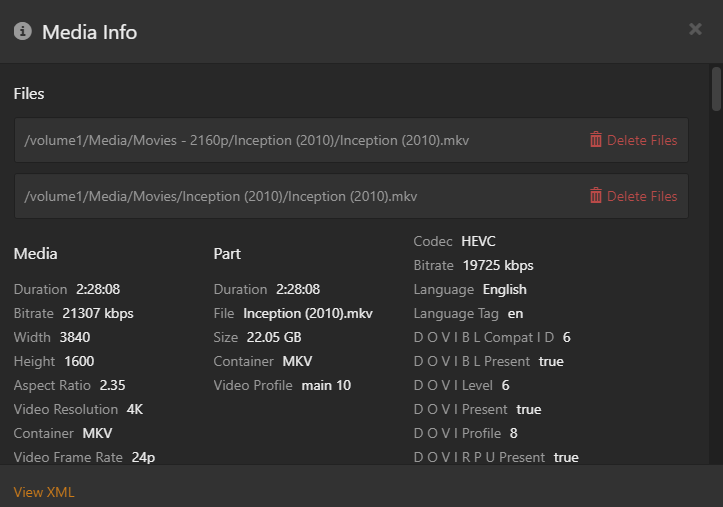
In my case I have two versions for each file, one 1080p and one 2160p.
Play version is available and works correctly, so selecting 2160p will play the correct content.
I’m just trying to understand why it doesn’t play 2160p media by dedault and I think it is due to X-Plex-Device-Screen-Resolution => 1920x1080
If it works “correctly” when you select 4K under play version, have you checked the dashboard or Tautulli or anything to ensure that it’s actually playing 4K and not transcoding?
Anyone from Plex is going to ask for debug logs from the server at least, maybe the client as well. It still sounds like a settings issue somewhere to me though. As I said, I have the 2019 Shield Pro as well and it chooses properly for me.
Yes, I was able to verify that once selected in play version, the correct content is being streamed.
I will prepare logs from client and server.