xTeVe - IPTV for Plex DVR

This only happens if the file name of the XMLTV file changes. But then he would not be displayed.
If that happens again, you have to give me your XMLTV file.

I also missed this feature :joy:. Has already been implemented and will be available in the next version. Switching is then right click on the table line.

1 Like

I’ve been trying this with a vader streams url and it works well. Setup is a bit tedious to do the channel mapping, but this is mostly bad UX on plex.
Once set up it’s been working fairly flawless for me. My setup is not daemonized so I have noticed it stop every once in a while, which might be tied to build updates?

What version of xTeVe do you use?
Plex EPG or XMLTV

Hi marmei.
2 inputs from my side:

  1. Can you make the channel logo to default to the xmltv file channel logo (if it exists)?
  2. Can you figure out a way to mark channels as HD so they Plex recognizes them as HD?

Thanks!!

  1. Is it already, it is the XMLTV logo used, there should be none, the logo from the M3U is used.

  2. I have to take a closer look. In Plex mapping, Plex indicates that the channel is in HD, just not in the program information.

I understand that I can not count on an update for Qnap? I have to wait for QnapClub.

Hi @marmei

A friend is testing in a Ubuntu 16 installation the binary for linux. With the PMS and XMLTV options its works fantastic.

When he choose the option of XEPG and make one mapping and the program trie to generate the new xml, it crashes with this error.

2018/08/21 09:02:59 [xTeVe] Load settings:    /home/aapella/xteve/settings.json
2018/08/21 09:02:59 [xTeVe] DVR Tuner:        4
2018/08/21 09:02:59 [xTeVe] EPG Source:       XEPG
2018/08/21 09:02:59 [xTeVe] Download:         http://xxxx/playlist/channels.m3u?profile=pass
2018/08/21 09:03:00 [xTeVe] M3U File:         /tmp/xteve/channels.m3u
2018/08/21 09:03:00 [xTeVe] Download:         http://epg.tododream.com/latinmunich_xmltv-movistar-spain_todo.gz
2018/08/21 09:03:02 [xTeVe] Extract gzip:     /tmp/xteve/latinmunich_xmltv-movistar-spain_todo.gz
2018/08/21 09:03:02 [xTeVe] XMLTV File:       /tmp/xteve/latinmunich_xmltv-movistar-spain_todo.xml
2018/08/21 09:03:02 [xTeVe] All streams:      179
2018/08/21 09:03:02 [xTeVe] Filter:           
2018/08/21 09:03:02 [xTeVe] Active streams:   179
2018/08/21 09:03:02 [xTeVe] XEPG:             Parse channels - latinmunich_xmltv-movistar-spain_todo.xml
2018/08/21 09:03:05 [xTeVe] XEPG:             Update database
2018/08/21 09:03:05 [xTeVe] XEPG:             Map channels
2018/08/21 09:03:05 [xTeVe] Update schedule:  0000
2018/08/21 09:03:05 [xTeVe] XEPG:             Create XMLTV
panic: interface conversion: interface {} is nil, not string

goroutine 50 [running]:
_/Users/marcel/Documents/go/workspace/xteve/src.createXEPG(0x754458, 0x5)
/Users/marcel/Documents/go/workspace/xteve/src/epg-mapping.go:394 +0x93b
created by _/Users/marcel/Documents/go/workspace/xteve/src.buildXEPG
/Users/marcel/Documents/go/workspace/xteve/src/epg-mapping.go:53 +0x129

We think that you forget to modify some route in your program…

Best regards

1 Like

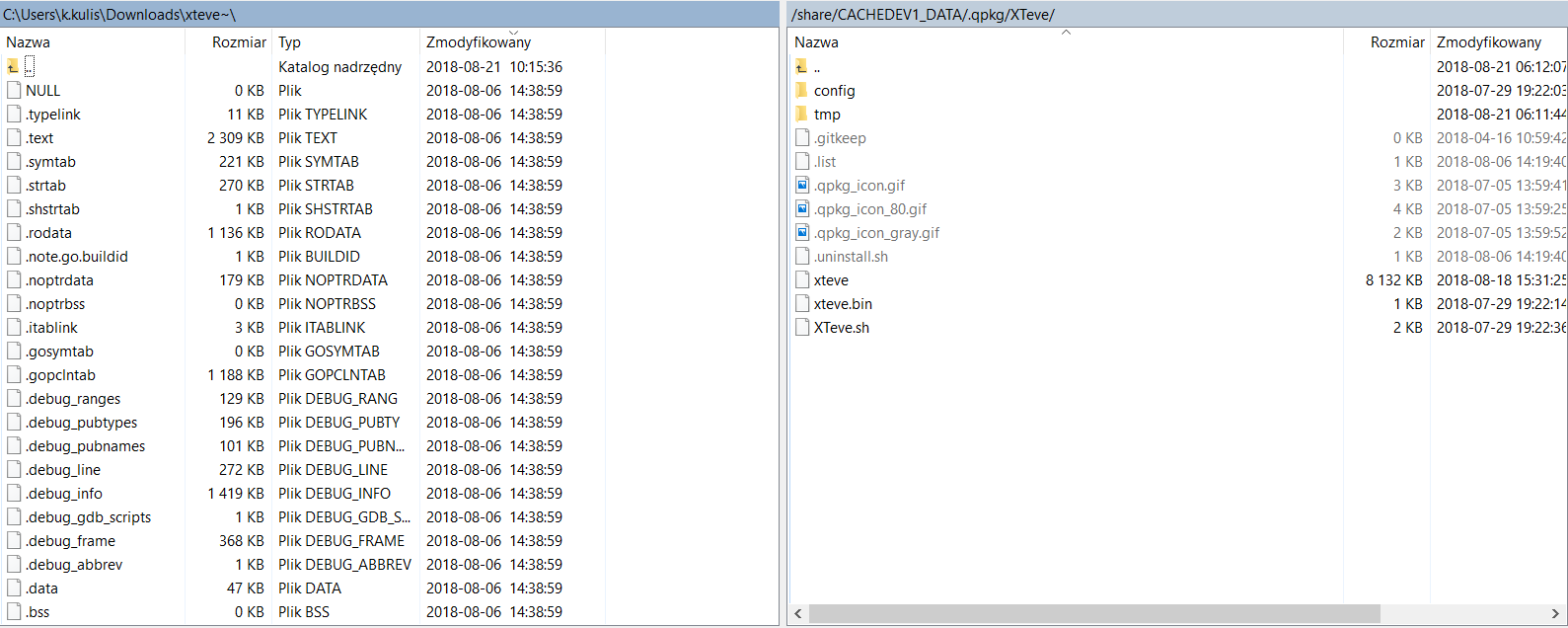
No, you could download the linux binary v1.0, log into your NAS with SSH and go to /opt/XTeve. Stop the xteve process on your NAS and copy the downloaded binary file xteve into this folder and overwrite the old file (or make a backup if you want). Then edit the permissions of the file to rwxr-xr-x and restart xTeVe from the console with ./XTeve.sh start. That worked perfectly for me!

It’s a higher level for me. My dream is that it would be like in ā€œRadarrā€. the update is made from the position of the application.

Can i do this with WINScp?

Yes this should work. Just download the linux binary file from https://xteve.de/download/xteve_linux and follow the steps I wrote above.

From this point, xTeVe should always update itself automatically as soon as you restart it.

I did it. Nothing has changed. He did not exchange any of the files. I will wait in that case for QnapClub, maybe write to them to create a package.

A small, probably dumb, question: I am currently running version 1.0.2 (as packaged in the QNAP third party repository), however I cannot see the same interface with ā€œPMS IDā€ and ā€œMappingā€. Is there any reason for that (e.g. this feature is not out yet)?

Thanks

You have to set the EPG source to XEPG in the settings :wink:

2 Likes

I am running xTeVe as a service (basic systemd startup service). I think every time xTeve auto updates, the service is terminated. Any way to make the service restart automatically after the auto update?

which operating system do you use?

Ubuntu 16.04

This happens to me in my docker container as well.

I hear the problem for the first time.

I’m using xTeVe on FreeBSD, but it’s still running after an update.
If you use systemd, you can set that in the service.

/etc/systemd/system/xteve.service

…
Restart=always
RestartSec=15
…

When the service is off, it restarts in 15 seconds

The beta package was created by someone from QNAP. It only took a few days for the beta. I know that a lot of QNAP xTeVe is used, so it will not be that long.

Can you please send me the XMLTV file privately, I’ll take a look.

At this point the program copies the original program information for that channel into the new XMLTV file.