I believe if you quit xTeVe and restart it, it updates automatically
The changelogs are all in the Discord channel.
The support and the information for you are with Discord for me much easier.
@chrikee That’s right
Corrent, I have done it and it is now 1.0.3
Great, the update seems to have fixed the refresh crash!
Racheer…
Amen to that!
I do not know why but xTeVe turns off Qnap from time to time. I need to restart it and enable EPG refreshing. Can you check any logs which causes disabling?
Do you already use version 1.0.3?
You can also use xTeVe without entering your credentials. 
Hi all,
I am trying to use this amazing addon by @marmei without luck and I believe is not because of plex as the list works with another addon.
- I have PMS on a VPS (I can use my IPTV list no problem with iptv.bundle of cigaras)
- configured xteve, added the list (the whole list with +1000 channels and later on just with 1 channel) set up Plex DVR and guide but when trying to play any channels I get the message “Playback Error”.
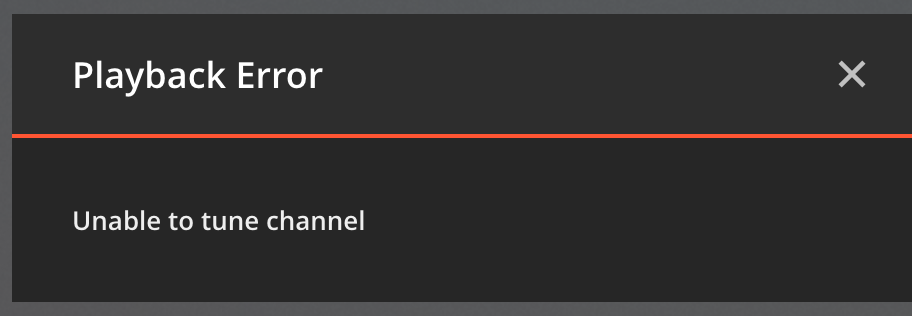
- I tried enabling to get logs with -p and also -v but is not showing any errors

Anyone with the same problem or knows what could be the issue?
Thanks for the detailed error description.
In your terminal is in the last line the streaming URL passed to Plex, that looks good.
If that looks like yours, Plex can not play the format in the Transport Stream (TS). Unfortunately, Plex DVR does not play every format.
Hi @marmei thanks for your quick response,
I am a bit lost now. I tried iptv.bundle & tvheadend with the same list with the channels in TS format (is the default format of the list) and works with both.
Having a look through the post I found that you said a few times the must be in TS
My list looks like this;
#EXTM3U
#EXTINF:-1 tvg-id=“xxx” tvg-name=“xxx” tvg-logo=“xxx” group-title=“xxx”,xxx
http://xxx.xxxx.eu:8000/xxx/user/pass/xxx.ts
#EXTINF:-1 tvg-id=“xxx” tvg-name=“xxx” tvg-logo=“xxx” group-title=“xxx”,xxx
http://xxx.xxxx.eu:8000/xxx/user/pass/xxx.ts
#EXTINF:-1 tvg-id=“xxx” tvg-name=“xxx” tvg-logo=“xxx” group-title=“xxx”,xxx
http://xxx.xxxx.eu:8000/xxx/user/pass/xxx.ts
yes on this version its ok!
iptv.bundle does not use Plex DVR
tvheadend transcodes the stream.
TS is a streaming container, according to specifications there must be an MPEG-2 format. MPEG-2 has a lot of parameters on which Plex exactly value I do not know.
xTeVe is just a proxy and does not do any video processing.
You’re the second one I know that his TS Stream does not work.
Which provider do you use?
Just a quick update on my experience up to now…
For some reason xTeVe reset its settings today back to default. Any ideas why?
I’m experiencing a crash after importing my m3u file.
panic: interface conversion: interface {} is nil, not string
I did a little debugging and I’m fairly certain that it happens if the m3u file has an entry where the tvg-id contains a comma character.
I know this only with some NAS systems, which delete the configuration folder after a restart. Which operating system do you use?
Thanks, the bug has already been found. It will be fixed in the next update.
If you do not want to remove the commas after each update of your M3U, there is already a version with a workaround. PM in the Discord channel
I’m using a QNAP NAS. It seems to be okay actually… The M3U was unavailable which caused the settings to reset.
The QNAP package was provided by QNAP. In xTeVe there is no function to clear the configuration. If the error occurs again, ask there in the forum.
I have a hdhomerun connected to an antenna configured in my PMS. With other apps like yours that I have tried, Plex forces me to only map to channels in the handfull that I get OTA which is obviously a problem. With your program setup to use XMLTV, would I see in my guide my OTA channels from my hdhomerun and the IPTV channels?
I have the same problem. Any IPTV channels that are not the same as the OTA channels my HDHomerun picks up cant be linked to a channel. Is there a way around this?
