Not really or i am to dumb^^
It always select the fritzbox (its my router). Their DVB-C tuners can not be disabled…

I too am having issues with images… The images are visible in xTeVe mapping but most of them (not all) are missing in the guide in the plex webapp/local on my PC. I have even tried different browsers to see if it was an issue with that but I have the same missing logos regardless of browser.
Strangely, the images are all visible when I view the guide on the Plex Apple TV and iOS apps 
I’m guessing its a cache issue of some kind.
I tried this but it didn’t work… remove image from mapping/save/refresh guide/replace image in mapping/save/refresh guide.
Then I tried replacing the image with a different link and the replacement image showed up.
I then replaced it again with my original image - nothing shows 
EDIT: I have noticed a pattern - all the images that seem to have disappeared have spaces in their name. All the images with no spaces show with no problems??
I have no any icons. But I had.
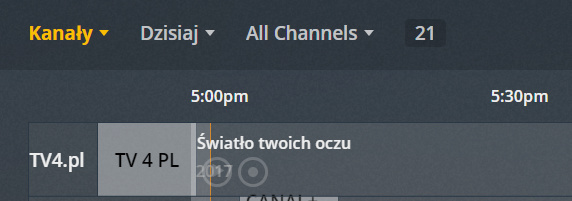
There is also something wrong with the channels. I did not add TV4 in the map.
Have you put the correct xml file in plex?
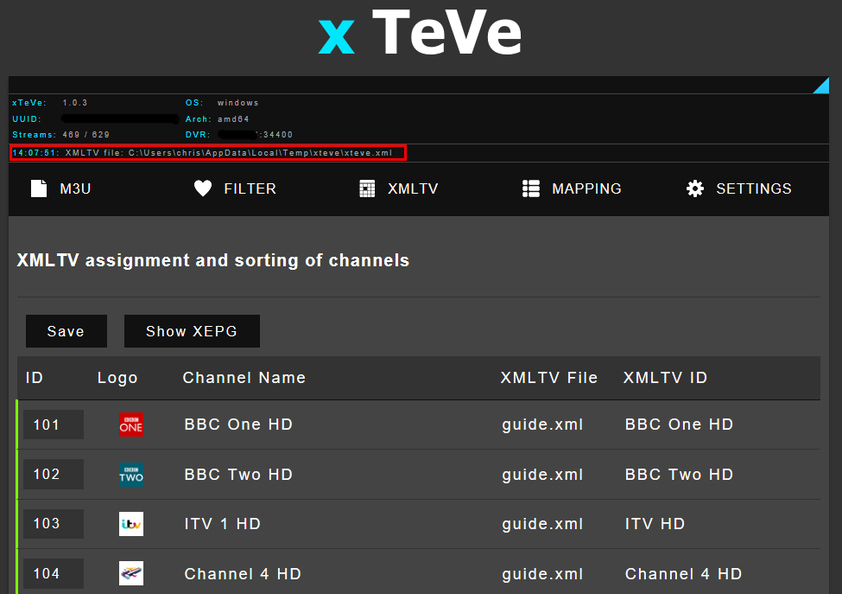
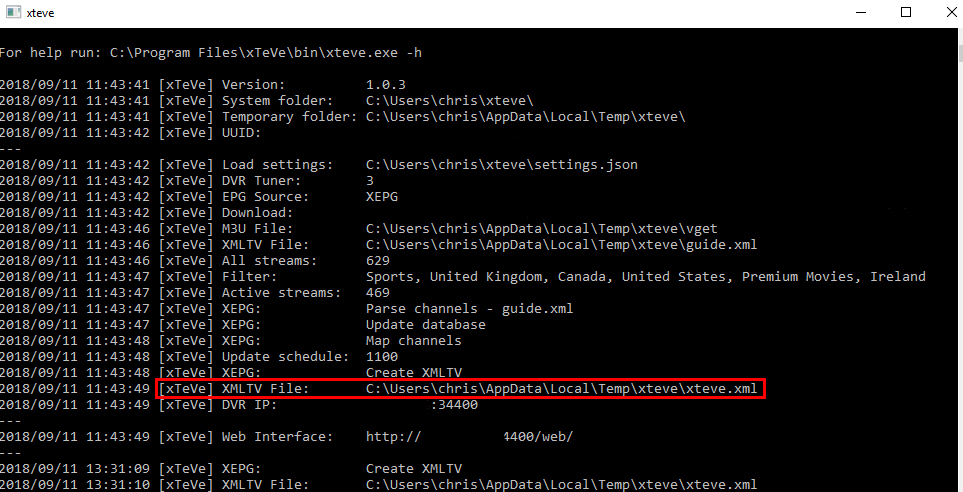
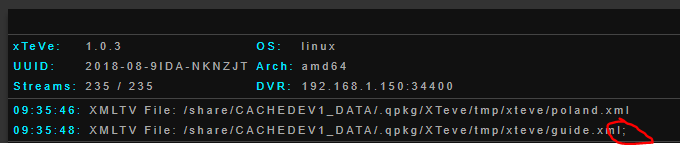
xTeVe takes the xmltv file you direct it to and creates its own. It should be the one called ‘xteve.xml’
On windows its located at ‘C:\Users\USERNAME\AppData\Local\Temp\xteve\xteve.xml’
You can see location of your file in the xTeVe prompt window or in the xTeVe web manager…
I’ve read through all the posts here, but still struggling. Could do with a simple setup guide!
Here’s my scenario. I have PMS running on Nvidia Shield, with a HDHomerun tuner for UK Freeview channels. I have xTeVe running on a Raspberry PI.
I’d like to add US IPTV services from an IPTV source as additional channels. I have an m3u file with streams that will play in VLC, and I have an xmltv file with schedules.
If I try to set up an additional DVR, pointing at my xTeVe instance, Plex tells me “No channels found” when I attempt to scan channels.
Am I doing something wrong? What would be the best setup steps for my use case?
Thanks
YES! You are absolutely right
I assume you are using the EPG from Plex.
Plex only supports one guide. Dodge Plex EPG or XMLTV.
You can only change that if you remove all tuners from Plex and set up new ones.
In the Discor channel, there is a screencast of the setup, but without XMLTV.
There are many reasons why streaming does not work for you:
- Plex does not support the format.
- I know that many XMLTV files are broken or incorrectly formatted. Plex can not then assign the channels and plays no streams.
If you change the EPG source to XEPG in xTeVe and enter your XMLTV file there, xTeVe will generate a new XMLTV file for Plex, wrongly formatted XMLTV files will be repaired at the same time.
- If no current EPG data is included in the XMLTV file, Plex does not play anything.
The best way to test the streams is to use Plex EPG first. If that works, the problem has always been the XMLTV file.
Hi this is all new to me. Is there a step by step guide somewhere on how to set this up to work on an nvidia shield? I’m not even sure what I need to download or anything.

Is it possible to combine two XMLTV EPGs?
All the IPTV providers I’ve looked at list each region in a separate EPG, or combine them into a global one that’s too big for xTeVe to handle.
If you change the EPG source in xTeVe to XEPG, you can use multiple XMLTV files.
Is described in discord channel #faq
Do you have EPG for adult TV?
Ah cool. Got it, and now generating my combined XMLTV output file.
As I have xTeVe running on a Raspberry Pi, and PMS on my Shield, I guess it’s down to me to run some task to ship the generated XMLTV file over to the Shield on a regular basis?
no, that is also possible with xTeVe. Mapping Show XEPG. A new tab with the XMLTV URL will open. Copy the link into the XMLTV path of Plex
Ah, very cool!

it works great for small m3u 20000, but 80000 m3u ~23 mb file it takes hours to load on 4gb ram 2 ghz + intel celeron quad core.
my android loads same in 2-3 min…
also once loaded, app crashes / hangs on settings / epg change…
The automatic mapping works only for the first time, that will change in the next update.
What does the URL look like from the second XMLTV file?
