xTeVe - IPTV for Plex DVR

I guess you mean a normal IPTV player for Android.

If you want to compare that fair, you have to disable the xTeVe filter and the mapping function

You also have to distinguish whether xTeVe or your browser crashes.

I’m sorry but that just made me curious.
M3U > 270000 streams
xTeVe is ready in 37 seconds.

Intel(R) Core(TM) i5-4258U CPU @ 2.40GHz

2018/09/13 17:14:48 [xTeVe] Version:              1.0.4
2018/09/13 17:14:48 [xTeVe] System folder:        /Users/marcel/xteve/
2018/09/13 17:14:48 [xTeVe] Temporary folder:     /var/folders/cj/13qqs8rj2zzfclggsb6_13km0000gn/T/xteve/
2018/09/13 17:14:48 [xTeVe] UUID:                 2018-08-KCUF-AH3ZLK
---
2018/09/13 17:14:48 [xTeVe] Load settings:        /Users/marcel/xteve/settings.json
2018/09/13 17:14:48 [xTeVe] Web Authentication:   false
2018/09/13 17:14:48 [xTeVe] PMS Authentication:   false
2018/09/13 17:14:48 [xTeVe] DVR Tuner:            1
2018/09/13 17:14:48 [xTeVe] EPG Source:           PMS
2018/09/13 17:14:48 [xTeVe] M3U File:             beispiele/vget
2018/09/13 17:15:21 [xTeVe] All streams:          274316
2018/09/13 17:15:21 [xTeVe] Filter:
2018/09/13 17:15:21 [xTeVe] Active streams:       274316
2018/09/13 17:15:25 [xTeVe] [WARNING] xTeVe has loaded more than 480 channels. Plex can not handle more than 480 streams. You can filter the streams in the web interface.
2018/09/13 17:15:25 [xTeVe] M3U File:             /var/folders/cj/13qqs8rj2zzfclggsb6_13km0000gn/T/xteve/xteve.m3u
2018/09/13 17:15:25 [xTeVe] Update schedule:      0000
2018/09/13 17:15:25 [xTeVe] DVR IP:               192.168.178.57:34400
2018/09/13 17:15:25 [xTeVe] Web Interface:        http://192.168.178.57:34400/web/

Yes, the browser is slow after that, but that’s also normal if the website is then 23 MB in size.

This is a paid EPG but it has 100% compatibility with the programs.

I sended it in private msg.

Can you tell me how the program numbers are allocated? At Kodi, it’s pretty cool. In plex I have all the channels mixed up.

How come that I always have my offline?


Is it becouse im running plex server and xteve on the same machine?

This is normal when setting up xTeVe in Plex for the first time, and if you still have the problem after that, you’ll need to check your network.
I described this in the Discord Channel

In short: xTeVe must be in the same network, with IPv4 the broadcast request is very important.

Well they are on the same machine… but they are installed with the physical IP not local. 127.0.0.1… could that be a problem?

I look at an XMLTV files later.

If you set xTeVe to XEPG, you can freely assign your channel numbers (1, 2, 3, 4 or 100, 110, 111, 120,121)

The channel numbers are then also transferred to Plex.

No, that does not matter. Is the computer installed on the xTeVe set to DHCP or a static IP address?

DHCP from router but locked static in DHCP server.

Look here

I explained it to somebody else

Im running 1.13.7.5369
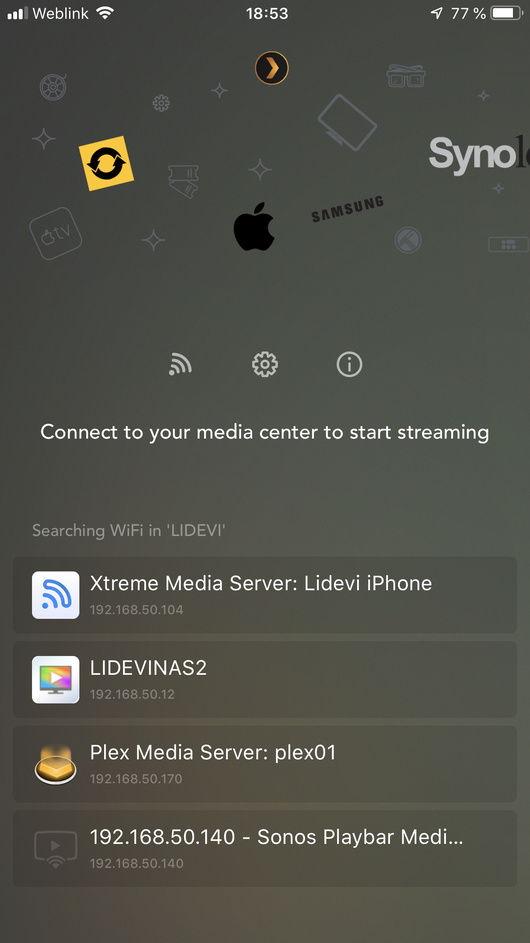
I installed an UPNP app on my phone and I can se the plex server but not xteve.. can it have something that they run on the same machine.. anyway..
It runs on a ubuntu 18 server

I also run both on the same server, but I had to configure my broadcast address on the server.

Does not have to do with your problem but I just saw you have 127.0.0.1 as the IP address entered.
Change 127.0.0.1 to your real IP address, broadcast on the loopback interface makes no sense.

Im not using the 127.0.0.1 adress. Im using the local .170 adress…

Wait until the weekend, in the new version, something has changed on the UPnP service

1 Like

I am having an issue when trying to watch or record shows. When i try to watch a show, it will play for a few seconds and then cut out saying “Conversion failed. The transcoder exited due to an error.”

I have an idea what it might be, but i would prefer a second look from someone who knows what they are doing. :slight_smile:

I’m thinking it is due to my internet speeds. I am using DSL and in the evenings, my speeds drop from the entire neighborhood using all the bandwidth. This is my assumption, but I would like some to look under my hood to make sure there isn’t any issues with mu system.

Thanks
Plex Media Server Logs_2018-09-13_19-13-00.zip (3.0 MB)

I am having the exact same issue, I get 15 mbps - 20 mbps download. Not sure if this is the issue or not.

Thanks for excellent support!

Great news!
Will you tell me in which file is the mapping of tv programs saved? Unfortunately, Qnap has a security vulnerability and probably I will have to install the whole system from scratch.

The file is in the user folder

/home/your_user/xteve/epg-mapping.json

But I think at QNAP the people who built the package took another folder

1 Like

I will find. I would not buy Qnap today. I do not know why I changed from Synology.

I forgot to include my logs from earlier.

Plex Media Server Logs_2018-09-13_16-39-22.zip (1.3 MB)
