The order is based on the channel numbers in the xTeVe mapping menu.
Can I change that?
Of course, just edit the numbers.
I am so happy that I found xTeVe, it is so much better than the other program I used until today!
I have just one thing that I have to solve before everything works at it should.
When I use my m3u file with the Plex built in EPG everything works fine, but the bad thing is that it is a lot to map between the m3u channels and the EPG I choose and the editor for that is really bad. Also, if I change order in the m3u, everything will be unmapped!
When I use the EPG that I have always used and put that in the xTeVe, estiptv.site, everything looks fine. But when Plex has updated everything, very few tv shows are actually tv shows, they are movies instead.
I realize that something is missing in th estiptv xml file but I dont know what.
So can someone please tell me how I can get a good quality EPG (mainly for Sweden) that has the information needed to show shows as shows (  ), or if I maybe can have another estiptv url or whatever is needed to use XEPG for me.
Thanks
The categories in your XMLTV file are missing.
In Discord Channel you will find a lot of information:
Vaders does not comply with the XML specification, xTeVe checks every file before it is used. If the file is OK, it will be saved locally (X6TJ33HGP8UBM4PUTPFF.xml). If the file has failed updating, the last working version (X6TJ33HGP8UBM4PUTPFF.xml) will be used, xTeVe writes this hint to the log. I suspect you deleted the local file. Report the XML error to Vaders.
Sry for not responding right away. yea, I understand that.
For “Not Comply XML File”, it has worked in the past but is it possible that they updated something in there source code to break it?
I have another weird issue, some its auto closing which I’m not sure what’s going on, almost feel like adding a & in my sh scrypt but it has worked all this time back in end of Nov. to early Dec. I can see my log file that it’s completely running with no errors but somehow, it just ends from the panick.

If you like to know what’s in the scrypt, I’ve made some changes from the previous post of the scrypt which is working
-
Vaders does not comply with the XML specification. A semicolon must be converted into a special string. Vaders converts it, but in an HTLM string. xTeVe uses an XML framework from Google, this framework will throw an error if the XML file contains invalid characters. An XML / XMLTV file is made up of several elements: title, description, etc. xTeVe checks all the elements it needs for further processing. If e.g. If the category element contains an invalid character, it will fail.
Most IPTV apps only use the title and description from the XMLTV file for the EPG, so there are no errors. -
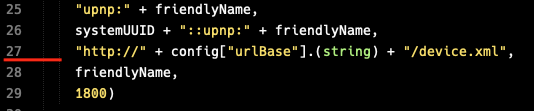
At this point, the Discover URL is written to the UPnP broadcast. The URL is generated based on your IP address, but can not be found in your case.
I actually read in Discord for about 2 hours yesterday (after I spent a lot more reading here and different other places). I did find some options in Discord but I have no idea which one of them works or is the best for me or anything. I just didn’t want to take the wrong path so I had to redo it again…
Hello all!
i am having an issue with xteve
i cannot play any stream (at least none on my list). I get the error ERROR - [Transcoder] http://192.168.1.3:34400/stream/aHR0cDovLzE5NC44OC4xMDcuMTAxOjYyMDQvMDA0OS8wMDQ5Lzg4MjY=: Invalid data found when processing input
it appears that my stream is outputting something that plex does not like
is there a way around this, or does anyone have an demo iptv link i can try to see if my setup is working properly?
PS: on VLC i can see my iptv list without any issue, and thanks for what appears to be a wonderful product.
Is there an error / warning in the xTeVe log when you play the stream?
No. It shows as opening the URL:
2019/01/07 13:15:28 [Plex request] /stream/aHR0cDovLzE4NS43MS42Ni4zNzo4MDgwL2lkYTEvMTIzNDU2LzE2MjY2
2019/01/07 13:15:28 [xTeVe] Plex stream: http://XXX.XXX.XXX.XXX:6204/0049/0049/8826
And then on the plex log there is something realy strange:
had an error one some port, but it was being caused by the xteve being dead:
After relaunching the app the correct error is:
Jan 07, 2019 13:28:41.626 [0x7f40db7ff700] VERBOSE - JobManager: child process with PID 4942 exited
Jan 07, 2019 13:28:41.626 [0x7f40db7ff700] DEBUG - Jobs: ‘/usr/lib/plexmediaserver/Plex Transcoder’ exit code for process 4942 is 1 (failure)
Jan 07, 2019 13:28:41.626 [0x7f40d7fff700] DEBUG - TranscodeSession: session failed while waiting for duration
Jan 07, 2019 13:28:41.626 [0x7f40aeff2700] DEBUG - Streaming Resource: Terminated session 0x7f40bcf5a9a0:8f4e21e0-8c8c-41d1-acce-8c35607594f7 with reason Recording failed. Please check your tuner or antenna.
Jan 07, 2019 13:28:41.626 [0x7f40d7fff700] ERROR - Failed to start session.
Jan 07, 2019 13:28:41.626 [0x7f40d7fff700] ERROR - DVR:Recorder: Unable to create transcode session or session failed to start.
Jan 07, 2019 13:28:41.626 [0x7f40d7fff700] DEBUG - Killing job.
Jan 07, 2019 13:28:41.626 [0x7f40d7fff700] DEBUG - Signalling job ID 4942 with 9
Please note that the log presented form xteve and plex are not form the same attempt. I was clicking around to see if i could get some to work.
Another error form another channel:
Jan 07, 2019 13:39:14.065 [0x7f40d8ffe700] DEBUG - Completed: [127.0.0.1:33228] 204 PUT /video/:/transcode/session/5f3c1927-f950-4ec0-a6dc-079ce2095ac0/5b2c885c-046c-42f8-a607-48707fbf8325/progress?status=opening (13 live) 0ms 203 bytes (pipelined: 2) (range: bytes=0-)
Jan 07, 2019 13:39:14.396 [0x7f40aafea700] ERROR - [Transcoder] Option scan_all_pmts not found.
Jan 07, 2019 13:39:14.397 [0x7f40db7ff700] VERBOSE - JobManager: child process with PID 5247 exited
Jan 07, 2019 13:39:14.397 [0x7f40db7ff700] DEBUG - Jobs: ‘/usr/lib/plexmediaserver/Plex Transcoder’ exit code for process 5247 is 1 (failure)
Thank you for great tool!
Have you consider adding functionality to convert m3u8 to TS stream with FFMpeg? Like it’s done in telly (https://github.com/tellytv/telly)
Yes, but without FFMpeg and without transcoding. Otherwise, in the worst case, the same stream would be transcoded by FFMpeg and Plex.
ok, the url is basic from where I get it.
http://vaders.tv/p2.xml , I use sudo wget url -O to file location and worked great till recently but ok. other issue is getting it up though. I’m going to try somthing out to see where it ends me up with. Hopefully it gets up without crashing of course.
edit: checked just now to see if its running. getting
[xTeVe] [WARNING] Don’t run this as Root!
Jan 06 22:13:47 xteve-restart.sh[611]: 2019/01/06 22:13:47 [xTeVe] Version: 1.4.0
Jan 06 22:13:47 xteve-restart.sh[611]: 2019/01/06 22:13:47 [xTeVe] System folder: /root/xteve/
Jan 06 22:13:47 xteve-restart.sh[611]: 2019/01/06 22:13:47 [xTeVe] Temporary folder: /tmp/xteve/
Jan 06 22:13:47 [xTeVe] [ERROR] unexpected end of JSON input -
sud[3252]: pam_unix(sudo:session): session closed for user root
This happens when you edit the xTeVe configuration files with an editor
Haven’t touch it, I program my guide to autograb every 24 hrs. roughly 1am, just got home. I’m a try and delete some stuff from root and see what happens next.
One of the xTeVe JSON files is broken. It can not happen by itself. Before xTeVe makes changes to these files, they are checked, just as they are loaded.
deleted and recopy my backup over, its up but every now n then, I run into that json error. Next time I’ll run it up as new and replace the guide-numbers.jspn file. Renumbering over almost 350 takes forever.
for the vast majority of my channels the logos will not import into the mapping in xTeVe the M3U file is all formatted the same with all channel logos in but only a few were imported all other info was imported correctly.
The M3U presented to xTeVe is as below
#EXTINF:-1 tvg-id=“BBC2.uk” tvg-name=“BBC2.uk” tvg-logo=“http://epg4you.com/logos/bbctwo.png” group-title=“UK: | United Kingdom”,UK: BBC Two FHD
The format is the same as the ones that do import the logo to xTeVe
I have the same problem on both my Windows and QNAP servers
Is there something wrong with the M3U file?

