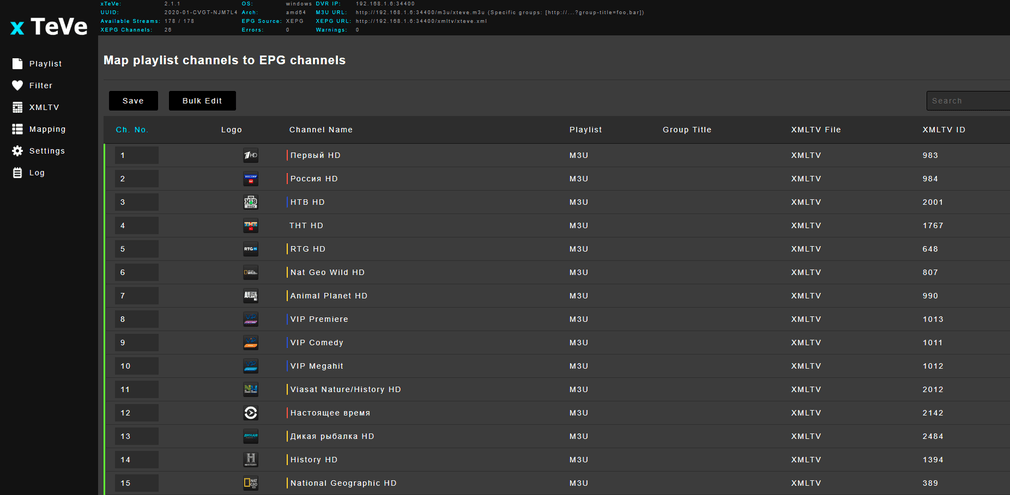
@Asadov_74: Plex can only show or record Live-TV with compatible DVR harware, so originaly no Internet Streams. Here comes xTeVe which simulates a DVR hardware while restreaming internet streams.
To help you we need the error message (from plex? from xTeVe?) and maybe the stream-URL you want to watch. We need more info.
if the url is like
rdp://1.1.1.1@2.2.2.2:10000
try instead
udp://@2.2.2.2:10000?sources=1.1.1.1
Thank you!
My IPTV list starts with http://key… but it’s on m3u link in xTeve.
Do you have any little working playlist, so I could check it?
May be it’s a problem with my provider list in this situation?
I also tried another playlist which i took from Internet and also doesn’t work.
Gonna post soon the errors and playlist.
Thank you!
I think I found a solution and the problem was at streaming ffmpeg, now I checked and the channels started, I did put one of the tv shows series on record as a test.
Worked after FFmpeg Binary Path:C:\etc.
After recording few shows from few different channels I discovered that recording made repeats it self about every 3 mins, another word show stops and starts playing from 3 minutes ago and it happens at least 2 times before moving on.
Also majority of the recordings made have commercials recorded even with the option to remove all commercials enabled.
Any ideas?
Thanks.
Well about the commercials:
First of all this a not an issue with xteve. Secondly, the comskip that Plex uses isn’t magic. It searches patterns of commercials and tries to get rid of them. That may work but not necessarily, the broadcasters are not dumb either.
To your other issue:
No one answers because your problem description is nearly not understandable. I really don’t get what your problem is. So if you ask more detailed and more accurate, one might help.
Again, I suspect this is either a problem with Plex DVR or your IPTV stream and lot with xteve. But hard to tell.
“After recording few shows from few different channels I discovered that recording made repeats it self about every 3 mins” Whats here is understandable?You record the show and it makes repeats over and over some scene 2-3 times.
I am trying to use XTeVe to do the connection to the IPTV provider and I am using FFmpeg to do so. The binary is located at /usr/bin/ffmpeg, but when I go to connect I get the error:
[xTeVe] [ERROR] FFMPEG error (Streaming was stopped by third party transcoder (FFmpeg / VLC)) - EC: 1204
So what is this error? If I disable buffering and client makes the direct connection then I have no issues.
“address already in use” suggests that an instance of the software is still running to some degree. It needs to be not running for a new instance to begin. If you can’t stop it, a reboot will do the trick.


 and playlist, which is working fine on vlc player and even by xteve.m3u link, but not on Plex.