Hi everyone
I was reading this post and wondering if it is possible to install xteve on my dreambox dm900 decoder
because with hrtunerproxy I have some problems
can you give me some advice ??
Thanks
You don’t install on the dreambox. You install it on another computer (e.g. Your Plex server) and connect to the dreambox by importing the m3u8 playlists of your bouquets.
Thank you for your answer
is there any complete guide on how to download and connect to my dec oder ??
where do I get the m3u8 list on my decoder?
sorry but I’m a neophyte in this field
i installed xteve on my windows server
now I just have to understand how to export my channel list to make it recognized by xteve
In OpenwebIF click on the tv icon for the respective bouquet, this downloads the m3u8. Only works on desktop, not mobile.
thanks for your help
I did it and gives me a link
I state that my decoder is password protected and if I copy the file on xteve it gives me an error
Then you have to edit all the http links in the file to
http://user:password@ip-of-dreambox:/...
You can use search & replace
i tried with 1 channel and it seems to work
I just have to try to understand how to export them all together because clicking on the export bouquet button I get a file like that
#NAME Last Scanned
#SERVICE 1: 0: 0: 1: 385: 110: EEEE0000: 0: 0: 0:
#SERVICE 1: 0: 0: 1: 3AC: 110: EEEE0000: 0: 0: 0:
#SERVICE 1: 0: 0: 2: 385: 110: EEEE0000: 0: 0: 0:
#SERVICE 1: 0: 0: 3: 385: 110: EEEE0000: 0: 0: 0:
#SERVICE 1: 0: 0: 4: 385: 110: EEEE0000: 0: 0: 0:
#SERVICE 1: 0: 0: 5: 385: 110: EEEE0000: 0: 0: 0:
a single link doesn’t come out
Did you click here? Maybe the result is different for a dreambox, I have a Vu+

You can repeat this for other boquets.
Mine looks like this:
#EXTM3U
#EXTVLCOPT--http-reconnect=true
#EXTINF:-1,Das Erste HD
#EXTVLCOPT:program=11100
http://192.168.178.40:8001/1:0:19:2B5C:41B:1:FFFF014A:0:0:0:&.ts
#EXTINF:-1,ZDF HD
#EXTVLCOPT:program=11110
http://192.168.178.40:8001/1:0:19:2B66:437:1:FFFF01C2:0:0:0:&.ts
....
perfect thanks I did it with your guide
now I just need to edit the files and then how do I insert it on xteve ??
because he released me a file
sorry for my ignorance and your patience
You have to save the file somewhere, where xteve can access it. If you set xteve up, it will ask for the m3u8 file.
If not:
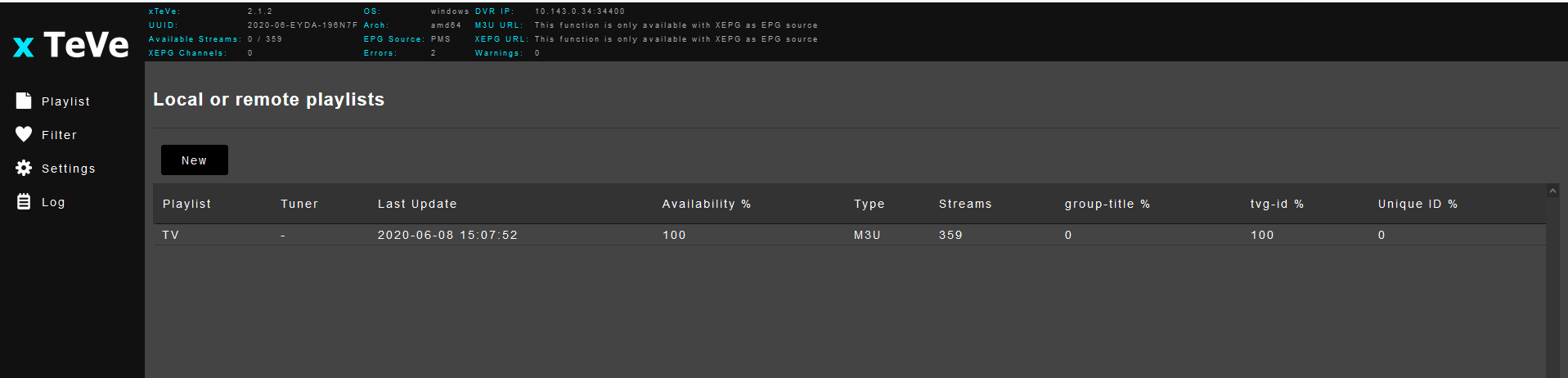
In the xteve web interface: playlist -> new
perfect it seems that I managed to get it recognized by xteve
last and I hope it is the last problem and that on plex I had made a test with a channel
now deleting the dvr and resetting it with the same ip only sees me that channel
how can I do a cleaning of temporary plex files so I can reactivate xteve ??
Deleting DVR inside Plex and doing a new setup should be fine, at least it always was for me. If not, try restarting your Plex server. Still, all your new channels should also be active in xteve I guess.
I have my Live TV set up through this. Works just fine BUT if I don’t use the Plex generated EPG my metadata is all backwards. If I use the XEPG file created in xTeVe Plex will grab the program name, but everything else is wrong. For example it thinks the TV show Friends is some Hindi movie from 2001. It seems to be doing weird things with the channel logos on my Apple TV Plex app. Extremely frustrating. I’ve spent hours and hours trying to figure it out and I’m losing enthusiasm for something I thought was extremely cool.
I’m guessing it could be stemming from the EPG source but I’m honestly at a loss. You’d think Comedy Central airing Friends would show the correct metadata. However, I do see there is no specific program info in the XEPG XML file which might explain this. If anyone has any idea I’d appreciate any help. Am I just blatantly overlooking a step in xTeVe? I would prefer to use my own XEPG file from XtEve if at all possible as I’m wanting to merge some playlists from different sources to create my guide.
Look in the top status bar in xTeVe - there is the DVR IP address and port. In Plex add a new DVR and select ‘Enter it’s network address manually’ and enter the DVR IP address and Port.
You also need to create a filter if you haven’t done so. While the playlist exists you need to set a filter for the groups the playlist holds.
thanks to your help I managed to solve and everything works perfectly
thank you very much for your cooperation
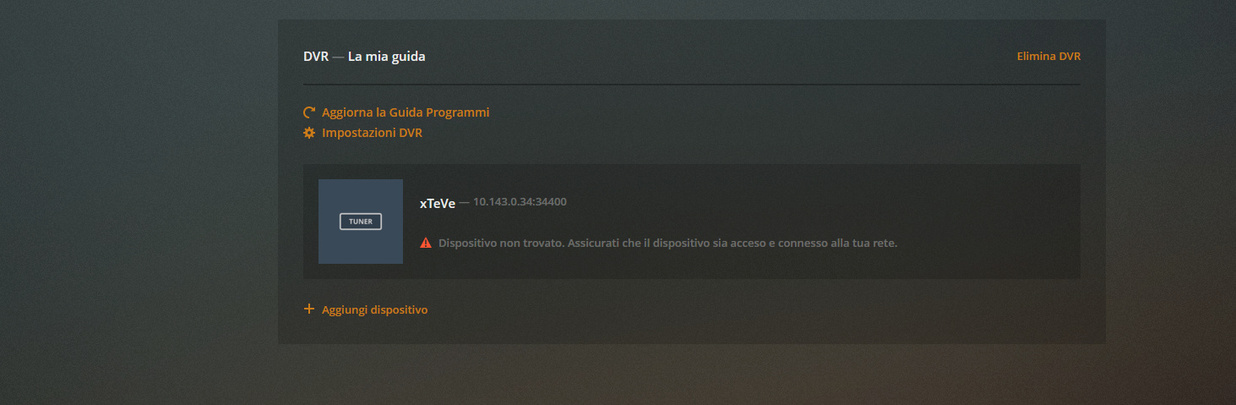
Yes pretty normal for me.
hi thanks for your answers
I have another question
when I connect with 2 devices at the same time I have vision on one
I’m going to see in the tuner and he writes me number tuner 1 and I can’t change it
while I put as tuner number 10
my dreambox has 2 tuners and with hrtunerproxy I could see them at the same time
is there a solution to change running tuners ??
thanks
