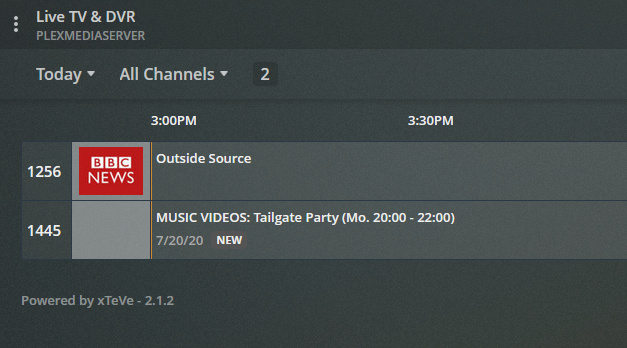
guys i have an annoying problem in xteve
I installed on two xteve servers
the first one as the ip address of the dvr gives me the public address and when i use the vpn everything is fine even when i disconnect it
in the other instead xteve in the dvr gives me an ip type 10.34.56.107
how much attack the vpn xteve changes ip and I have to go to restart xteve to have a different ip and therefore every time I have to eliminate and put the dvr back in plex at every disconnect or attack of the vpn
is there any way to insert the public ip address in xteve so that i no longer have this problem?
I saw that the suìi door can change but I don’t know which file to modify to resolve this problem
thanks for your help
So I can play my m3u playlist 100% fine via VLC, but more often than not I get no streams starting, or freezing, or looping video in Plex. The amount of times I can get a channel to play in Plex without issue are slim.
I just don’t understand what the problem is here. I have changed my stream buffer to VLC even and experimented with all different sizes of stream buffer. Lower size stream buffers seem to at least allow the channels to start, but there is freezing then. If I set it any higher than 2, nothing wants to start.
Can someone help me to understand what the disconnect is here?
I’ve been having similar issues for months. I contacted the IPTV provider and they’ve said everything is fine on their end and they don’t support xTeVe + Plex setups, I should use the GSE Smart app instead. Which I have been without a single issue for about a week now which makes me believe that there’s something wrong with my current setup. Every few minutes the stream jumps/loops back around 30 seconds, I’m having to manually jump forward if I don’t want to watch the same content again. This is very annoying and spoils the whole experience for me, It’d be a really nice service should it work as designed, but I don’t know how to continue troubleshooting this. Any thoughts anyone?
I have had xTeVe set up for a few months and its working well for live TV in plex. I have the odd problem where two people try and watch the same channel at the same time but I’m not too worried about that.
I seem to have very little success recording anything though. The file in the .grab folder quite often stops at 45 seconds and plex keeps recording forever filling up the plex transcode folder. xTeVe keeps streaming and I often have to restart PMS to stop it recording.
Has anyone had success with recording or had similar issues ? I’m up to date with plex and xTeVe.
Have you checked your tvguide xml file in xteve contains programs for the other channels ? I don’t think plex shows the channel in the guide if the epg is empty.
I’ve noticed several users having issues with XTeVe and PLEX and I’m just going to put this out there, because after several PLEX updates I’m positive something has changed in PLEX to not work that well with XTeVe.
Since update 1.18.5.2309–f5213a238_amd64.deb, whenever I update my PLEX server that’s running a DVR using XTeVe as its tuner, nothing plays the streams except PLEX on my iOS device. I’m going to re-iterate that statement: NOTHING BUT iOS WORKS WITH XTEVE.
So, what I do when I see a PLEX update, I update both servers I’m running (both PLEX servers have a tuner - 1 is using a Haupage tuner for my Digital Antenna mounted on my roof - the other is using XTeVe as its tuner for an IPTV subscription I have running).
The PLEX server with the Haupage tuner always works fine after the update. The PLEX server that is running a XTeVe tuner will not stream except with the iOS device. Everytime, I then re-install plexmediaserver_1.18.5.2309-f5213a238_amd64.deb and it (meaning the XTeVe tuner and streaming from it) all works fine again.
I now submit after many PLEX updates, the issue is not resolved that there is something wrong with PLEX and not with XTeVe. This problem is COMPLETELY reproduce-able every time…
Simply put plexmediaserver_1.18.5.2309-f5213a238_amd64.deb works and everything after that installation has MAJOR problems with XTeVe.
I can reproduce this issue on ANY new installation both windows and linux. I’m not saying there arent exceptions (You seem to have found some additional exceptions), but there is DEFINITELY a PLEX issue with XTeVe since plexmediaserver_1.18.5.2309-f5213a238_amd64.deb
I cant stress this enough. Every version of PLEX after plexmediaserver_1.18.5.2309-f5213a238_amd64.deb has a problem with XTeVe. Including this recent version 1.19.5.3112
For me its simple enough to reproduce the issue. I simply install any update after 1.18.5.2309 and I cant stream to any web page, ROKU or the PLEX Media Desktop APP.
VLC demonstrates my IPTV subscription works fine all the time. I am completely satisfied its not my IPTV subscription. I have downloaded XTeVe so many times and used the new file that after about a thousand CRC checks I am positive that I have a good XTeVe file. It is ALWAYS PLEX. Further, if I install 1.18.5.2309 XTeVe then streams flawlessly to ALL applications and devices.
I’m with @whoa on the issues arising after 1.18.5.
I have a functional IPTV stream. Works fine with VLC on my phone.
When I create a tuner with XTEVE the channels either don’t play, or aren’t showing up.
Guide information is also missing when they do occasional show up.
XTEVE is configuration hasn’t changed. Channels are mapped in Plex during setup.
Manually crawling the EPG file shows a current and accurate channel and show list.
I’m open to troubleshooting with support, as this seems to be a bug.
I actually fixed it by just deleting and rebooting everything. Now Plex sees the two “streams” or tuners I have set in xteve. There is a setting in xteve for how many streams are allowed from the IPTV provider.
So I had everything setup and it looked liked it should be “just working”. But I couldn’t get it to stream any video. Turns out it simply doesn’t want to work in the web browser. When I checked on my Android App and WebOS (TV) client it appears to be working as expected - could this be your issue also?
Having a bit of a problem. I’m using Xteve and I’m adding channels, but for some reason when I get to 71 channels I can’t add anymore. I get a error after every channel I add after 71. Is there a reason for that?
@ApexAftermath I am aware of the settings in XTeVe, but what you asked help about didnt illustrate your problem…
@schmoo2k Yes. Exactly the issue I am referring to. I bet if you rollled back to 1.18.5.2309 PLEX would work on the web interface.
@DragonSlayer32 You can actually add channels well beyond PLEX’s 480 channel limit in XTeVe so I am not exactly sure how you are adding channels in XTeVe.