Using the plexinc/pms-docker:plexpass container on Ubuntu 18.04. Saw the email update today talking about enabling Plex-native notifications, but under Settings → General I have no checkbox of any kind to enable notifications:
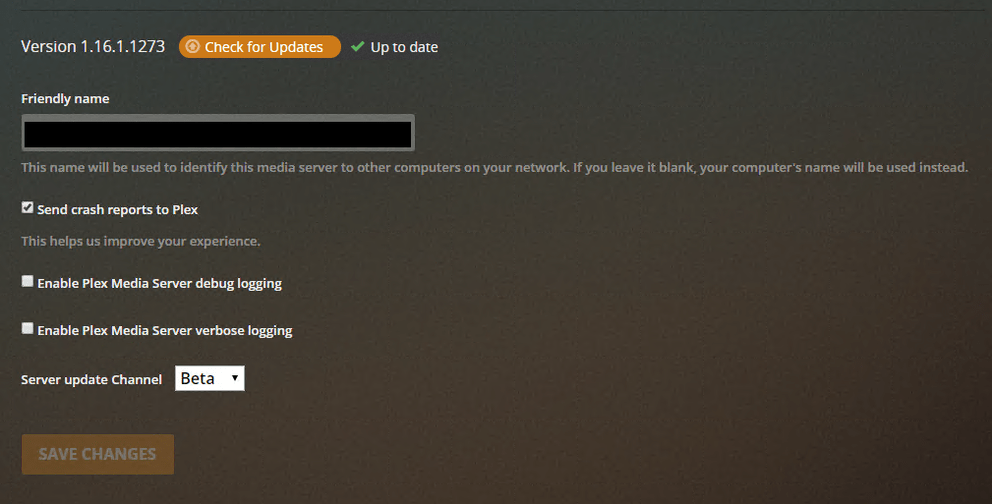
Restart the Plex server and you will get the option.
-Shark2k
Good to know, I’ll give that a shot when it goes quiet. Thanks!
Yeah. Probably something they should have mentioned in the article or the email. I spent a few going through options thinking they made a mistake. I tried both the local URL and Plex.tv app but had nothing. My server was quiet (and there was another as of yet announced server update) so I figured I’d restart the Plex docker and when it came back up I had the option.
-Shark2k
Just affirming this is also issue for me as well. Rebooting did not reconcile anything.
What version of the server are you on?
-Shark2k
1.16.1.1273
I also have 1.16.1.1273 installed on 2 servers running ubuntu, and am not seeing the setting even after rebooting
I don’t know what to tell you.
I restarted my docker container partly because I didn’t have the option but also because I had an update (I was one version behind 1.16.1.1273). After I did that and the server came back up I had the option.
Only other thing I can think of is try accessing the server via an incognito mode to see if maybe a cookie or cache is causing the option to not show.
Otherwise, maybe @BigWheel might be able to help.
-Shark2k
It should not matter afaik, but are you running the local web app at IP:32400/web or from app.plex.tv/desktop ?
When I was encountering this issue, it was the same whether I used app.plex.tv/desktop or :32400/web. With that said, I ran some unrelated system updates on the server and rebooted it, and when it came back up the option is now available.

After Rebooting the server I didnt see it either… Had to do a reload on the web page, then it showed up for me.
Just saw notification update was available, rebooted and see it now… 1.16.1.1291
