Folks should also not misunderstand I would be doing logs feverishly, as soon as I think this one PMS crash is chronic.
If you’d been here, you might not have been surprised if a bunch of things hadn’t crashed. I was pushing the envelope.
Folks should also not misunderstand I would be doing logs feverishly, as soon as I think this one PMS crash is chronic.
If you’d been here, you might not have been surprised if a bunch of things hadn’t crashed. I was pushing the envelope.
To be honest, that should not make apps crash. Pushing your system to the brink of death should only make apps appear non responsive at times.
I push too.
Just a month or two ago I did 2 video encodings at the same time while transcoding to users and programming while having 3 VM’s running. Nothing crashed. EVERYTHING was slow though!!
I’m having the same problem with 1.16.5.1554 running on Win 10. I’ve had occasional crashes for quite a while but this morning PMS only stays up for a minute or two before crashing. Help! I’m happy to provide any logs to help resolve this issue ASAP.
Yea, but.
My router had been flashing the Update Me, You Fool Icon for a month, at least.
I had 14 Hanbrake items in the queue.
I was doing an OCR session in Subtitle Edit right after I dropped, too soon, 5 episodes of Prime Suspect in her library and thumb gen had begun.
I wasn’t just pushing the envelope. I drove a Cat D9 right through the middle of the envelope out the other side…
Then follow these instructions.
You can simply drag the zip in the reply window and someone will take a look.
And
https://support.plex.tv/articles/200250417-plex-media-server-log-files/
You can use the Easily Gather Logs
Added to my last reply - I just got excited and saved it too early.
@Cap_n_Awesome
I would start with updating your drivers
Aug 28, 2019 07:09:00.992 [5632] ERROR - [FFMPEG] - Error initializing an MFX session: -3.
Aug 28, 2019 07:09:01.039 [5632] ERROR - [FFMPEG] - Cannot load nvEncodeAPI.dll
Aug 28, 2019 07:09:01.039 [5632] ERROR - [FFMPEG] - The minimum required Nvidia driver for nvenc is 378.66 or newer
I updated to the latest Nvida drivers last week - current drivers are from 6/24/19. My video card doesn’t support nvenc anyway so I’m not sure why it’s trying to load that.
Then be sure that HW transcoding is off(unchecked).
settings>transcoder>>Use hardware acceleration when available
I actually disabled that setting about 30 minutes ago to see if it would have any impact on the issue and it does see to have stopped the crashes, at least the system is still up 30 min later when it was averaging about 2 min of uptime before I unchecked that setting.
Odd that it would start causing an issue now - I’m sure that setting has been on for months.
I disabled “use HW transcoding when available” and updated to 1.16.5.1554. So far no crashes after 3 hours, which is a lot longer than when the crashes occured. It looks like the issue is related to this feature. My system doesn’t have a dedicated graphics adapter - only what is built into the i9-9990K.
That being on by default is probably a good idea… (?)
(I don’t have that line - so Plex-Brain figured out I don’t have any of that stuff, but didn’t figure it out for these others?)
(odd)
@Lysdal, @Cap_n_Awesome
You can also try the new beta version.
Update - my system has need stable for 30 hours now after I disabled the hardware transcoding. I had enabled it a few months ago thinking it would use QuickSync as I knew my card wouldn’t support nvenc. This morning I removed the Nvidia card and re-enabled the hardware transcoding and, so far, all seems fine. The transcoding when streaming to my phone appears to be using QuickSync now. So it seems that, for whatever reason, PMS was detecting the Nvidia card and trying to use nvenc even though the GPU didn’t support it. Removing the card has cleared up the confusion and things are working again.
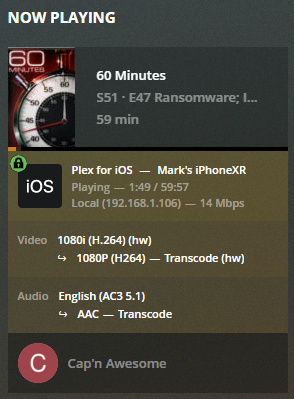
Update: my server (latest release version) crashed again after a few hours even with the “use HW transcoding when avaiable” feature disabled. I’ve reverted back to the 1402, which is the last stable one, for the weekend. Further debugging next week.
The issue is still there in 1.16.6.1592. Staying on 1402
This topic was automatically closed 90 days after the last reply. New replies are no longer allowed.

