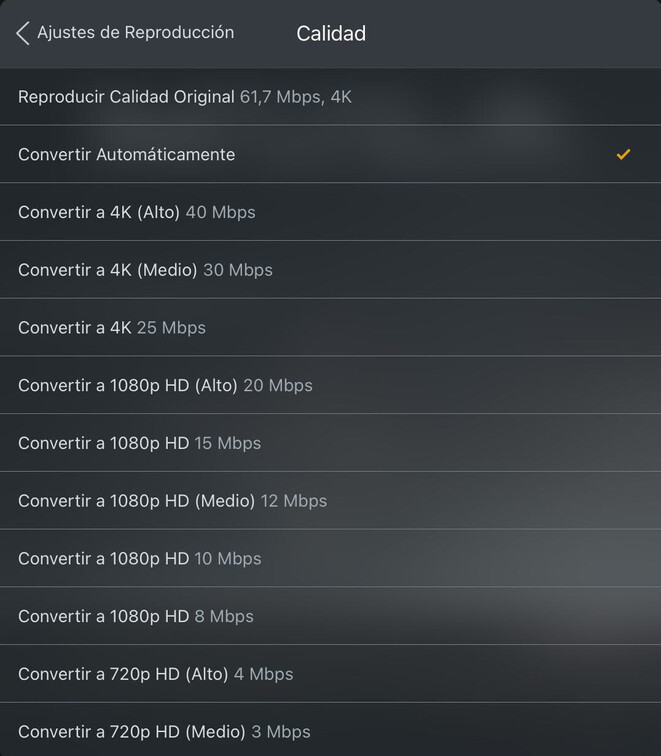
I suppose that’s what you get to see if you click the Show All option at the bottom of the regular list.
For me, the iOS client is currently showing a single 4K option (4K (High) - 40 Mbps). If I click on Show All, Plex is offering me the options from your screenshot (High @ 40 Mbps, Medium @ 30 Mbps and "regular" @ 25 Mbps).
The Apple TV client is immediately offering the full list (matching iOS’ Show All list of quality options).
Interestingly Plex for Mac/Windows and Plex Web aren’t offering me any 4K options. Plex HTPC and Android TV clients only offers a “default” 4K option @ 20 Mbps (and apparently otherwise the same quality levels).
TL;DR – it appears you need to mention what client you’re using to get a conclusive answer about the quality options available in that app because those settings seem not to be harmonized across clients.
I’ve seen those different 4K options on iOS for quite some time, so I’m not sure it’s just a recent addition about to be rolled out on all platforms.